
Img Upscaler
AI image upscalerEnlarge images without blur
Highlights
What you can do with it
- Upscale a photo for a large print
- Enlarge an old scan for reproduction
- Batch process a set of images for a listing
How to use it
- 1 Open imgupscaler.com in your browser.
- 2 Upload the images you want to enlarge.
- 3 Choose the scale factor you need.
- 4 Download the enhanced files.
Who it is for
Pros
- Handles large batches in one go
- High maximum output resolution
- Simple three step workflow
Limitations
- Paid plans start at 3.90 dollars, so heavy use costs money
- Upscaling cannot invent detail that was never captured
- Pricing and free allowances can change
What Img Upscaler is
Img Upscaler is an AI tool that enlarges images. You upload a JPG, PNG, or JPEG file, choose a scale factor of 200 percent or 400 percent, and it returns a bigger version meant to hold up without visible blur. The maximum output resolution is stated as 16000 by 16000 pixels, and batch processing means you can run a whole folder rather than one file at a time. The site lists paid plans starting at 3.90 dollars, so the useful end of the product is paid and the free side is limited.
What you can do with it
- Enlarge a photo for a large format print.
- Upscale an old scan so it can be reprinted.
- Process a batch of product images to a consistent resolution.
- Improve the apparent sharpness of a small source file.
Who it is for
- Photographers and print shops preparing big output.
- People restoring or reprinting family photos and documents.
- Sellers who need a full set of product shots at higher resolution.
What to watch out for
Upscaling improves what is already there, it does not recover detail that was never captured, so a small, soft, or heavily compressed source will still look soft when enlarged. Paid plans start at 3.90 dollars, which means regular use costs money, and pricing and free allowances can change. Large batches also take time and bandwidth, and uploading images to a third party service means your files leave your machine, so check the privacy terms before sending anything sensitive. Start with a small sample to confirm the output meets your expectations before processing the full batch.
FAQ
How large can the output be?
The site states a maximum resolution of 16000 by 16000 pixels.
Can I process several images at once?
Yes. Batch processing is listed as a feature.
How much does it cost?
The description mentions plans starting at 3.90 dollars. The free end is limited, so check the site for current allowances.
Why it is free
What the official page says: 免费
Free limits, trial length and features are decided by the official site and can change at any time.
Product preview
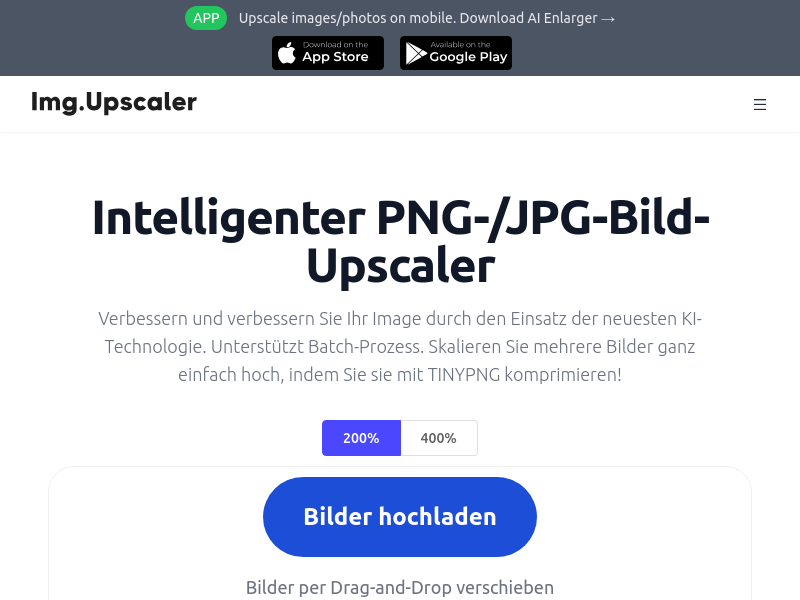
Screenshot archived from the listing page, for preview only.











