
Inkwell
An IDE-style writing tool for scripts and long documentsVersion control and save points for writers.
Highlights
What you can do with it
- A screenwriter records each stage of a draft and checks dialogue logic
- A novelist explores different plot directions without copying the file
- A production team tracks revisions by color once the draft is locked
How to use it
- 1 Open the Inkwell site and register an account, which is free to start
- 2 Create a script or a long-form document
- 3 Write in the editor and use Tab to switch between element types
- 4 Use the command panel for save points, draft lines, and AI skills
- 5 Invite collaborators if you need a team on the same file
Who it is for
Pros
- Save points stop folders filling with near-identical files
- Draft lines let you test an alternate ending inside the same file
- AI suggestions appear in context, so you can accept or reject each one
Limitations
- The site returned a 403 status when catalogued, so access is worth verifying
- The structured editor, draft lines, and shortcuts take time to learn
- What the free version includes is not spelled out, and terms can change
What Inkwell is
Inkwell is a writing platform built for scripts and long documents, and it borrows habits from software development rather than treating a text file like a typewriter. You get version control with immutable save points you can name, so each important moment in a draft is recoverable without keeping a folder of near-identical copies. Draft lines let you run parallel alternative versions in the same file, which is useful when you want to test a different ending or a plot twist. The structured editor recognizes 16 element types, so scene headings, characters, and dialogue are handled as distinct things instead of plain paragraphs. A free version is available and you can register to start using it.
What you can do with it
- Mark save points and roll a draft back to any named moment
- Open a draft line to explore an alternate version without copying the file
- Track changes at scene and dialogue level between versions
- Run AI skills such as dialogue coherence and character analysis, reviewing each suggestion in context
Who it is for
- Screenwriters who need version history and dialogue checks
- Novelists and thesis writers who need structure over hundreds of pages
- Production teams that have to see exactly what changed after a lock
What to watch out for
The tool assumes you are willing to work in a structured editor. If you have only ever written in a plain text file, the element types, command panel shortcuts, and draft lines take time to get used to, and that learning curve is real for a first project. AI suggestions are generated, so treat them as prompts for your own judgement rather than fixes. The site returned a 403 status when it was catalogued, so verify you can reach it before building a workflow around it. What the free version includes, and whether that changes, is not spelled out in the listing, so check the current terms on the site.
FAQ
Is there a free version?
Yes. The description says there is a free version and that you can start using it for free after registering.
What can the AI skills do?
Dialogue coherence and character analysis are listed. Each suggestion is reviewed in context rather than applied automatically.
Can a team work on one script?
Yes, multi-person real-time collaboration is supported, with revision colors after the production draft is locked.
Why it is free
What the official page says: for freefree version
Free limits, trial length and features are decided by the official site and can change at any time.
Product preview
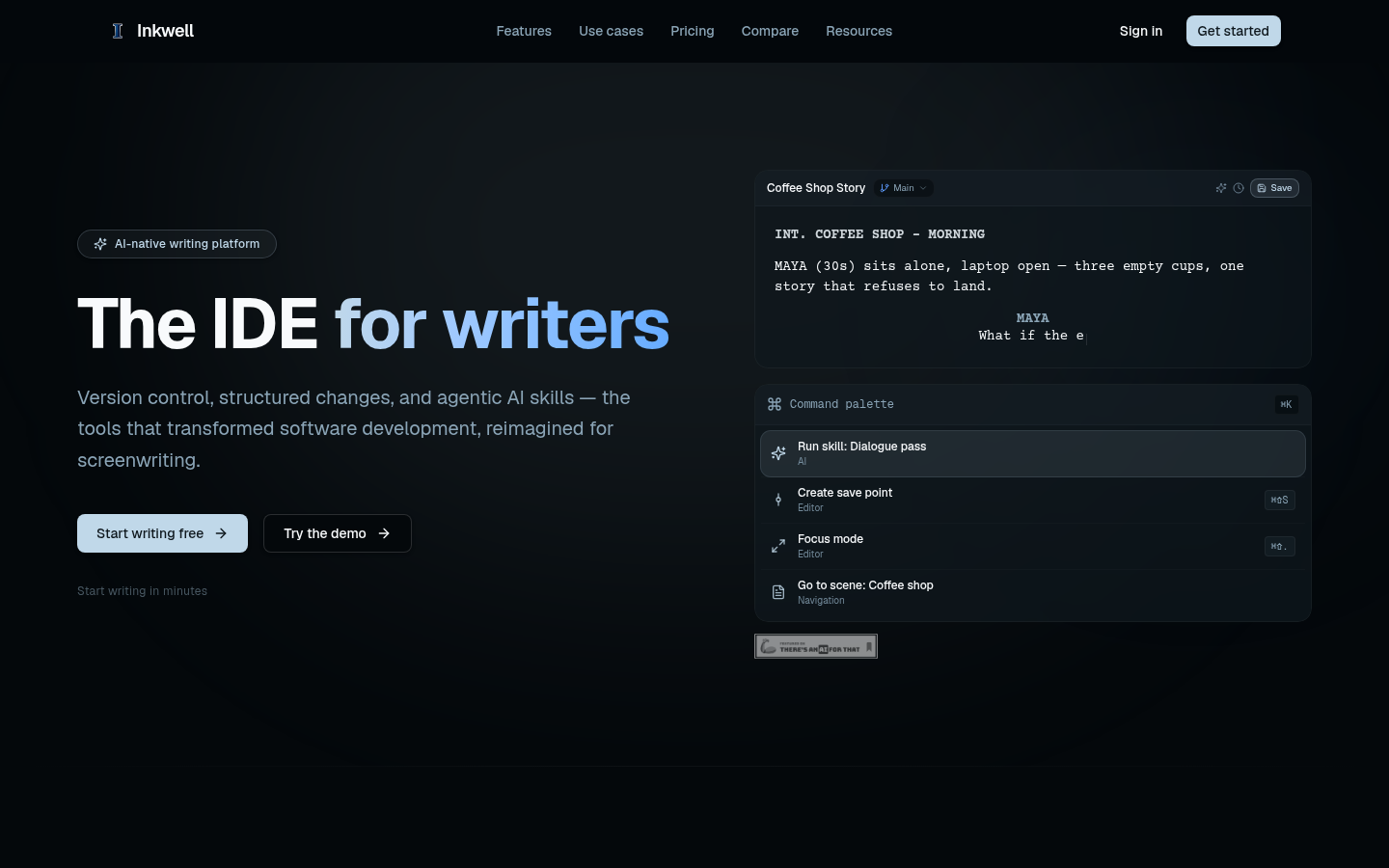
Screenshot archived from the listing page, for preview only.











