
IntelliBar
Free Mac ChatGPT clientChatGPT at your fingertips on Mac
Highlights
What you can do with it
- Query AI without leaving your current app
- Send selected text or a file for analysis
- Reuse saved prompts from the library
How to use it
- 1 Install IntelliBar on your Mac
- 2 Set a hotkey to launch the bar
- 3 Select text or a file, or type a prompt
- 4 Pick a GPT model and read the answer
Who it is for
Pros
- Completely free to use
- Quick launch from any application with hotkeys
- Works with multiple GPT models
Limitations
- Mac only, so it is not available on Windows or Linux
- Free access can change at any time
- Model availability depends on upstream GPT services
What IntelliBar is
IntelliBar is an efficient chat tool that provides a sleek ChatGPT client for Mac users. It can be launched quickly from any application, which keeps AI help one keystroke away instead of buried in a browser tab. It supports extracting information from selected text or files, and it offers intelligent auto-completion plus a prompt library so you can reuse instructions you rely on. It also supports hotkey operations and works with multiple GPT models. The listing describes it as completely free to use. It is a desktop client, so the work happens on your Mac alongside whatever app you are already in.
What you can do with it
- Launch the chat bar from any application with a hotkey
- Send selected text or a file for the model to work on
- Reuse saved prompts from the built-in prompt library
- Switch between multiple GPT models
- Get auto-completion while you type a prompt
Who it is for
- Mac users who want AI chat close at hand while they work
- Writers and developers moving between several apps
- Anyone who types the same prompts again and again
- People who prefer a small floating client over a browser tab
What to watch out for
IntelliBar is Mac only, so if you also work on Windows or Linux you will need something else there. The app is described as free, but free access can change at any time, and it depends on upstream GPT services, so model availability, rate limits, and answer quality are outside its control. Extracting information from files and selected text is convenient, but be careful about sending sensitive or confidential content to an external model, and review generated output before you rely on it.
FAQ
Is IntelliBar free?
Yes, the listing says it is completely free to use.
Which platform is it for?
It is a client for Mac users.
Can I use my own prompts?
Yes, it includes a prompt library and auto-completion.
Why it is free
What the official page says: completely freefree to use
Free limits, trial length and features are decided by the official site and can change at any time.
Product preview
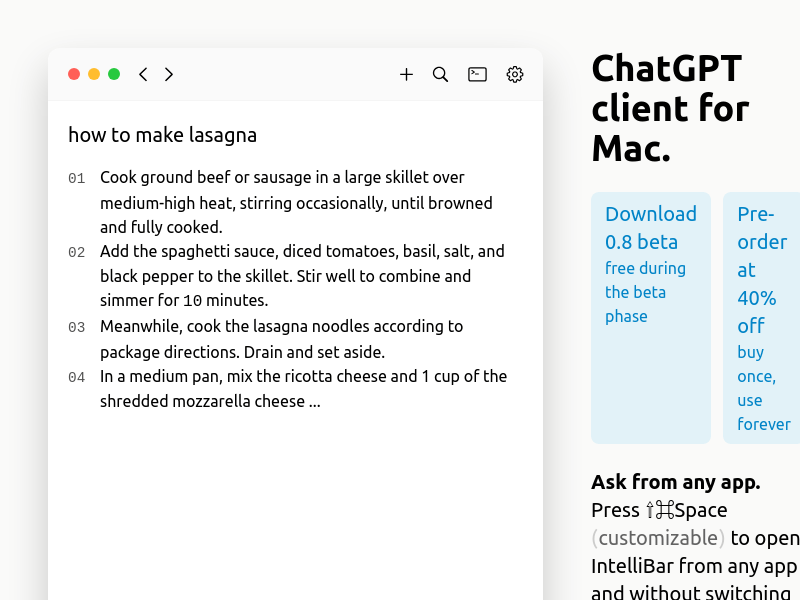
Screenshot archived from the listing page, for preview only.











