Kling Flash AI Video Generator
Third-party tool for fast Kling AI video generation with audioGenerate Kling-style videos with free credits and native audio
Highlights
What you can do with it
- A food blogger turns a ramen prompt into a short narrated clip
- An e-commerce seller turns a product image into a rotating showcase
- A startup makes a concept demo video for a pitch deck
How to use it
- 1 Open Kling Flash and sign in with Google to get free credits
- 2 Pick text or image to video and add your prompt or image
- 3 Choose a Kling model and set duration and resolution
- 4 Generate, preview, and download, then top up credits if needed
Who it is for
Pros
- Free credits to start, plus daily check-in rewards
- Native audio and fast generation for high-volume work
- Lower entry price than some mainstream alternatives
Limitations
- It is a third-party tool, not affiliated with official Kling
- Base resolution is 720p, with higher tiers still coming
- Credit costs add up, and failed or redone renders may be limited
What Kling Flash is
Kling Flash is a third-party AI video generation platform built around the Kling model. You turn text prompts or uploaded images into short videos with native audio, such as dialogue, sound effects, and music, without a separate sound step. It currently supports Kling 3.0 and 3.0 Turbo, with plans to add Kling 4 Flash later. Resolution goes up to 720p for now, with higher options planned. New users get free credits when they sign up and can earn more through daily check-ins, and paid plans start at $15 per month.
What you can do with it
- Turn text prompts into short video clips with audio.
- Turn a still image into a moving, guided video.
- Generate native sound so the clip has dialogue and effects.
- Pick a Kling model and set duration and resolution.
Who it is for
- Short-video creators who need fast, repeated output.
- Social media operators publishing video content daily.
- Designers and small teams turning static drafts into motion.
What to watch out for
This is a third-party tool and is not affiliated with Kuaishou or the official Kling AI, so service and model access depend on the operator, not the official team. Base resolution is 720p, and higher tiers are still coming, so it may not fit high-end needs yet. Credits are consumed per generation and can run out, and because the platform is young, check terms and refund rules before you rely on it. When quality matters, export a small draft first to confirm the result before producing the final file. Generated suggestions are for reference only, so verify anything that affects professional judgment or important data.
FAQ
Is Kling Flash free?
New users get free credits on signup and can earn more from daily check-ins. Paid plans start at $15 per month, and one-time credit packs are available.
Is it the official Kling service?
No. It is an independent third-party tool and is not affiliated with Kuaishou or the official Kling AI, though it uses Kling models.
What resolution does it support?
It supports up to 720p now, with higher resolutions like 1080p and 4K planned.
What should I keep in mind?
It is third-party, base resolution is limited, credits can run out, and it is a young service, so check terms before relying on it.
Why it is free
What the official page says: free credits
Free limits, trial length and features are decided by the official site and can change at any time.
Product preview
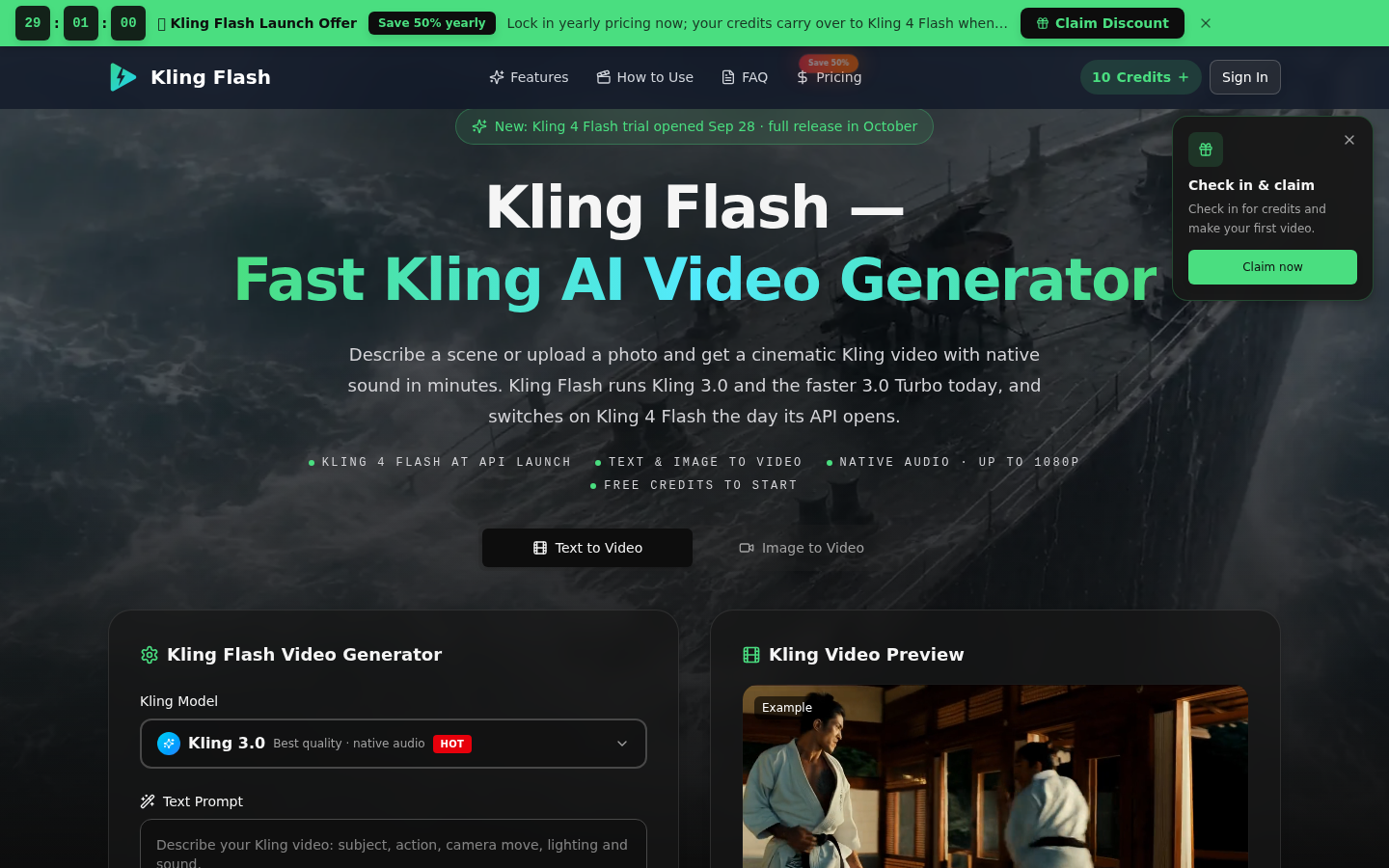
Screenshot archived from the listing page, for preview only.