
Kwirk
Offline text editor with an AI assistantWrite offline, ask AI only when you want to
Highlights
What you can do with it
- Offline drafting where privacy matters
- Business writing with AI help integrated
- Editing on mobile with the iOS and Android apps
How to use it
- 1 Open Kwirk in a browser or install the mobile app
- 2 Start writing in the offline editor
- 3 Ask the AI assistant when you need help
- 4 Choose a package tier if you need more storage or API access
Who it is for
Pros
- Works offline with local editing
- AI requests are the only data that leaves
- Mobile apps for both platforms
- Tiers scale from personal to enterprise
Limitations
- Free tier limits and package prices can change
- Advanced features such as API access sit in paid tiers
- Offline use still needs AI calls for AI features
- Feature depth compared with mature office suites is unclear
What Kwirk is
Kwirk is a smart AI assistant combined with an offline text editor. It is presented as free, private, and offline-ready, and the privacy claim is specific: your personal data stays local, and only the AI request data leaves your browser when you actually ask for something. The product pitch is that it can replace slow, overloaded office products for everyday writing, which is a claim about speed and focus as much as features. Several package tiers are listed, ranging from individual use up to enterprise, adding AI integration, commercial-use terms, storage space, and API access. iOS and Android apps are available so the same writing surface follows you onto a phone.
What you can do with it
- Write and edit offline in a private editor
- Ask the AI assistant without sending your whole document
- Move between desktop and mobile apps
- Scale up to commercial use, storage, or API access if needed
Who it is for
- Individuals who want a quiet, private writing space
- Business users who need commercial-use terms
- Mobile users who draft on the move
What to watch out for
Free tier limits and package pricing can change, and the listing does not spell out exactly where the free line sits, so confirm before you depend on a feature. Offline editing is genuinely offline, but any AI feature needs a request to leave the browser, so a connection is still required for that part. Advanced capabilities such as API access and extra storage sit in paid tiers. Finally, the listing does not detail feature depth against mature office suites, so if you need complex formatting, tables, or collaboration, test those specifically before switching.
FAQ
Does Kwirk work offline?
Yes, it is described as a free, private, offline-ready text editor with an AI assistant.
What data leaves my device?
The listing says only your AI request data leaves the browser, while personal data stays local.
Are there mobile apps?
Yes, iOS and Android applications are listed.
Is there a paid version?
Multiple package options are listed, adding AI integration, commercial use, storage, and API access.
Why it is free
What the official page says: 免费
Free limits, trial length and features are decided by the official site and can change at any time.
Product preview
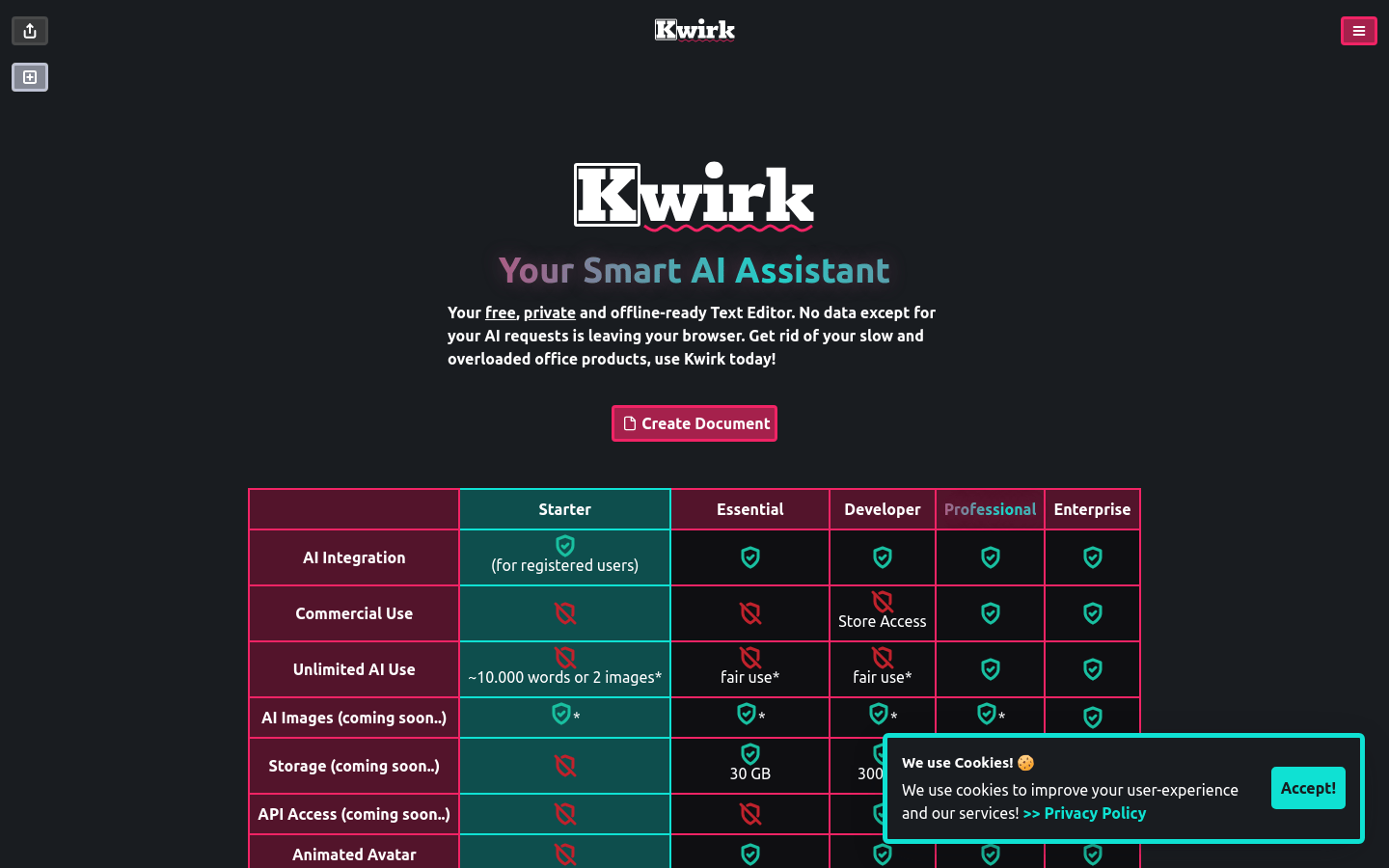
Screenshot archived from the listing page, for preview only.











