
Langui
Open-source Tailwind UI library for AI apps60+ AI components, free to use and reuse
Highlights
What you can do with it
- Developers build AI app interfaces faster
- Teams reuse components across GPT projects
- Designers prototype AI UIs with Tailwind
How to use it
- 1 Install or copy the Langui components into your project
- 2 Pick the AI components you need
- 3 Adjust the color palette and dark mode settings
- 4 Request new components on GitHub if needed
Who it is for
Pros
- Free to use and open-source
- Easy to integrate and reuse components
- Responsive, with light and dark modes
Limitations
- Open-source projects can change or slow updates
- Limited to Tailwind based projects
- Custom needs may require your own component work
What Langui is
Langui is an open-source Tailwind library made specifically for AI and GPT projects. It provides more than 60 free-to-use components that are designed to look good and be easy to integrate and reuse. The idea is to let you focus on building your product instead of spending time on interface design. All components support light and dark modes and responsive design, so they display well on any screen size. Two color palettes, navy blue and blue, make personalization simple, and if you need something new you can submit a request on GitHub.
What you can do with it
- Drop AI components into your project quickly
- Switch between light and dark modes
- Build responsive layouts for any screen
- Customize colors and request new components
Who it is for
- Developers building AI and GPT interfaces
- Teams that want reusable UI components
- Designers prototyping AI apps with Tailwind
What to watch out for
As an open-source project, updates and maintenance can slow or change, so check the repository and recent activity before depending on it for a long-term product. It is built around Tailwind, so projects using other styling systems may not benefit directly. If you need very custom components, you may still have to build and maintain parts yourself on top of the library. For best results, start with a small test file and review the output carefully before working on anything important. Free tiers can change over time, so it is worth checking the current limits on the official page before you rely on the tool daily. If the result is not quite right, try adjusting your input description or settings and run the task again.
FAQ
Is Langui free?
Yes, it offers free-to-use components and is open-source.
How many components are there?
Over 60 AI components.
Does it support dark mode?
Yes, all components support light and dark modes.
Why it is free
What the official page says: 免费使用免费
Free limits, trial length and features are decided by the official site and can change at any time.
Product preview
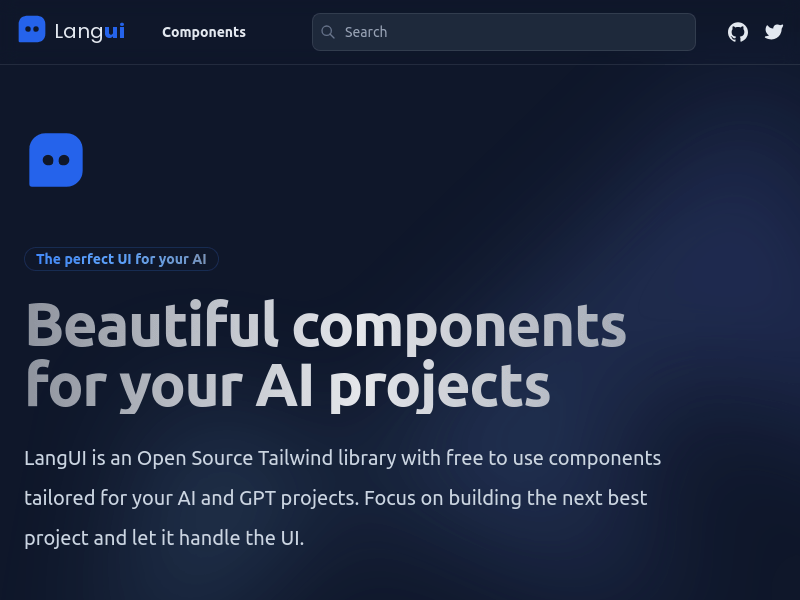
Screenshot archived from the listing page, for preview only.











