
Latitude
Data workspace for teamsReports, visuals, and text to SQL
Highlights
What you can do with it
- Turn raw data into a report a founder can read
- Ask a question in plain text and get SQL back
- Let several teammates explore the same dataset
How to use it
- 1 Go to latitude.so and start the free trial
- 2 Connect or load the data you want to work with
- 3 Process and transform it inside the workspace
- 4 Build a report or visualisation
- 5 Use the AI assistant or shortcuts to query faster
- 6 Share the result with your team
Who it is for
Pros
- Free trial available to start
- Text to SQL lowers the barrier for non analysts
- Processing, reporting, and visuals in one workspace
- Built for collaboration in small teams
Limitations
- Free trial length and pricing are not stated in the source
- Aimed at startups, so large enterprise needs may not fit
- AI generated SQL still needs checking before you trust it
- A workspace with many features takes time to set up
What Latitude is
Latitude is a data workspace built for startups that need to move fast. It covers data processing and transformation, then turns the results into reports and visualisations, so a small team can see what is happening without stitching together several tools. The site also highlights an AI assistant that converts text into SQL, self service exploration, keyboard shortcuts, and multi user collaboration. The stated goal is to let a company spend its time on core operations instead of manual reporting, while still getting the numbers it needs to scale. A free trial is listed on the site, which makes it possible to test the workflow before committing.
What you can do with it
- Process and transform raw data inside one workspace
- Build reports and visualisations from that data
- Ask questions in plain text and get SQL from the AI assistant
- Explore datasets yourself using keyboard shortcuts
- Work on the same data with teammates through collaboration
Who it is for
- Startup founders who need direct answers from their own data
- Small teams that do not have a dedicated data analyst
- Operators and managers who want self service reporting
- Growing companies that want reporting without a heavy BI rollout
What to watch out for
The site lists a free trial, but the length of the trial and the pricing after it are not stated in the material we have, so confirm the current plans before you depend on it. Latitude is positioned for startups, so larger organisations with heavier governance, compliance, or data volume needs may find it limited. SQL written by the AI assistant should be reviewed before you run it against important data, since generated queries can be wrong or return misleading results. A workspace that covers processing, reporting, AI, and collaboration also takes time to set up properly, and free trial terms can change at any time.
FAQ
Who is Latitude for?
The site says it is built to give startups the speed and simplicity they need to grow.
Does it have an AI feature?
Yes. It includes an AI assistant for text to SQL.
Can a team use it together?
Yes. The site mentions multi user collaboration.
Is there a free trial?
The site lists a free trial, though the length is not stated in the material we have.
Why it is free
What the official page says: 免费试用免费
Free limits, trial length and features are decided by the official site and can change at any time.
Product preview
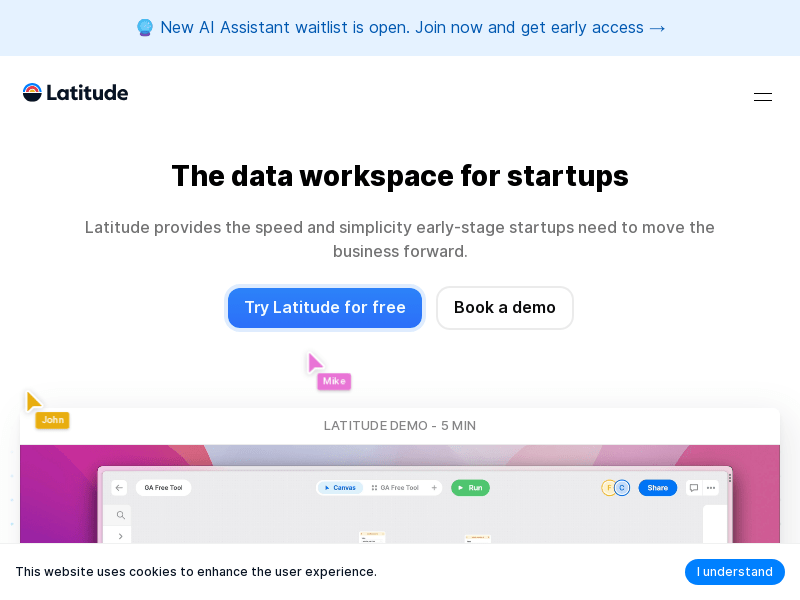
Screenshot archived from the listing page, for preview only.











