
LeanImg
Free local browser image toolsTen image tools, no upload, no signup
Highlights
What you can do with it
- Compress a batch of product photos so a page loads faster.
- Cut a subject out of a portrait and export a transparent PNG.
- Pull editable text out of a scanned PDF or a screenshot.
How to use it
- 1 Open https://www.leanimg.com in your browser.
- 2 Choose a tool from the homepage.
- 3 Upload or drag in your file; some tools accept several at once.
- 4 Adjust quality, size, ratio, or output format.
- 5 Start processing and download the result, as a ZIP for the favicon set.
Who it is for
Pros
- No upload, no account, no watermark, and no usage cap.
- Local WebAssembly processing keeps files on your own machine.
- Covers everyday image chores that would otherwise need several apps.
Limitations
- Speed depends on your device; large upscaling or OCR jobs need a capable machine.
- Some tools handle a single image at a time and may cap input size.
- Free status and the tool list can change, with no service-level promise attached.
What LeanImg is
LeanImg is a free online image platform run by Low Battery Studios, based in the Netherlands. It offers ten tools in one place: compression, resizing, cropping, format conversion, favicon generation, background removal, AI upscaling, OCR text extraction, PDF-to-text conversion, and passport photo creation. There is no registration, no watermark, and no usage limit. The important part is where the work happens: every tool runs locally in your browser, so files are never uploaded to a server. To get there it compiles well-known engines to WebAssembly, including MozJPEG, oxipng, and imagequant for compression, Real-ESRGAN for upscaling, the IS Net model for background removal, and Tesseract for OCR. The team claims performance close to desktop software.
What you can do with it
- Compress, resize, and crop images, with 15 preset sizes for common social platforms and 8 locked crop ratios.
- Convert between 11 input formats, including iPhone HEIC, SVG, TIFF, BMP, GIF, and ICO, and 5 output formats.
- Remove a background with the IS Net model and upscale an image 2x or 4x with Real-ESRGAN.
- Generate a full favicon set from one image, or extract printed text from an image or PDF in 9 languages.
Who it is for
- Web developers who need lighter images and a correct favicon set.
- Social media managers who prepare the same asset in several sizes.
- Students and office workers extracting text from documents or making passport photos.
What to watch out for
Because everything runs on your own hardware, processing speed depends on your machine, and heavy jobs such as 4x upscaling or OCR on a long PDF will be slow on older devices. Some tools handle a single image at a time and may cap input size, so bulk workflows need several passes. The site is free and unlimited today, but free status and the exact tool list can change, and there is no promise of support if something breaks. Check the page before you rely on it for client work.
FAQ
Are my files uploaded anywhere?
No. All processing happens locally in your browser, so files stay on your device.
What tools are included?
Compression, resizing, cropping, format conversion, favicon generation, background removal, AI upscaling, OCR text extraction, PDF-to-text, and passport photo creation.
Which formats are supported?
Input includes JPG, PNG, WebP, AVIF, HEIC, SVG, TIFF, BMP, GIF, and ICO, with output to JPG, PNG, WebP, AVIF, or PDF.
Why it is free
What the official page says: no registrationcompletely free
Free limits, trial length and features are decided by the official site and can change at any time.
Product preview
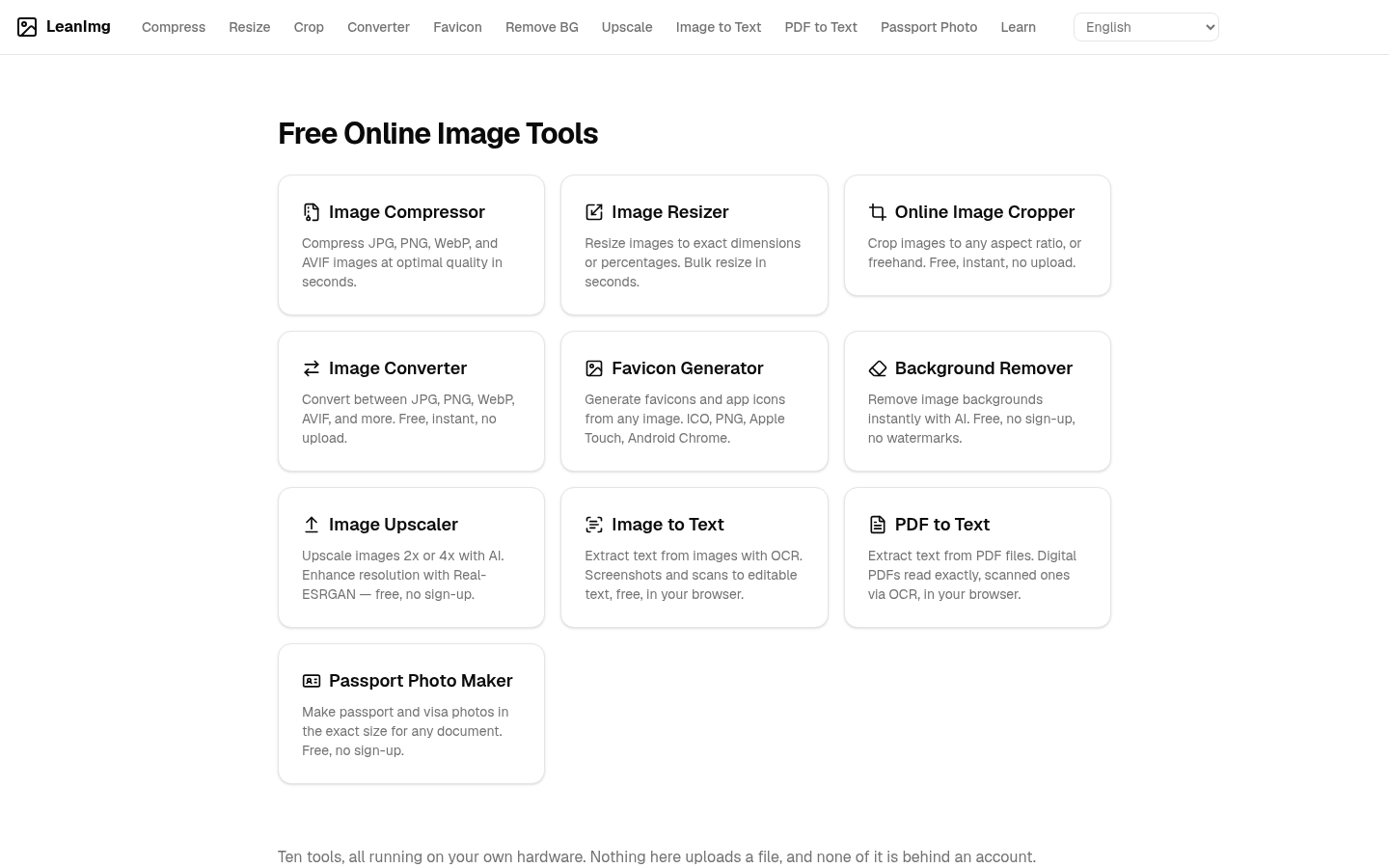
Screenshot archived from the listing page, for preview only.











