LlamaChat
Local LLaMA chat clientChat with local open models
Highlights
What you can do with it
- Chatting with a local model without sending text to a server
- Testing different open weights in one interface
- Experimenting with Alpaca or GPT4All on a desktop
- Learning how local model inference is set up
How to use it
- 1 Download LlamaChat from its GitHub repository
- 2 Install the desktop client on your machine
- 3 Obtain a supported model file in checkpoint or .ggml form
- 4 Import the model into LlamaChat
- 5 Start a chat and adjust settings as needed
Who it is for
Pros
- Free and open source with public code
- Supports several model families in one client
- Runs locally, so text stays on your machine
- Accepts both raw and converted model files
Limitations
- You must source and convert model files yourself
- Local models need real RAM and disk space
- Inference speed depends entirely on your hardware
- An older project may lag behind newer clients
What LlamaChat is
LlamaChat is a desktop client for chatting with local language models. The listing describes it as a way to talk to LLaMA, Alpaca, and GPT4All models on your own machine rather than through a hosted API. That distinction matters: the model weights run locally, so the text you type does not travel to a server, which is the main reason people set up a client like this. Importing a model is flexible, since LlamaChat accepts both raw PyTorch checkpoint files and pre converted .ggml files. The project is described as completely open source and free, with the code published on GitHub so you can inspect it or build it yourself. The description also explains what Alpaca is, namely a 7B parameter LLaMA model fine tuned by Stanford University using data from OpenAI's text-davinci-003.
What you can do with it
- Chat with a LLaMA model running on your own hardware.
- Load and test Alpaca or GPT4All weights in the same client.
- Import raw PyTorch checkpoints or pre converted .ggml files.
- Keep conversations off a remote server entirely.
Who it is for
- Developers experimenting with open weight language models.
- Privacy minded users who want inference to stay local.
- Students learning how local model clients are built.
- Anyone comparing output across LLaMA, Alpaca, and GPT4All.
What to watch out for
Bringing your own model is the main hurdle. You have to source the weights yourself, and depending on the format you may need to convert them before LlamaChat can load them. Local models are also demanding: a 7B class model needs substantial RAM and disk space, and inference speed depends entirely on your hardware, so an older laptop will be slow. Because the models are small by modern standards, answers will be weaker and less current than what a hosted service provides. The project is an older one in the listing, so it may not track newer model formats or interfaces. Check the repository for current build instructions and supported formats before you invest time in setup.
FAQ
What models does LlamaChat support?
The listing names LLaMA, Alpaca, and GPT4All models.
What is Alpaca?
The description calls it a 7B parameter LLaMA model fine tuned by Stanford University on OpenAI text-davinci-003 data.
Which file formats can I import?
Raw PyTorch model checkpoint files and pre converted .ggml model files.
Is it free?
Yes, the listing says LlamaChat is completely open source and free.
Why it is free
What the official page says: 免费
Free limits, trial length and features are decided by the official site and can change at any time.
Product preview
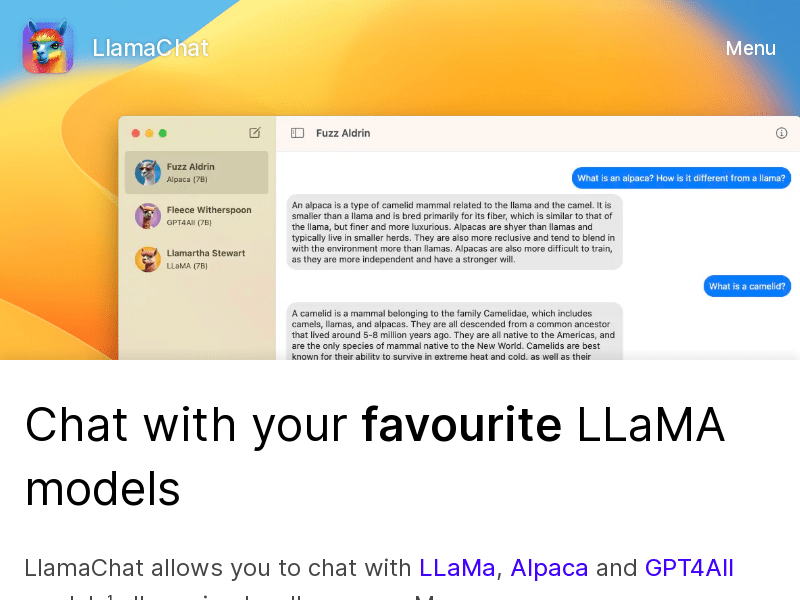
Screenshot archived from the listing page, for preview only.