
Lucidpic
AI avatar photo generatorAI portraits in seconds, free version
Highlights
What you can do with it
- Generate a personal avatar for social media and websites
- Create stock-style visuals for e-learning and advertising
- Produce polished portrait placeholders for design mockups
How to use it
- 1 Open Lucidpic in your browser
- 2 Set clothing, hairstyle, style, and age for your avatar
- 3 Choose a style option and generate the portrait
- 4 Export the result, with high-resolution enlargement available
Who it is for
Pros
- Generates a portrait in seconds without a photo shoot
- Fine control over clothing, hairstyle, style, and age
- Free version available with a commercial use license on generated portraits
Limitations
- The free plan covers only part of the workflow, and pricing or free rules may change
- Results depend on the underlying AI model, so output quality can vary by prompt
- Aimed at portrait avatars rather than full photo editing or complex scenes
What Lucidpic is
Lucidpic is an AI avatar generator that creates high-quality portraits of people who do not exist, and it can produce a result in seconds. Instead of booking a photo shoot or hiring a model, you adjust settings such as clothing, hairstyle, style, and age to shape the exact image you want. The tool is built for use on websites, social media, e-learning, and advertising, and it offers a free version alongside basic and professional paid plans. That means you can try the core generation workflow before spending anything, then upgrade only if you need the extra features the paid tiers provide.
What you can do with it
- Generate a personal avatar for a profile, website, or social account.
- Create stock-style visuals for e-learning courses and advertising campaigns.
- Adjust clothing, hairstyle, style, and age to fit a specific look.
- Use high-resolution enlargement to refine a finished portrait for print or screen.
Who it is for
- Creators who need a personal avatar for websites and social media.
- Marketers and educators producing visuals for ads and e-learning material.
- Designers who want stock-style portrait assets that carry a commercial use license.
What to watch out for
The free version only covers part of the workflow, and pricing or free rules may change over time, so check the current plan details before you rely on it. Output quality depends on the AI model behind the scenes, so the same prompt can give different results from one run to the next. Lucidpic is aimed at portrait avatars rather than full photo editing or complex scenes, so it is not a replacement for a complete image editor. Availability can also change, since free web tools sometimes move or restrict access, so confirm the site is reachable before you commit to a project.
FAQ
Is Lucidpic free to use?
There is a free version, and basic and professional paid plans are available for more features.
What can I adjust on an avatar?
You can set clothing, hairstyle, style, and age before generating the portrait.
Can I use the portraits commercially?
Generated portraits come with a commercial use license.
Why it is free
What the official page says: 免费版免费
Free limits, trial length and features are decided by the official site and can change at any time.
Product preview
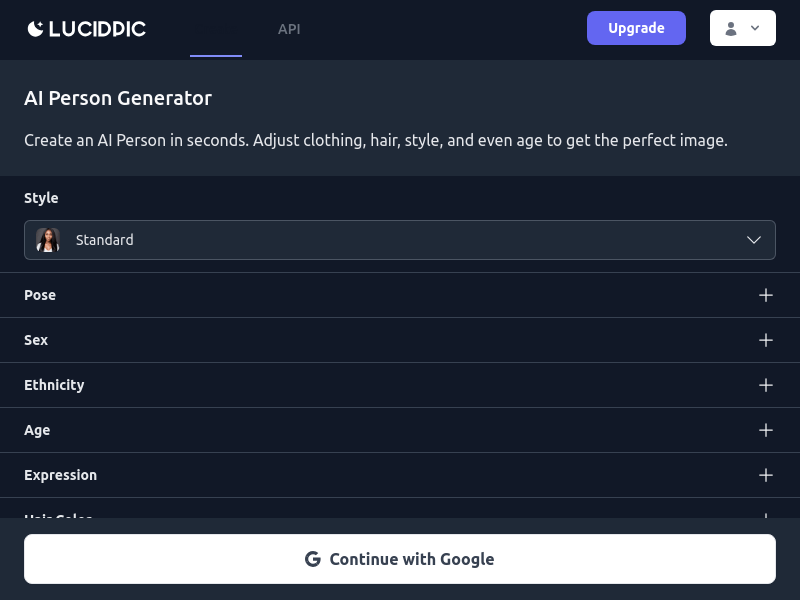
Screenshot archived from the listing page, for preview only.











