
Magician (Figma)
Figma plugin for AI text, icon, and image generationAI generation inside your Figma canvas
Highlights
What you can do with it
- Generate an icon from a short text description
- Fill a design frame with generated text or placeholder copy
- Create images from prompts while laying out a page
- Explore visual directions before committing to a concept
How to use it
- 1 Install the Magician plugin in Figma
- 2 Open the design file you are working on
- 3 Run Magician from the plugin menu
- 4 Enter your text prompt and choose icon, text, or image output
- 5 Insert the result into the canvas and adjust it
Who it is for
Pros
- Works directly inside the Figma canvas
- Covers icons, text, and images in one plugin
- Built with input from designers
- Free trial available at the moment
Limitations
- Only a free trial is offered, and long-term pricing is not stated, so terms can change
- As a plugin it depends on the Figma platform, so updates there can affect it
- Generated output needs designer review for style and fit
- Features are still in development, so the toolset can shift between visits
What Magician (Figma) is
Magician is a Figma plugin that brings AI generation into your design file. It converts text into icons, generates text, and turns text prompts into images, all from inside the Figma canvas. It was built alongside designers to expand what they can sketch early in a project, and the site says it is currently available as a free trial with more features still in development. For a designer, that means the gap between an idea and a first visual gets shorter, because the plugin works in the same file you are already editing. That keeps the creative loop tight: describe, generate, place, and adjust without exporting to another tool.
What you can do with it
- Turn a short text prompt into an icon
- Generate copy or placeholder text inside a frame
- Create images from text descriptions
- Explore visual directions without leaving Figma
Who it is for
- UI and product designers working in Figma
- Illustrators looking for quick concept sketches
- Design teams that prototype early and often
- Anyone who wants AI generation inside their design file
What to watch out for
The current offer is a free trial, and the site does not state long-term pricing, so terms can change. As a plugin it depends on Figma's platform, so updates there can affect how it runs. Generated icons, text, and images are starting points, not finished assets, and a designer still needs to review style, fit, and use case. Features are still being developed, so the toolset can shift between visits. For best results, start with a small test file and review the output carefully before working on anything important.
FAQ
What is Magician?
It is a Figma plugin that generates icons, text, and images with AI.
Is it free?
The site says it is currently available as a free trial.
What can it generate?
Text can be turned into icons and images, and text content can be generated automatically.
Does it work inside Figma?
Yes. It runs as a plugin in your Figma file.
Why it is free
What the official page says: for freefree trial
Free limits, trial length and features are decided by the official site and can change at any time.
Product preview
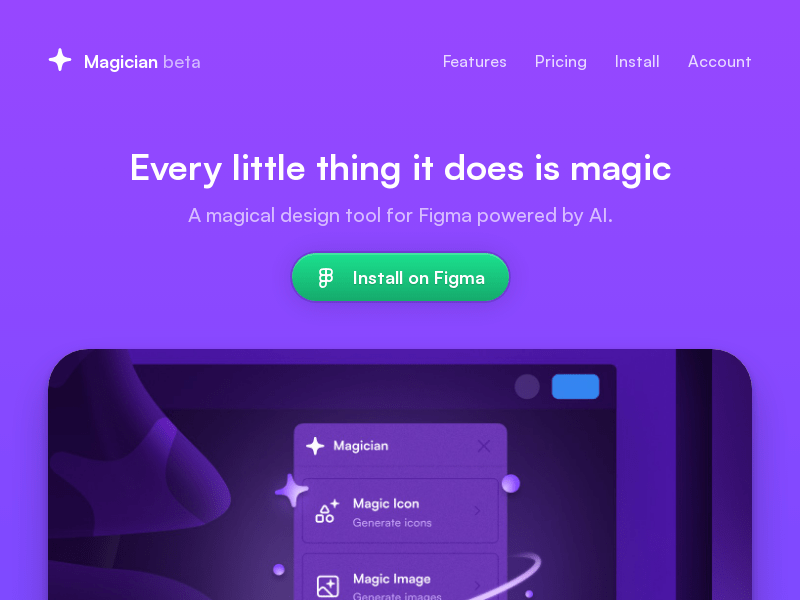
Screenshot archived from the listing page, for preview only.











