
MagicToonify
Turn videos into anime-style animationAnime looks for your own footage
Highlights
What you can do with it
- Turn a travel video into an anime-style clip and share it with friends
- Make a fun anime-style birthday video for someone
- Convert a family home video into animation to keep memories fresh
How to use it
- 1 Open MagicToonify and sign up for the free trial
- 2 Upload the video clip you want to restyle
- 3 Pick one of the anime style options
- 4 Wait for the conversion to finish
- 5 Preview the result, then download or share it
Who it is for
Pros
- Free trial means you can test the result before paying
- Multiple anime styles for different moods and clips
- No professional editing knowledge required
- Works on ordinary footage you already have
Limitations
- Only a free trial is offered, so continued use means a paid subscription
- Style choices are limited to the anime looks the tool provides
- Final look depends on the source footage you upload
What MagicToonify is
MagicToonify is an AI tool that converts videos into animated, anime-style productions. You give it a normal video clip and it returns a stylised version that looks hand-animated. The positioning is casual and creative: it is meant to add fun to footage you already have rather than to serve as a full animation studio. The service runs a free trial alongside paid subscription options, so you can see what the output looks like before committing money, and the pricing is split to suit different levels of use.
What you can do with it
- Convert a standard video into anime-style animation
- Choose between several anime style options for the look you want
- Turn personal footage such as trips, birthdays, and family recordings into shareable clips
- Produce fun, creative video content without learning an editing suite
Who it is for
- Social media users who want stylised clips that stand out in a feed
- Friends and families making animated versions of recordings as gifts
- Hobby video makers who want a quick animated look without production experience
What to watch out for
Access beyond the free trial requires a paid subscription, so treat the trial as a test rather than a permanent free service. The tool only produces anime-style results, so if you want a different visual language you will need another product. Because the output is generated from your footage, the quality of the final clip depends heavily on the source material: shaky, dark, or low-resolution video will carry those problems into the animated version. Check the current plan terms before you plan a series of videos around it.
FAQ
Is MagicToonify free?
It offers a free trial, with paid subscription plans for continued use.
What kind of video can I convert?
Ordinary video clips. Travel footage, home recordings, and birthday messages are the examples given.
Can I choose the animation style?
Yes, the tool provides a variety of anime style options to pick from.
Why it is free
What the official page says: free trial
Free limits, trial length and features are decided by the official site and can change at any time.
Product preview
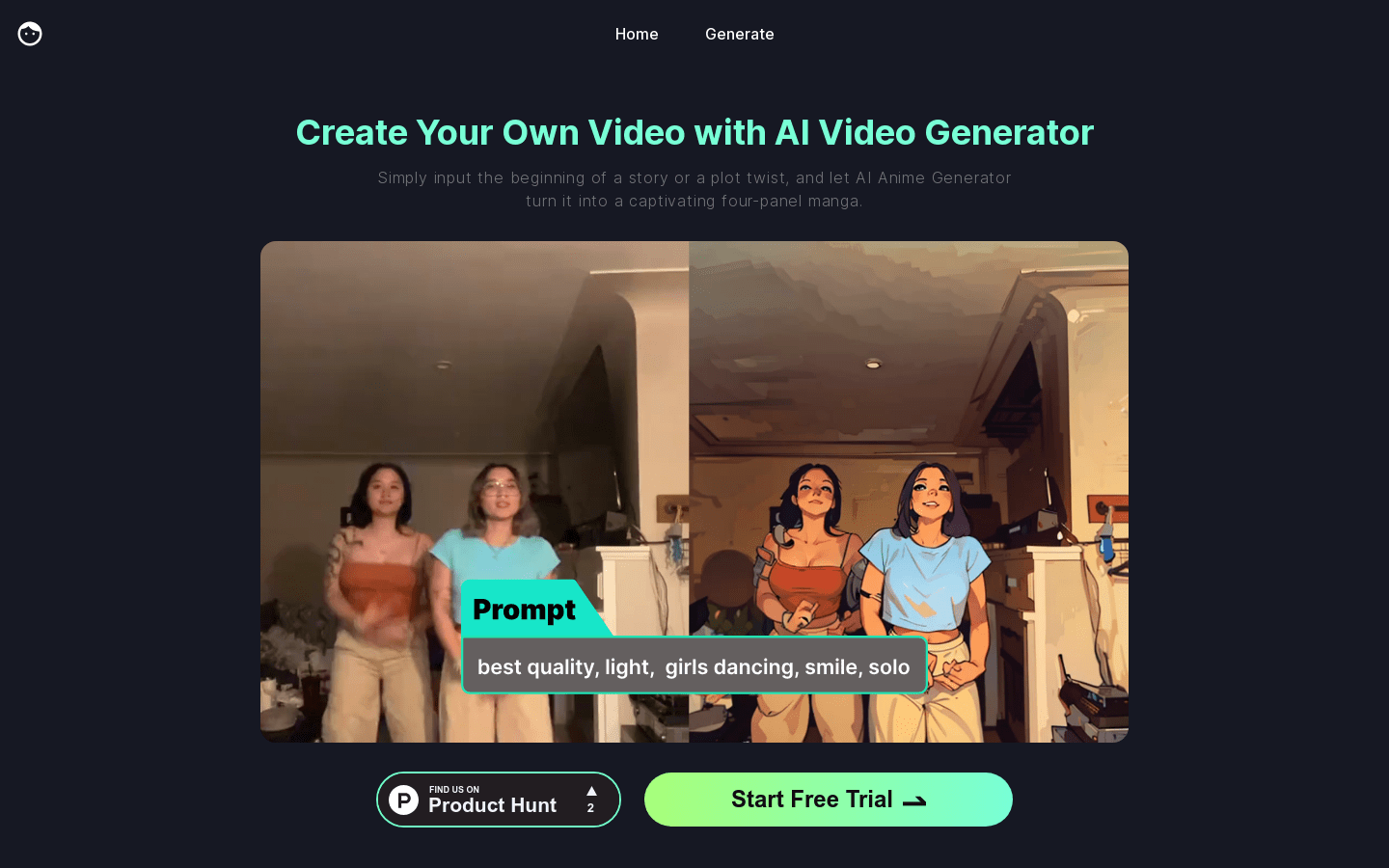
Screenshot archived from the listing page, for preview only.











