
Meloflow
Full-chain AI music creation platformText and lyrics to finished songs
Highlights
What you can do with it
- Generating background music for a short video advertisement
- Turning an a cappella demo into a fully arranged track
- Extracting vocals from an old song for a remix project
How to use it
- 1 Log in to Meloflow and open the workspace
- 2 Enter prompts such as genre, mood and instruments, or paste lyrics
- 3 Add a style reference to lock the musical direction
- 4 Generate candidate clips and use extension to adjust length
- 5 Export the audio or run vocal separation for further work
Who it is for
Pros
- Covers generation, remix, extension and stem separation
- Style reference reduces the randomness of AI music output
- Stem separation is useful for real post-production work
- Paying users get commercial licensing according to the vendor
Limitations
- Free access is a trial and full commercial rights need payment
- Style imitation can raise copyright questions worth checking
- Generated vocals and arrangements still need mixing and review
- Commercial licence terms should be read before client work
What Meloflow is
Meloflow is an AI music platform that covers the whole chain rather than just a prompt box. From a text description, a set of lyrics or a creative prompt, it generates a complete original song with melody, arrangement and vocals. The feature the vendor leans on is Style Reference: you point at a particular artist or song style and the generation follows that direction, which addresses the usual complaint that AI music sounds random. Beyond generation, existing audio can be reworked through cover and remix tools, extended to match a longer video or podcast, separated into vocals and instrument stems, and layered with newly generated parts. The vendor describes the output as commercial-grade and licensable, and says copyright handling has been optimised for commercial use. Access follows a free trial plus paid subscription, with paying users getting higher quotas and full commercial licences.
What you can do with it
- Generate a full song from a description, lyrics or a prompt
- Steer style with a reference rather than guessing at prompts
- Remix or cover audio you already have
- Separate vocals and instruments for sampling and mixing
- Extend short clips into longer background music
Who it is for
- Video and podcast creators who need background music
- Independent musicians turning demos into arranged tracks
- Advertisers and social creators producing short audio assets
What to watch out for
Free access is a trial, and full commercial rights sit behind payment, so read the licence terms before using output in client work. Style reference is powerful but imitation is not the same as permission: if a track closely resembles a protected work, check the terms and your own risk tolerance. Generated vocals and arrangements are a starting point that still benefits from real mixing, especially anything intended for release. Finally, confirm what the commercial licence actually covers, including territory, duration and whether client work is permitted.
FAQ
Is Meloflow free?
It uses a free trial plus paid subscription model. Paying users unlock higher creative quotas and full commercial copyright licences.
Can I steer the musical style?
Yes. The Style Reference feature lets you point at a specific artist or song style so the output follows your intended direction.
Can I work with my own recordings?
You can upload audio for cover and remix work, separate vocals and instruments, extend clips, and add new generated parts to existing tracks.
Why it is free
What the official page says: free trial
Free limits, trial length and features are decided by the official site and can change at any time.
Product preview
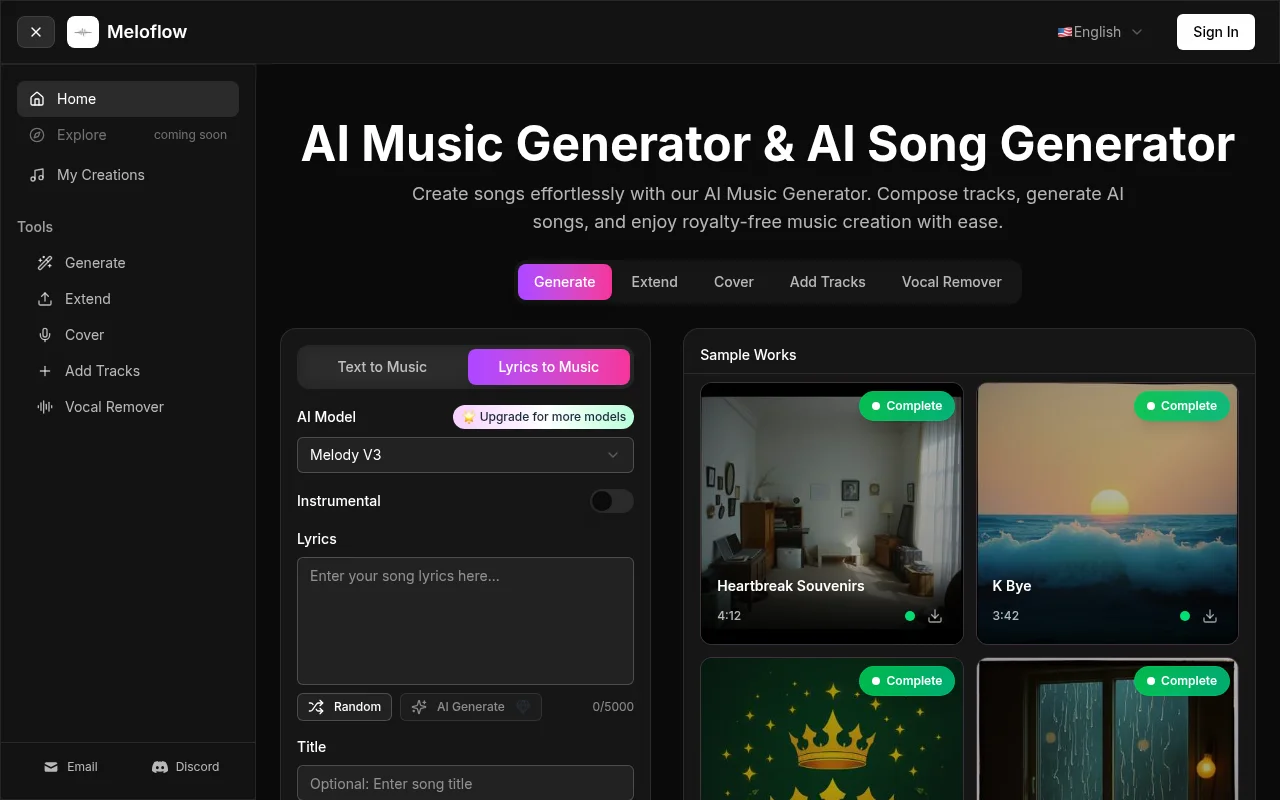
Screenshot archived from the listing page, for preview only.










