MESA
Shopify automation without developersDescribe the task, automation runs
Highlights
What you can do with it
- Big League Food Company runs its store operations on MESA automations
- Madhappy Apparel uses it as the only solution for its complex store needs
- Dozy Oats automates tasks that were previously time consuming
How to use it
- 1 Describe the automation you want in your own words
- 2 Let MESA build the logic and connect the relevant applications
- 3 Confirm the workflow is correct and start it
Who it is for
Pros
- No developer needed to build workflows
- A wide integration list across commerce tools
- Templates shorten time to first automation
- Free trial available
Limitations
- Complex rules still need testing before you trust them
- Connecting apps and granting data permissions takes time
- Full use requires payment
- Trial terms and limits may change
What MESA is
MESA is a Shopify automation tool for e-commerce merchants. It exists to lower the barrier to automated operations, since hiring a developer to wire up order handling and inventory sync is expensive and slow. Instead, you describe what you want in plain language and the Yedric AI assistant builds the workflow and connects the applications involved. MESA links more than 100 apps, including Shopify, Odoo, ShipStation, and HubSpot, so data can move between systems without manual copying. A template library covers common tasks so you can launch quickly. Typical automations include processing new orders according to set rules, such as flagging VIP orders and pushing order information to the warehouse, synchronizing inventory across systems to avoid overselling, compiling reports from several systems on a schedule, and sending alerts when specific conditions are met. Merchants can start with a free trial, and specific pricing is not mentioned.
What you can do with it
- Describe a task in plain language and get a working workflow
- Connect more than 100 commerce and operations apps
- Automate order handling and inventory synchronization
- Schedule reports and send condition-based alerts
- Start from templates for common e-commerce tasks
Who it is for
- Shopify merchants who want order and inventory work automated
- E-commerce operations teams that need integrated reporting
- Enterprise users building complex automated processes
- Merchants with no developer on staff
What to watch out for
A workflow built from a description still needs testing. A rule that looks right in a sentence can misfire on an edge case, such as a partial refund or a split shipment, so run automations in a limited way before you rely on them. Connecting applications and granting data permissions takes time and administrator access. Full use requires payment, and pricing is not published in the material, so budget needs a conversation with the vendor. Trial terms and limits can change. Finally, automation that touches orders and money should have a monitoring step, because a silent failure is worse than a manual task done slowly.
FAQ
How do I build a workflow?
You describe the task in your own words, for example marking an order over 500 as VIP and notifying the warehouse, and MESA builds the logic and connects the applications.
Which apps can it connect?
More than 100 applications in various ways, including Shopify, Odoo, ShipStation, and HubSpot.
Do I need a developer?
The site positions the product as requiring no developers, since the assistant builds the workflow from a natural language description.
Is there a free trial?
Yes, the product can be experienced through a free trial, though specific pricing is not mentioned.
Why it is free
What the official page says: free trial
Free limits, trial length and features are decided by the official site and can change at any time.
Product preview
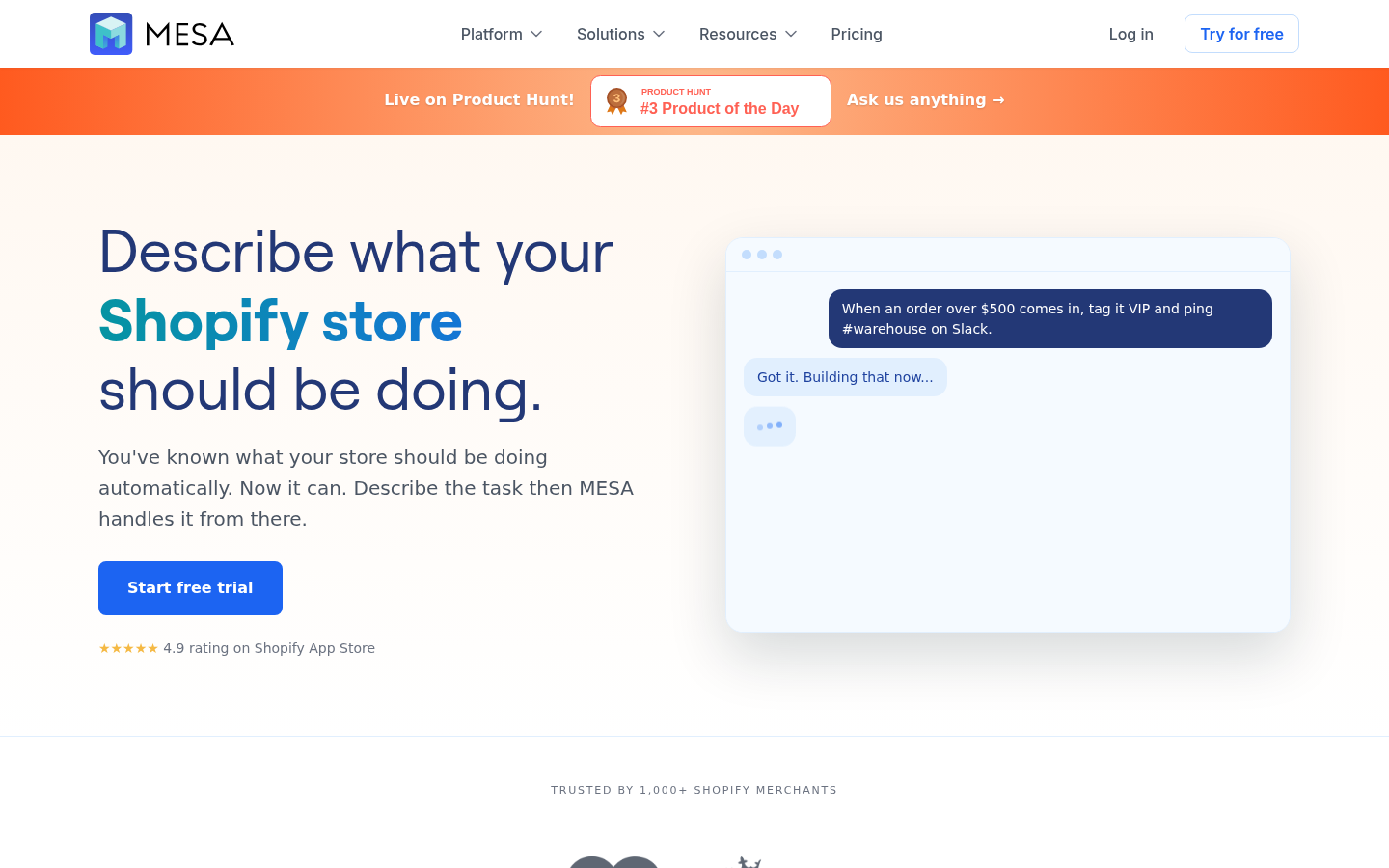
Screenshot archived from the listing page, for preview only.