
Meshy AI — Free Image to 3D & Text to 3D
Free image and text to 3D model generator, no registrationPhotos and prompts become textured 3D models in about a minute
Highlights
What you can do with it
- Turn a character sketch into a game-ready 3D asset
- Convert a product photo into a model for e-commerce or prototyping
- Create printable models from text descriptions with automatic repair
How to use it
- 1 Open meshyai.net; no account registration is required
- 2 Upload a reference photo or sketch, or enter a text prompt
- 3 Let the engine reconstruct the shape and apply AI textures, usually within a minute
- 4 Choose an export format such as GLB, OBJ, FBX, STL, or 3MF
- 5 Send the file to your game engine, 3D software, or printer
Who it is for
Pros
- Completely free with no registration required
- Fast pipeline from input to textured model in about a minute
- Several open-source engines you can switch between
- Broad export format list covers game engines and 3D printing
Limitations
- As a free service, availability and engine access may change without notice
- Automatic results often need cleanup before they are production-quality assets
- Model fidelity depends on the quality of your input image or prompt
- Complex or highly detailed subjects may exceed what one minute of generation can capture
What Meshy AI is
Meshy AI is a free online tool that converts images or text prompts into textured 3D models. You drag in a photo, product picture, sketch, or hand-drawn concept map, or you simply describe what you want, and the platform reconstructs the shape, infers depth, and applies AI textures. The whole process takes about one minute, and no registration is required. The site is built on multiple open-source models, including Microsoft TRELLIS 2, Tencent Hunyuan3D 2.1, Tencent ARC InstantMesh, and Stability AI Stable Fast 3D, and you can switch between them. Every model comes with a complete PBR texture set, covering albedo, normal, metallic, and roughness maps, and exports support GLB, FBX, OBJ, STL, 3MF, and USDZ.
What you can do with it
- Turn photos, sketches, or text prompts into textured 3D models
- Switch between several free image-to-3D engines for different results
- Export in GLB, FBX, OBJ, STL, 3MF, or USDZ for engines and printers
- Use low-poly mode and printability checking before committing to a print
Who it is for
- Game developers converting concepts into usable assets quickly
- 3D printing enthusiasts who need printable, watertight output
- Artists and designers comparing results across multiple engines
What to watch out for
The tool is described as completely free with no registration, and free services can change their rules or availability at any time, so verify current terms on the site. Automatic reconstruction is fast but rarely production-perfect: expect to clean topology, adjust scale, or fix textures in dedicated 3D software before final use. Results depend heavily on your input, so blurry photos or vague prompts produce weaker models. Printability checking helps, but you should still review wall thickness and manifold geometry yourself before printing. Because it is browser-based, large models may take longer than the quoted one minute depending on your connection and the engine you choose.
FAQ
Do I need to sign up to use Meshy AI?
No. The tool states it does not require registration and can be used directly in the browser.
Which file formats can I export?
GLB, FBX, OBJ, STL, 3MF, and USDZ are listed, covering common game and 3D printing workflows.
How long does generation take?
The site says the full process from input to output takes about one minute.
Why it is free
What the official page says: completely free
Free limits, trial length and features are decided by the official site and can change at any time.
Product preview
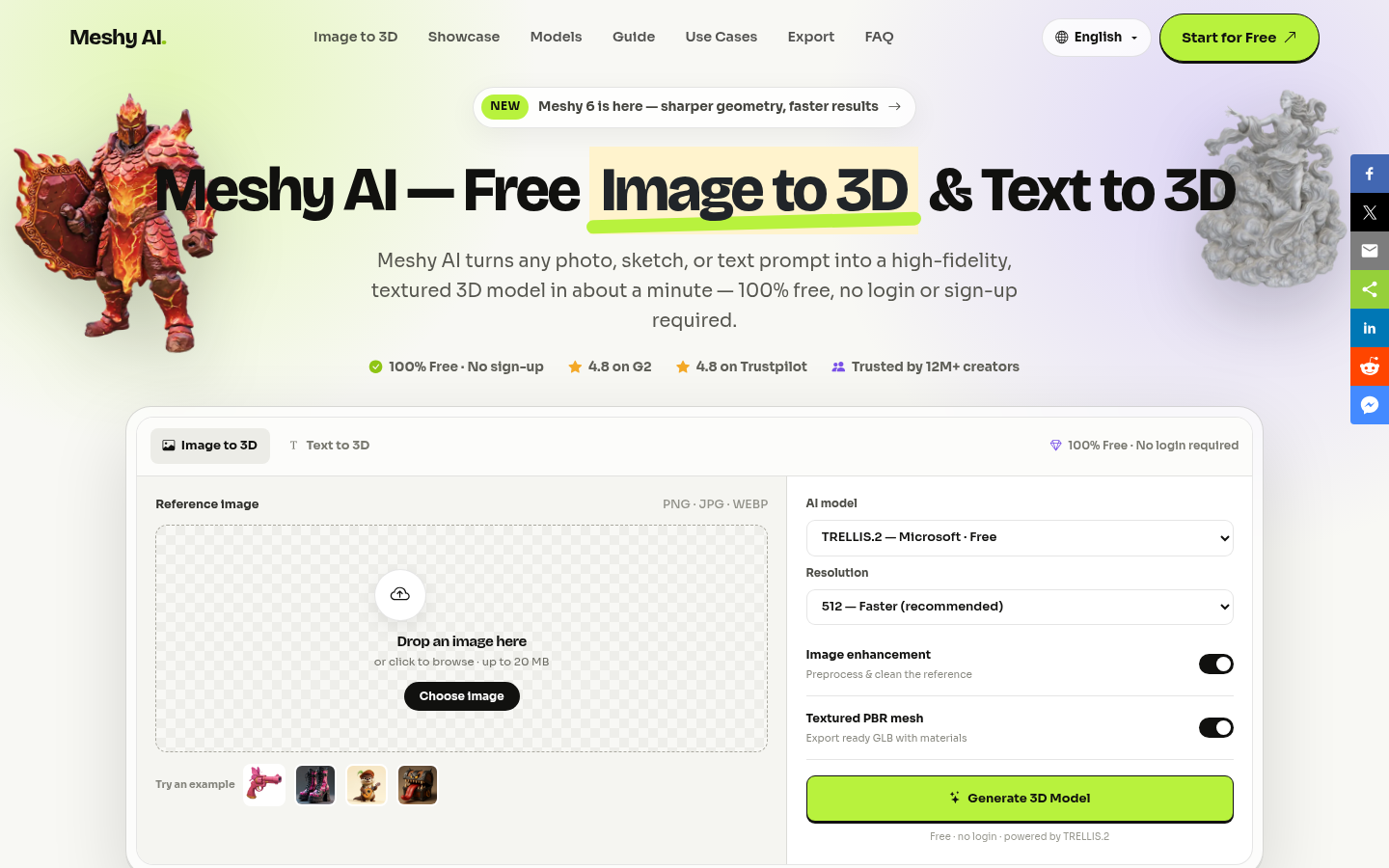
Screenshot archived from the listing page, for preview only.











