
Modelfy 3D
AI image to 3D model generatorConvert a 2D image into a 3D model in seconds
Highlights
What you can do with it
- A game developer turns 2D character art into 3D models.
- An e-commerce manager generates 3D product display models.
- A printing hobbyist converts object photos into printable models.
How to use it
- 1 Open the Modelfy 3D website.
- 2 Upload a JPG, PNG, or WEBP image.
- 3 Choose a quality level from 15K to 300K polygons.
- 4 Click one-click convert and wait for processing.
- 5 Download the model in GLB, OBJ, or STL.
Who it is for
Pros
- Fast, one-click conversion from an image
- Multiple output formats for different pipelines
- Quality levels scale from light to detailed
- Free trial to test before subscribing
Limitations
- Free trial is limited and paid subscriptions are needed for more, subject to change
- Complex images can produce lower-quality geometry
- Very high polygon counts take longer to process
- Results still need cleanup for production use
What Modelfy 3D is
Modelfy 3D is an AI tool that turns 2D images into 3D models in seconds. You upload a JPG, PNG, or WEBP, pick a quality level, and click convert; no specialized 3D knowledge is required. The platform supports up to 300,000 polygons, so it can serve both light web assets and more detailed game or print work. It exports GLB, OBJ, and STL, which covers web viewers, game engines, and 3D printing. It also generates PBR textures for better material looks, includes an asset management system to keep projects organized, and offers real-time status tracking so you can watch a conversion progress. A free trial and paid subscriptions are offered.
What you can do with it
- Convert a 2D image into a 3D model in one click.
- Choose quality from 15K up to 300K polygons for different needs.
- Export in GLB, OBJ, or STL for web, games, or printing.
- Use PBR textures and manage assets in one place.
Who it is for
- Game developers turning concept art into usable 3D models.
- E-commerce managers who need 3D product display models.
- 3D printing enthusiasts converting photos into printable prototypes.
What to watch out for
The free trial is limited and paid subscriptions are needed for heavier use, subject to change. Complex or ambiguous images can produce lower-quality geometry, so simple, clear subjects work better. Very high polygon counts take longer to process. Generated models often need cleanup before they are production-ready, so plan for some manual fixing. Features and interface details may change between versions, so review the latest notes on the page before you start. For team use, agree on naming and editing conventions in advance to avoid version conflicts or duplicated work.
FAQ
What does Modelfy 3D do?
It converts 2D images into 3D models using AI.
What formats can it export?
It supports GLB, OBJ, and STL.
How detailed can models be?
It supports up to 300,000 polygons, with four quality levels from 15K to 300K.
Is there a free trial?
Yes. It offers a free trial and paid subscriptions.
Why it is free
What the official page says: free trial
Free limits, trial length and features are decided by the official site and can change at any time.
Product preview
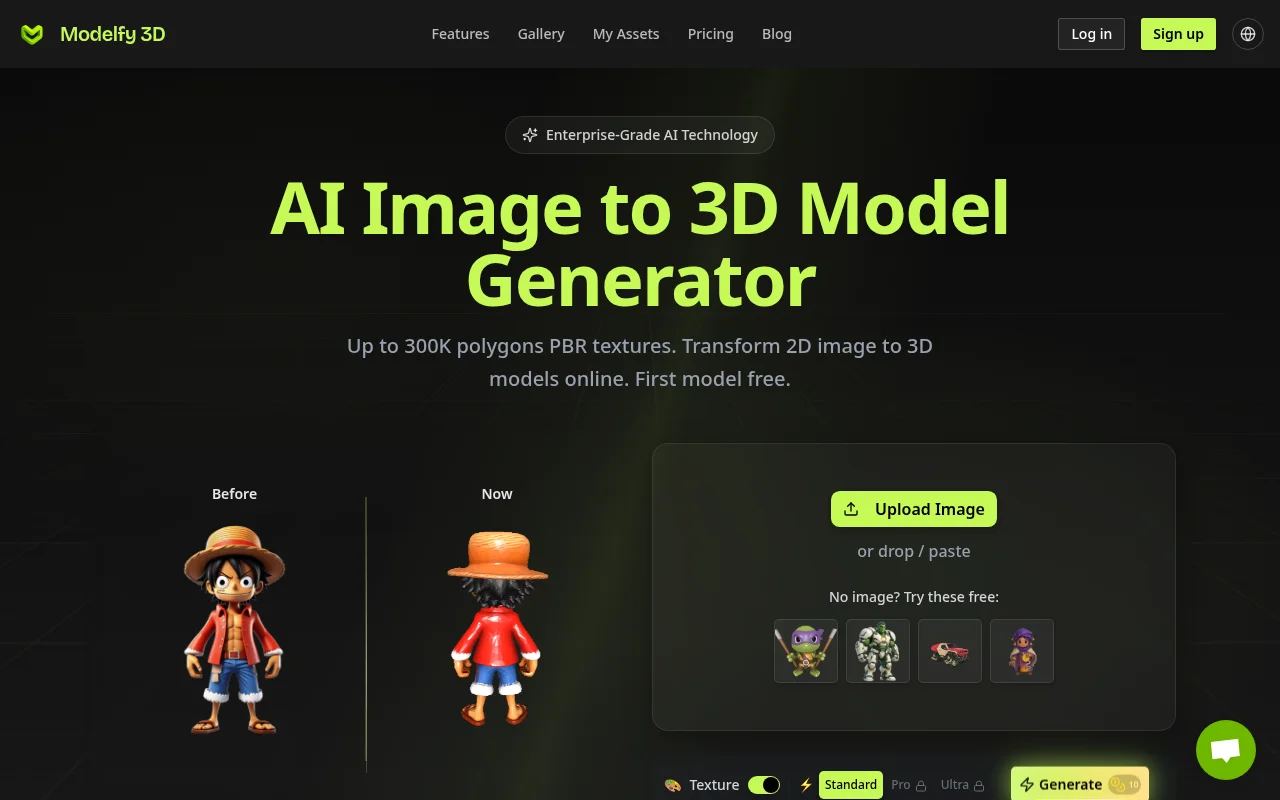
Screenshot archived from the listing page, for preview only.











