Musecut AI
Turn product URLs into ready video ads in minutes, no editing skills.Paste a product link. Get a video ad.
Highlights
What you can do with it
- Amazon sellers generate unboxing ads that boost TikTok exposure and sales
- Shopify stores use problem-solution templates for health product promotion
- Creators produce viral hook-style ads for Instagram
How to use it
- 1 Paste the product URL or enter product details manually
- 2 Choose one of the 5 ad templates that fits your goal and platform
- 3 Review and edit the AI-written frame-by-frame script
- 4 Assign product pictures to shots and regenerate only changed parts
- 5 Generate the video and iterate in the project workspace
Who it is for
Pros
- No video editing skills or software required
- Workspace lets you change templates and regenerate selectively
- Free first ads make the risk of trying low
Limitations
- AI avatars and templates can feel generic without customization
- Ad performance still depends on your product, offer, and targeting
- Free quota and discount terms can change over time
What Musecut AI is
Musecut AI is an AI ad generator whose core promise is speed: paste the product page URL of an Amazon, Shopify, or Etsy listing, and within about 2 minutes you get a scrolling video ad with AI avatar voiceover and subtitles. No professional editing skills are needed. The tool offers 5 proven templates, including viral hooks, problem-solution, unboxing, limited-time flash sales, and tutorial demonstrations, each optimized for particular conversion goals and platforms. The first 5 ads are free, and there is an annual plan with a limited-time 50 percent discount, so e-commerce sellers can test the workflow before paying.
What you can do with it
- Generate video ads directly from product URLs for TikTok, Instagram, and YouTube Shorts
- Edit the frame-by-frame script, swap templates, and regenerate only changed segments
- Produce ads with voice and subtitles in 6 languages for different regions
- Build a version library in each project workspace until the result converts
Who it is for
- Amazon, Shopify, and Etsy sellers who need product videos quickly
- Marketers running conversion-focused campaigns without in-house editors
- Content creators who want fast video production for product-focused channels
What to watch out for
Fast, template-driven ads can look similar across brands, so invest time in script edits, product imagery, and hook choices to keep your ads distinctive. Actual performance still depends on your product, offer, audience targeting, and platform policies, none of which the tool controls. The free quota covers the first 5 ads, which is enough to evaluate but not to run a store indefinitely, and the 50 percent discount is explicitly limited-time, so pricing and free terms can change over time. Check each platform's advertising rules before publishing AI-generated content.
FAQ
Is Musecut AI free to try?
Yes. It offers a free trial, and the first 5 ads are free. Paid plans and a limited-time 50 percent annual discount are also available.
Which platforms do the ads work for?
The videos are built for platforms such as TikTok, Instagram, and YouTube Shorts.
Can I edit the generated script?
Yes. The AI writes a frame-by-frame script, and you can edit any voiceover or visual instruction and assign product pictures to shots.
Why it is free
What the official page says: free trial
Free limits, trial length and features are decided by the official site and can change at any time.
Product preview
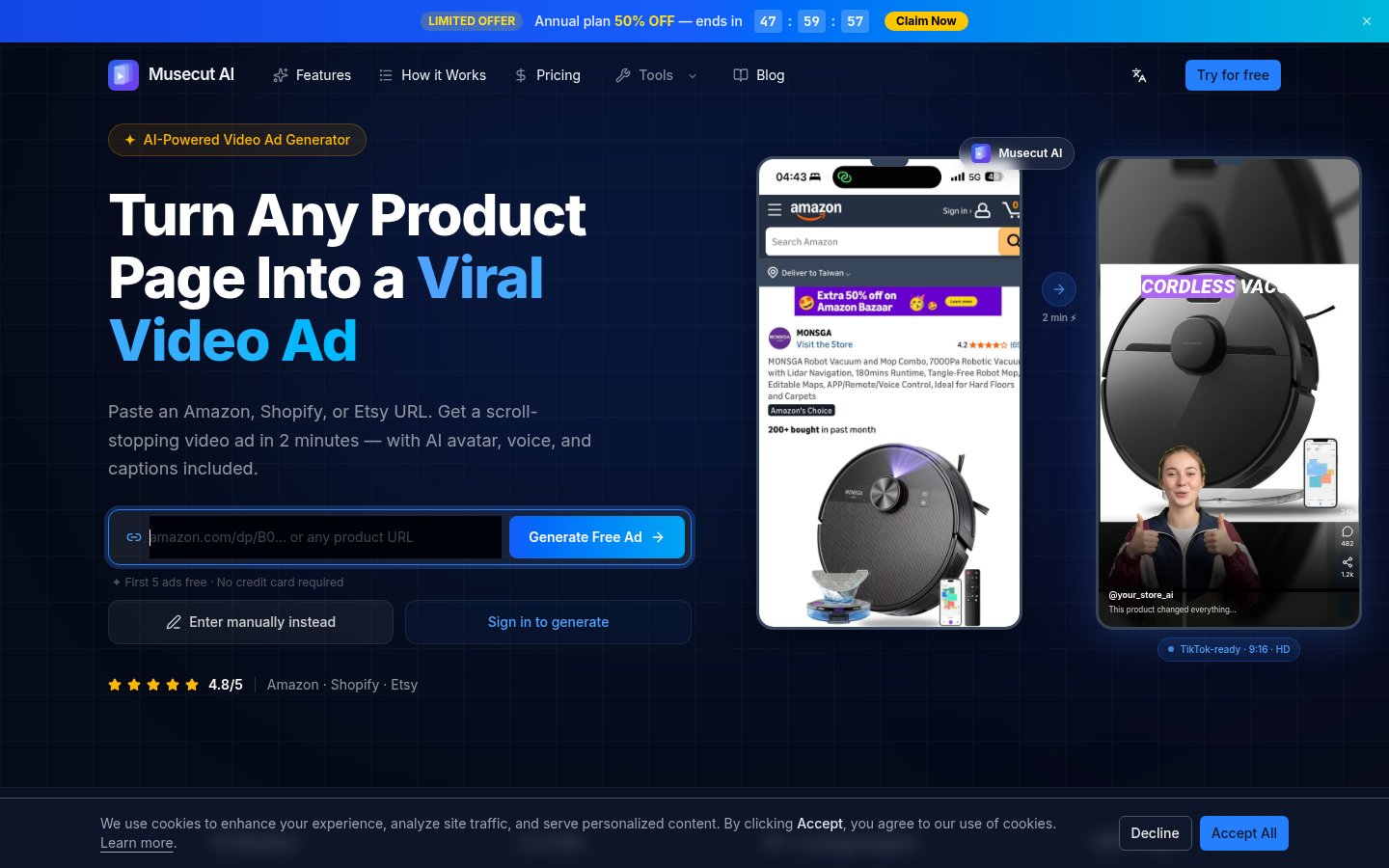
Screenshot archived from the listing page, for preview only.