
musicmakerapp
Free AI music generatorTurn text and lyrics into full songs
Highlights
What you can do with it
- An independent artist quickly produces an accompaniment to write over.
- A YouTube creator generates a background track for a video.
- A game developer creates soundtracks for different game moods.
How to use it
- 1 Enter a short prompt or paste your lyrics.
- 2 Describe the style, mood, and vocal type you want.
- 3 Click generate and wait a few seconds for the song.
- 4 Listen to the result, then download it if you are on a paid plan.
Who it is for
Pros
- A free plan with a daily limit is available.
- No music theory or production skills required.
- The site says you keep the copyright on your songs.
Limitations
- Commercial use requires a paid subscription.
- The free plan has a daily usage limit.
- Generated music may still need human polishing.
What musicmakerapp is
musicmakerapp is an online AI music generator. It takes a short text prompt, a pasted set of lyrics, or just an idea and returns a complete original song with melody, harmony, and vocals. The pitch is that no music theory and no production skills are required, so someone with no studio background can still end up with a usable track in seconds. You can also create instrumental only versions for background use, generate lyrics from a story or mood, and customise style, genre, mood, instruments, and vocal type. There is a free plan with a daily usage limit for personal use, and paid subscriptions for commercial work. The site says users own the copyright of the songs they make.
What you can do with it
- Turn a prompt or a paragraph into a finished song.
- Convert your own lyrics into a track with melody and vocals.
- Generate lyrics from a theme, mood, or story.
- Create instrumental tracks for video and podcast background.
- Adjust style, mood, instruments, and vocal type.
Who it is for
- Independent artists who need backing tracks quickly.
- YouTube creators and podcast hosts who need background music.
- Music teachers, game developers, and film makers who want custom cues.
What to watch out for
The free plan carries a daily usage limit, and commercial use is tied to a paid subscription, so read the current plan page before you publish anything. Generated songs are usable but rarely perfect: arrangement choices, vocal phrasing, and mix balance may need human editing to fit a real project. The claim about copyright ownership is the site's own statement, and platform rules around AI generated music can differ, so check the terms of any place you upload. Quality also varies by genre, so treat the first output as a draft.
FAQ
Is musicmakerapp free?
There is a free plan with a daily usage limit for personal use. Paid subscriptions are used for commercial purposes.
Do I need to know music theory?
No. The tool is built so that users with no music skills can create music from text.
Who owns the songs?
The description states that users own all the copyrights of the songs they create.
Why it is free
What the official page says: free planfor free
Free limits, trial length and features are decided by the official site and can change at any time.
Product preview
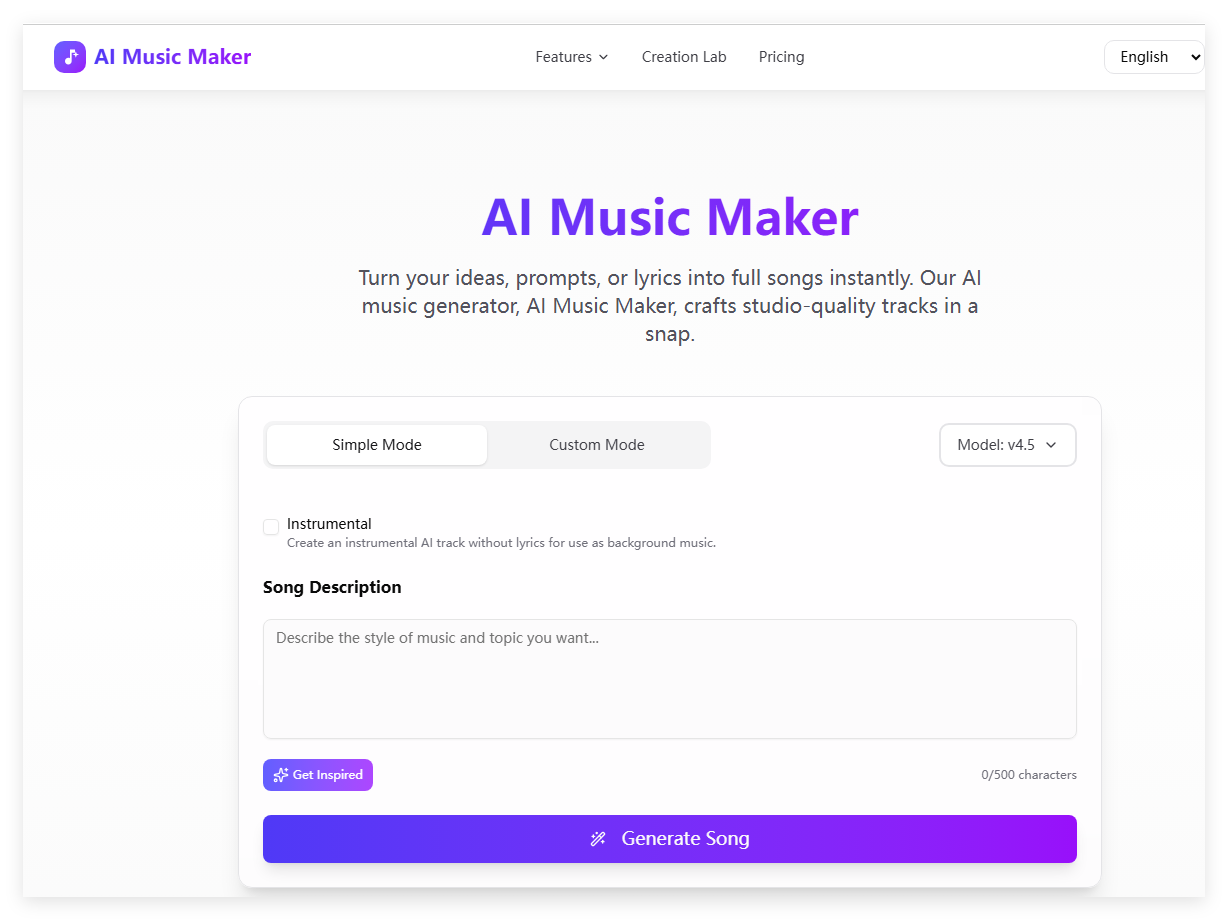
Screenshot archived from the listing page, for preview only.










