NanoPhoto.AI
AI photo editor with many stylesEdit, generate, and compress photos with AI
Highlights
What you can do with it
- Remove an extra person from a group photo
- Compress product images for a web store
- Generate an image from a text description
How to use it
- 1 Open the NanoPhoto.AI site
- 2 Upload your image
- 3 Pick an editing style or function
- 4 Describe the effect you want if needed
- 5 Preview, then save or share the result
Who it is for
Pros
- Many editing styles and functions in one place
- Free image conversion and compression
- AI generation from a description
Limitations
- Some functions may be free while others are paid, so check pricing
- Edits of real people should respect privacy and likeness rights
- Heavy edits can look unnatural and need review
What NanoPhoto.AI is
NanoPhoto.AI is a professional AI photo editor driven by advanced AI models. It brings editing, generation, conversion, and compression into one place, for both everyday photo touch-ups and more professional image work. It offers many professional editing styles, such as removing people, changing hairstyles, changing hair color, photo repair, magazine generation, and creating mini figures. It also provides AI image generation from a text description, free image format conversion and compression, ID photo processing, and creative design tools like magazine covers and posters.
What you can do with it
- Edit photos with styles like remove person, hair color, and repair
- Generate new images from a text description
- Convert and compress images for free
- Make ID photos and creative designs
Who it is for
- Photographers editing photos quickly
- E-commerce sellers optimizing product images
- Content creators generating images and designs
What to watch out for
Some functions are described as free, such as conversion and compression, while others may require payment, so confirm current pricing before you depend on a feature. Editing images of real people, such as removing a person or changing a look, should respect privacy and likeness rights, and any consequences fall on you. Heavy edits can look unnatural, so review results before publishing. Save originals before editing, since changes can be hard to reverse. When quality matters, export a small draft first to confirm the result before producing the final file. Generated suggestions are for reference only, so verify anything that affects professional judgment or important data. Save a backup of the original file before large batch jobs, and keep an exported copy of key results in case the page or service becomes temporarily unavailable.
FAQ
Is NanoPhoto.AI free?
The listing notes free conversion and compression functions, while some features may require payment, so check current pricing.
What can it edit?
It offers styles like removing people, changing hairstyles and hair color, photo repair, magazine generation, and mini figures.
Does it compress images?
Yes. It offers free image compression that reduces file size while keeping quality, which helps e-commerce pages load faster.
Why it is free
What the official page says: free to use
Free limits, trial length and features are decided by the official site and can change at any time.
Product preview
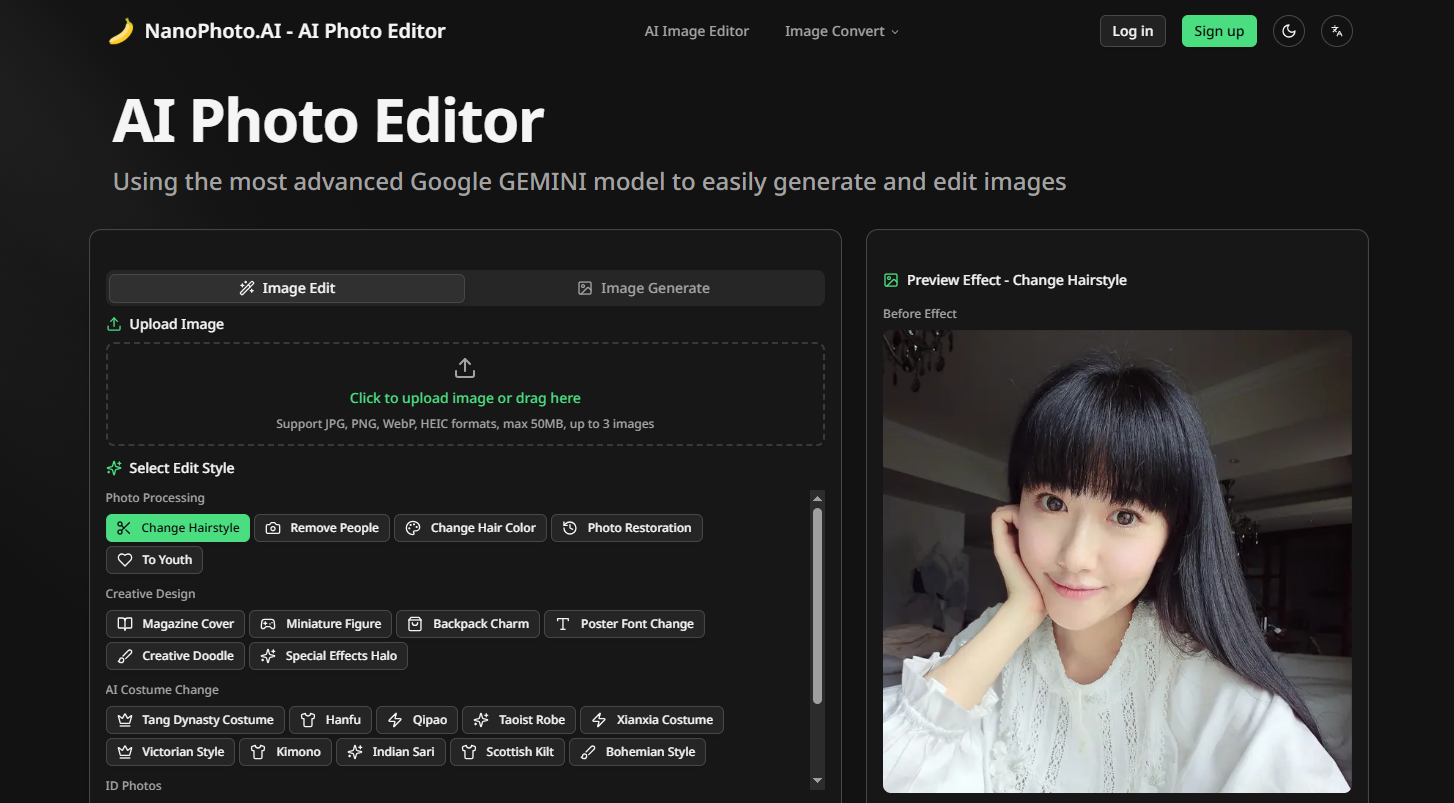
Screenshot archived from the listing page, for preview only.











