Paraphraser
Free multilingual paraphrasing and rewriting toolRephrase sentences and check grammar across 100 plus languages
Highlights
What you can do with it
- Students rewriting source material for assignments
- Writers improving clarity and flow in drafts
- Professionals rephrasing text for reports and communication
How to use it
- 1 Open the Paraphraser website in your browser
- 2 Paste or type the text you want to rewrite
- 3 Choose one of the 15 paraphrasing modes
- 4 Review the rewritten output and copy what you need
- 5 Run a grammar check on the final text if required
Who it is for
Pros
- Free to use with 15 paraphrasing modes
- Supports more than 100 languages
- Combines rewriting, grammar checking, and plagiarism reduction
Limitations
- Rewritten text still needs human review for accuracy and tone
- Free mode limits and features may change over time
- Automated rewriting is not a substitute for original writing or citation
What Paraphraser is
Paraphraser is a free online tool for rewriting text. It can rephrase sentences, rewrite paragraphs and full articles, check grammar, and help reduce plagiarism. The service offers 15 free paraphrasing modes and supports more than 100 languages, so you can work across different languages and styles. You simply paste or type your text into the tool and it produces rewritten versions. The goal is to help you express the same idea in fresh words without struggling over every sentence yourself.
What you can do with it
- Rephrase single sentences or rewrite whole paragraphs
- Adjust the tone and style using 15 different paraphrasing modes
- Check grammar while you rewrite
- Reduce plagiarism risk by turning source text into your own words
Who it is for
- Students who need to rephrase source material for assignments
- Content writers who want clearer, smoother drafts
- Professionals who write reports or messages in more than one language
What to watch out for
Automated paraphrasing is a starting point, not a finished product. Always read the output to confirm the meaning matches your intent and the tone fits your audience. The tool can change wording, but it does not replace proper citation when you use someone else's ideas. Free mode limits and available features may change over time. If you use it for academic work, check your institution's rules about rewriting tools before you rely on the result. Free tiers and usage limits can change, so check the current rules on the official page before relying on it long term. Processing speed depends on file size and network conditions, so retry later if a task stalls during peak hours.
FAQ
Is Paraphraser free?
Yes, it is free to use and offers 15 paraphrasing modes at no cost.
How many languages are supported?
The tool supports more than 100 languages.
What can it do besides paraphrasing?
It can also check grammar and help reduce plagiarism in rewritten text.
Why it is free
What the official page says: free to use
Free limits, trial length and features are decided by the official site and can change at any time.
Product preview
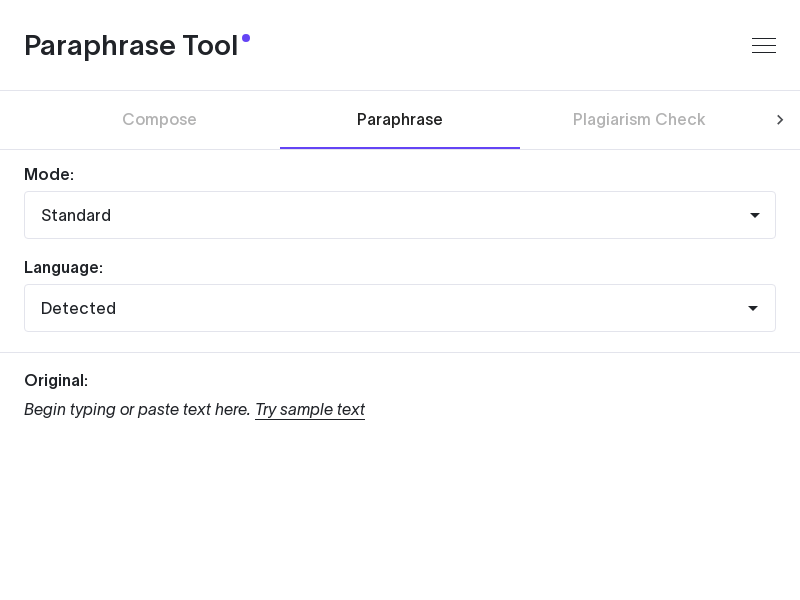
Screenshot archived from the listing page, for preview only.