
Phantasmagoria
Free plan AI image generation toolTurn an idea into a themed image in a few clicks
Highlights
What you can do with it
- Design work that needs a quick concept image
- Advertising and campaign visuals for fast drafts
- Art projects and personal creative experiments
How to use it
- 1 Open the Phantasmagoria website and log in
- 2 Click generate at the top or visit the template section
- 3 Describe the image you want or pick a template
- 4 Wait for the result and refine if needed
Who it is for
Pros
- Free plan lowers the cost of trying it out
- Templates save time when prompt writing is a blocker
- Simple flow with no software to install
Limitations
- Generation quality depends on the prompt you write
- Free plan limits are not spelled out on the page
- The site was unreachable during a recent check, so access may be unstable
What Phantasmagoria is
Phantasmagoria is a creative image generation tool that turns an idea into a themed picture. The flow is deliberately short: log in, press the generate button at the top of the page, or open the template section and start from something that already looks good. The site is aimed at scenes where you need a visual now rather than a polished final asset, such as design exploration, advertising drafts, and art experiments. Pricing options are published and include a free plan, so trying the generator does not require a card up front.
What you can do with it
- Generate images from a written idea
- Start from a template when you want a faster result
- Explore themed styles for design and advertising work
- Iterate on a concept before committing to final art
Who it is for
- Designers who need concept images on short notice
- Marketers putting together draft campaign visuals
- Artists and hobbyists experimenting with generated styles
What to watch out for
The tool is a generator, not a full editor, so fine control over a specific detail may be limited. The free plan is a good way to test output, but the page does not spell out its limits, so check the pricing section before you plan a big batch. A recent availability check found the site unreachable, which is common for smaller free tools and worth knowing if you need it on a deadline. Save anything you like locally, since generated work should not be your only copy. Name and archive exported files consistently so you can find and reuse them, and keep a backup copy of key data.
FAQ
Is there a free option?
The site lists pricing options that include a free plan.
Do I need an account?
Yes. You log in before you can generate.
Can I start from a template?
Yes. There is a template section you can browse.
Why it is free
What the official page says: free plan
Free limits, trial length and features are decided by the official site and can change at any time.
Product preview
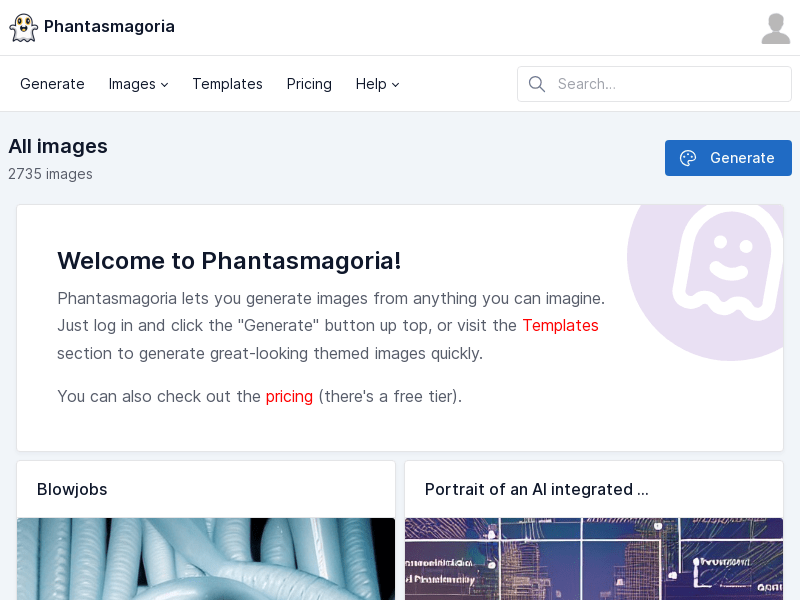
Screenshot archived from the listing page, for preview only.











