
Photo Prompt
Turn photos into AI image promptsPhoto to prompt for Flux, Midjourney, and more
Highlights
What you can do with it
- Turn a reference photo into a prompt to recreate its style.
- Analyze client product photos to build accurate poster prompts.
- Study popular social images and make similar AI versions.
How to use it
- 1 Upload a photo (PNG, JPG, WEBP up to 4MB) or paste its URL.
- 2 Choose the AI model format and the output language.
- 3 Click generate and wait a few seconds for the prompt.
- 4 Copy the prompt into your favorite image generation tool.
Who it is for
Pros
- Free daily generations without creating an account.
- Works with several popular image model formats.
- Simple upload, generate, and copy flow.
Limitations
- The free daily limit is small and pricing can change.
- Prompt quality depends on the source photo and the model you use.
- It only writes prompts; you still need an image tool to render them.
What Photo Prompt is
Photo Prompt is an online tool that turns a photo into a detailed text prompt for AI image generators. You upload a picture in PNG, JPG, or WEBP format, up to 4MB, or paste a photo URL, and it writes a prompt that describes the image. You can output in several AI model formats, including General, Flux, Midjourney, and Stable Diffusion, and pick the output language. Anonymous users get 3 free generations per day, and paid plans are available for heavier use. It is meant for anyone who wants to recreate or study an image's style inside an AI tool without writing the prompt by hand.
What you can do with it
- Convert a reference photo into a prompt you can reuse later.
- Choose the model format that fits the image tool you use.
- Get output in the language you prefer.
- Try the built-in example photos to see how accurate the prompts are.
Who it is for
- AI artists who want to turn photo styles into prompts.
- Designers working from reference images a client sends.
- Marketers who need AI images without deep technical skills.
What to watch out for
The free daily limit is 3 generations, and pricing can change, so check current terms if you need more. Prompt quality depends on the source photo and the model you feed it into, so a clear photo gives better results than a busy one. This tool only writes prompts; you still need an image generator to turn them into pictures. It also will not capture every detail of a very complex image, so expect to refine the text.
FAQ
Is it free to use?
Anonymous users get 3 free generations per day.
Which formats can I output?
General, Flux, Midjourney, and Stable Diffusion.
What files can I upload?
PNG, JPG, or WEBP up to 4MB.
Why it is free
What the official page says: 免费使用免费
Free limits, trial length and features are decided by the official site and can change at any time.
Product preview
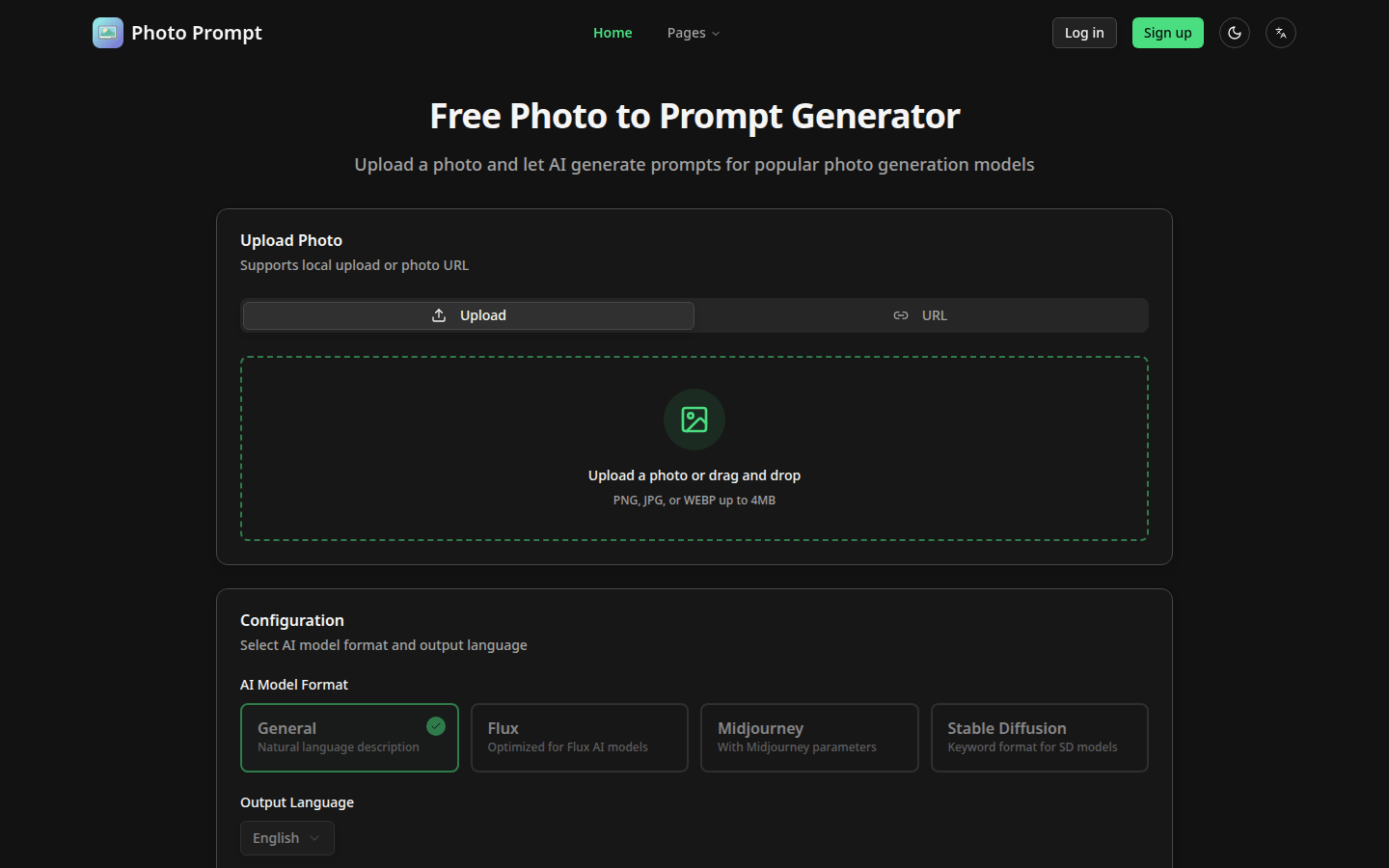
Screenshot archived from the listing page, for preview only.











