
Pics Enhancer
One-click AI sharpening for blurry photosSharpen and enhance in a single click
Highlights
What you can do with it
- Restoring the clarity of old family photos
- Cleaning up a soft or slightly blurred selfie
- Improving the quality of product photos
How to use it
- 1 Open the Pics Enhancer site
- 2 Upload the blurry image
- 3 Run the one-click enhancement
- 4 Compare the before and after result
- 5 Download the sharpened image
Who it is for
Pros
- Free to use
- One-click workflow with no settings to learn
- Covers several common photo problems
Limitations
- Sharpening cannot invent detail that was never captured
- Free access has been intermittent
- Output quality depends entirely on the source image
What Pics Enhancer is
Pics Enhancer is a free AI tool for sharpening blurry images. You upload a photo and it processes in a single click, with the site claiming the result keeps quality rather than trading it for sharpness. It is aimed at four specific jobs: restoring the clarity of old photos, tidying selfies, improving product photo quality, and lifting the look of anime posters. The pitch is speed, since it slots into an existing photo workflow without a learning curve. It is a casual fix rather than a professional retouching suite.
What you can do with it
- Sharpen a blurry image in one click
- Restore apparent clarity to older photographs
- Improve product photos for a listing
- Enhance the look of posters and illustrated images
Who it is for
- People cleaning up old family photographs
- Small sellers who need better product images
- Casual users tidying a selfie before posting
What to watch out for
Sharpening increases edge contrast; it does not recover information. A genuinely out-of-focus or heavily compressed photo will look crisper at the edges but will not gain real detail, and over-sharpening introduces halos and noise that can look worse than the original. Availability of the free service has been patchy, so do not wire it into a repeatable workflow without a fallback. Set expectations by testing on your worst image first before processing a whole batch. Processing speed depends on file size and network conditions, so retry later if a task stalls during peak hours. Run one full task end to end first, then expand once you are comfortable with the workflow and the result quality.
FAQ
Is Pics Enhancer free?
It is described as a free AI-powered image sharpening tool.
What kinds of photos does it handle?
Old photos, selfies, product photos, and anime posters.
Can it fix a badly out-of-focus shot?
Only partly. Sharpening enhances edge contrast but cannot recover detail the camera never recorded.
Why it is free
What the official page says: 免费
Free limits, trial length and features are decided by the official site and can change at any time.
Product preview
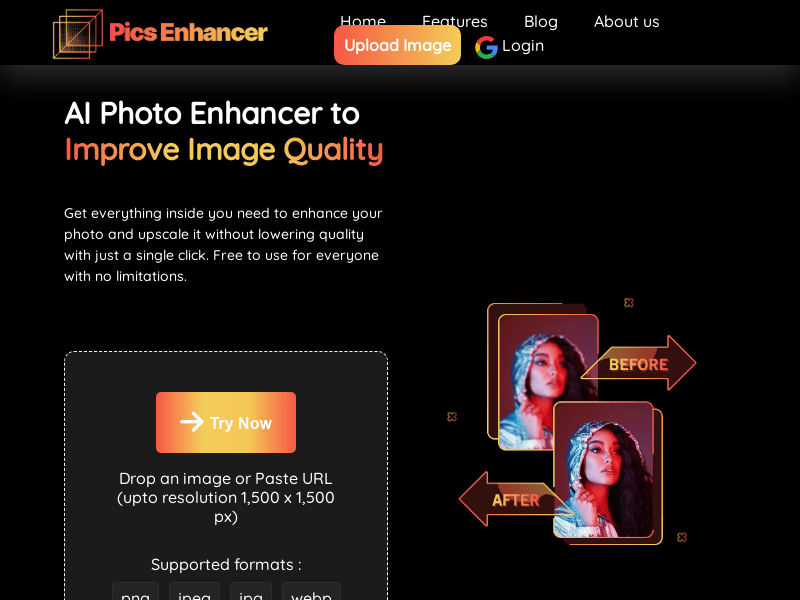
Screenshot archived from the listing page, for preview only.











