
Pixelfox AI Image Editor
Free online AI image editorRemove, repair, and enhance images in the browser
Highlights
What you can do with it
- Repair and enhance photographic work
- Remove backgrounds for clear product shots
- Generate a fresh background for a photo
How to use it
- 1 Open the Pixelfox website
- 2 Upload the image you want to edit
- 3 Choose a tool such as background removal and adjust settings
- 4 Download the finished image
Who it is for
Pros
- Free online editing
- No software download
- Fast, browser-based tools
Limitations
- Free limits and features can change over time
- Complex edits still need manual adjustment for a clean result
- Removal quality depends on the image and tricky edges may need touch-up
What Pixelfox AI Image Editor is
Pixelfox AI Image Editor is a free online tool that simplifies image editing with AI. It removes objects and backgrounds, generates new backgrounds, repairs flaws in old photos, enhances color and clarity, and enlarges low-resolution images so they hold up better. All of this runs in the browser, so there is no software to download and you can start from any computer. The site says its fast processing and precise output help creators and merchants get clean, polished visuals quickly, and it is free to use.
What you can do with it
- Remove unwanted objects from a photo
- Cut out a background or generate a new one
- Repair flaws and enhance color and clarity
- Enlarge a low-resolution image
Who it is for
- Photographers polishing their images
- E-commerce sellers showing products clearly
- Creators who need quick edits in the browser
What to watch out for
The tool is free now, but free limits and features can change over time, so check current access before you depend on it for regular work. Complex edits still need manual adjustment for a clean result, and background or object removal quality depends on the image, so tricky edges like hair or glass may need touch-up after the AI pass. Since you upload images to edit them, only use photos you are comfortable processing online, and keep a copy of your originals in case you want to start over. For best results, start with a small test file and review the output carefully before working on anything important. Free tiers can change over time, so it is worth checking the current limits on the official page before you rely on the tool daily.
FAQ
Is Pixelfox free?
It is an online AI image editor that offers free use.
What edits can it do?
Object removal, background removal and generation, image repair, enhancement, and enlargement.
Do I need to install software?
No, it runs online and needs no download.
Why it is free
What the official page says: 免费使用免费
Free limits, trial length and features are decided by the official site and can change at any time.
Product preview
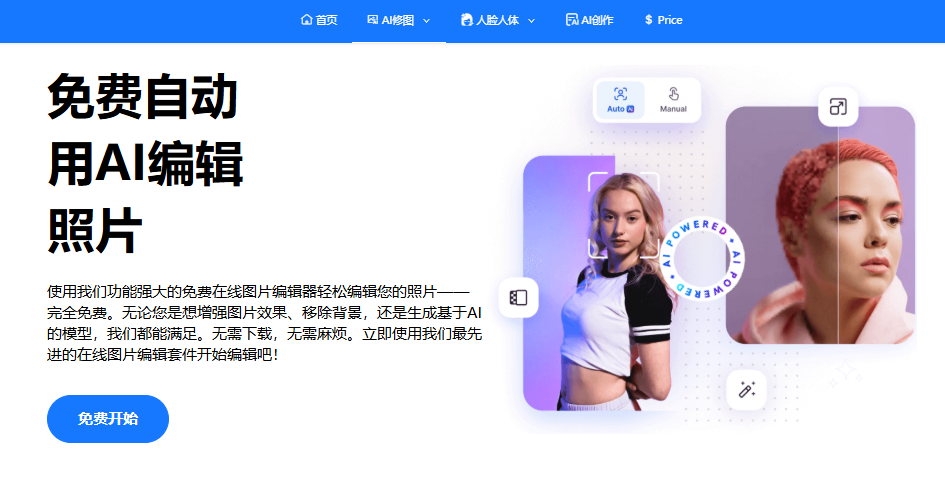
Screenshot archived from the listing page, for preview only.











