
PlanArt
AI online floor plan generator with sketch uploadText or sketch in, concept floor plan out
Highlights
What you can do with it
- Homeowners preview layout ideas before renovation
- Interior designers generate multiple concept plans for client talks
- Real estate agents turn text listings into 3D concept images
How to use it
- 1 Open the PlanArt site and describe room needs in the input box, or enter the full workspace
- 2 Fill in basic information such as template, room count, area, and plot dimensions
- 3 Choose a style and set adjacency, street direction, reference images, ratio, and resolution
- 4 Click generate, wait one to three minutes, then review the results
- 5 Use the editor for partial changes, then download PNG or share the link
Who it is for
Pros
- Works from text or a rough sketch with no CAD skills
- Daily free credits cover light experimentation
- Partial editing lets you fix one area without regenerating
Limitations
- Generated images do not guarantee precise dimensions; they are concept references only
- Each generation consumes credits, and the daily free quota covers roughly ten 1K images
- Complex or non-standard buildings may need several attempts
What PlanArt is
PlanArt is an AI online floor plan generator. You type a description such as "three bedrooms, two living rooms, master bedroom with ensuite bathroom", upload a hand-drawn sketch, or start from an existing plan, and the tool returns concept layouts in Technical 2D, 2.5D, 3D isometric, watercolor, marker, or realistic styles. Registered users claim 100 free credits every day, and outputs support 1K, 2K, and 4K PNG downloads.
What you can do with it
- Generate multiple layout options from one natural-language brief
- Upload sketches or up to 16 reference images to steer the result
- Circle an area and instruct changes like "merge the living room and balcony"
- Set room adjacency, street direction, aspect ratio, and resolution before generating
Who it is for
- Interior designers producing quick concept plans for client conversations
- Homeowners and renovation owners exploring layouts before spending money
- Real estate agents, architecture students, and small studios doing early exploration
What to watch out for
The tool is for ideation, not construction. Generated images do not guarantee precise dimensions and should be treated as concept references only. Credits are consumed per generation, so heavy iteration burns the daily quota quickly, and paid plans exist for heavier use. If you need buildable drawings, a professional still has to verify measurements. Start with a small sample to confirm the output meets your expectations before processing the full batch. Free tiers and usage limits can change, so check the current rules on the official page before relying on it long term. Save a backup of the original file before large batch jobs, and keep an exported copy of key results in case the page or service becomes temporarily unavailable.
FAQ
How many free credits do I get?
Registered users can claim 100 credits daily, enough for about ten images at 1K resolution.
Can I upload a hand-drawn sketch?
Yes. Sketch upload cleans up lines and generates an annotated 2D plan.
Are the plans construction ready?
No. Outputs are concept images without guaranteed precise dimensions.
Why it is free
What the official page says: free credits
Free limits, trial length and features are decided by the official site and can change at any time.
Product preview
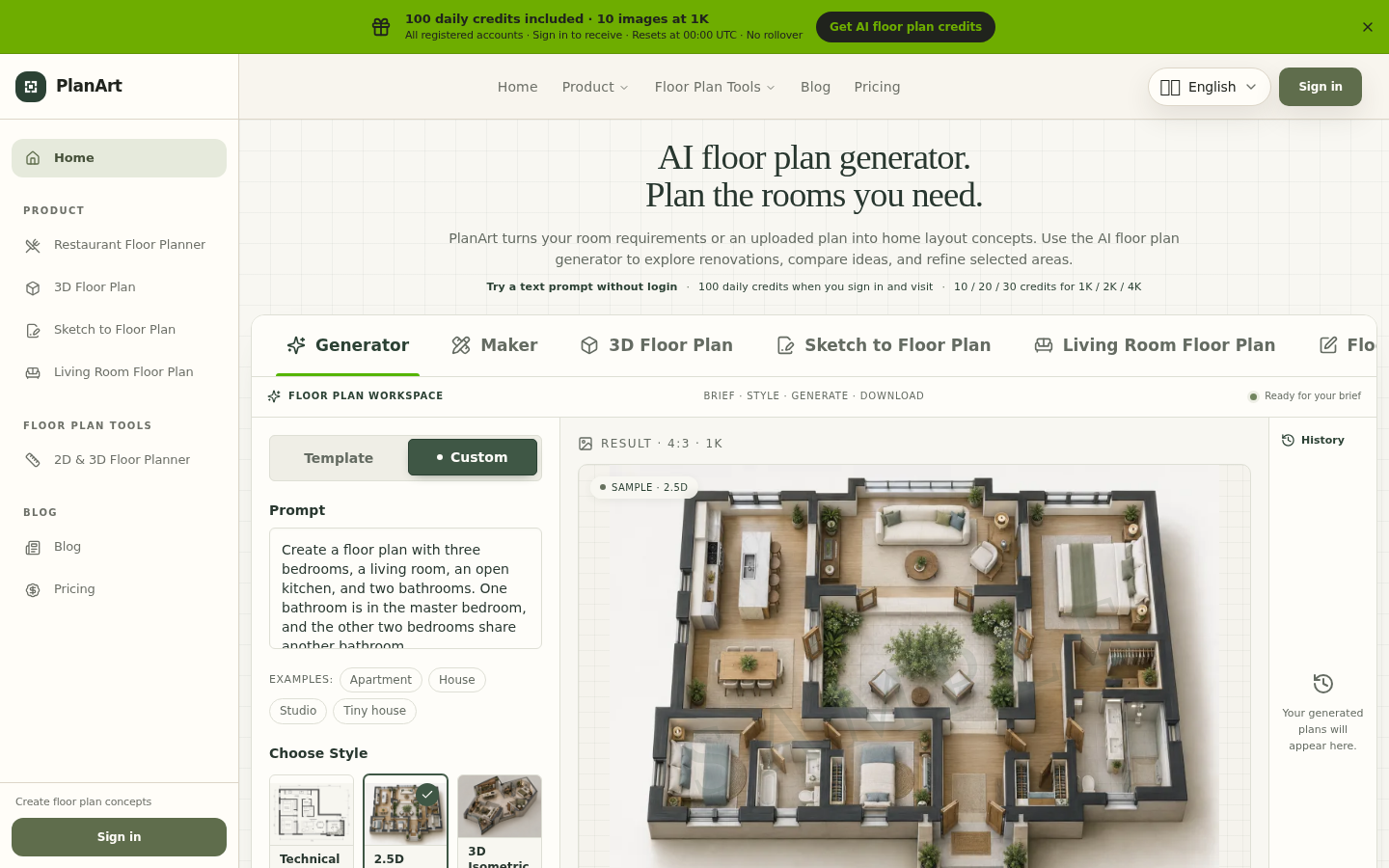
Screenshot archived from the listing page, for preview only.











