
Playnode
Build and deploy AI workflows with a visual canvasVisual AI workflow builder, free to start with weekly credits
Highlights
What you can do with it
- Build an image recognition workflow for automatic classification
- Create a text analysis workflow for social media feedback
- Set up a simple chatbot by connecting a model
How to use it
- 1 Visit playnode.app and register an account.
- 2 Open the workflow editor and drag nodes onto the canvas.
- 3 Configure each node, such as input data and AI model.
- 4 Connect the nodes to set the data flow and logic.
- 5 Click deploy to publish the workflow to the server.
- 6 Input data to get processed results, then adjust as needed.
Who it is for
Pros
- Visual interface lowers the barrier for non-technical users
- Multiple AI models available in one place
- One-click deployment after building
- Free to start with 20 weekly credits and no credit card
Limitations
- The free plan gives 20 credits per week, which limits heavy use
- Paid terms after the free tier can change over time
- Complex workflows still take time to design and tune
- Aimed at data and model tasks, not a general app builder
What Playnode is
Playnode is a web-based platform for building AI workflows with a visual, drag-and-drop canvas. Instead of writing code, you place nodes on the canvas, connect them to define the data flow, pick the AI models you want, and set how information moves from input to output. It supports memory settings so a workflow can store and reuse information, and finished workflows can be deployed with one click. The goal is to lower the barrier to AI so more people can build practical solutions. You do not need to write code, though knowing how data flows helps you design better workflows. You can start for free and receive 20 credits per week with no credit card required.
What you can do with it
The canvas lets you assemble a process step by step:
- Drag and connect nodes to build a workflow
- Choose from multiple AI models for each step
- Edit data flows for input, processing, and output
- Deploy a finished workflow with one click
- Configure memory to store and reuse information
Who it is for
It is aimed at people who work with data and models:
- Data scientists building image or text processing workflows
- Developers who want a visual way to combine AI models
- AI enthusiasts prototyping analyses or chatbots without code
What to watch out for
The free plan gives you 20 credits per week, which is fine for light experiments but limits heavier use. Paid terms after the free tier can change, so review current pricing before you depend on it. Building a useful workflow still takes planning: you need to understand your data flow and choose models that fit the task. It is aimed at data and model workflows, not general app building, so set expectations accordingly. Start with a small workflow to learn the canvas before you build something complex, and test small before scaling up.
FAQ
What is Playnode?
It is a web-based platform for building and deploying AI workflows through a visual drag-and-drop interface.
Is there a free option?
Yes. You can start for free and receive 20 credits per week, with no credit card required.
Do I need to code?
No. You build workflows by dragging and connecting nodes, though understanding data flow and models helps.
Why it is free
What the official page says: for freefree trial
Free limits, trial length and features are decided by the official site and can change at any time.
Product preview
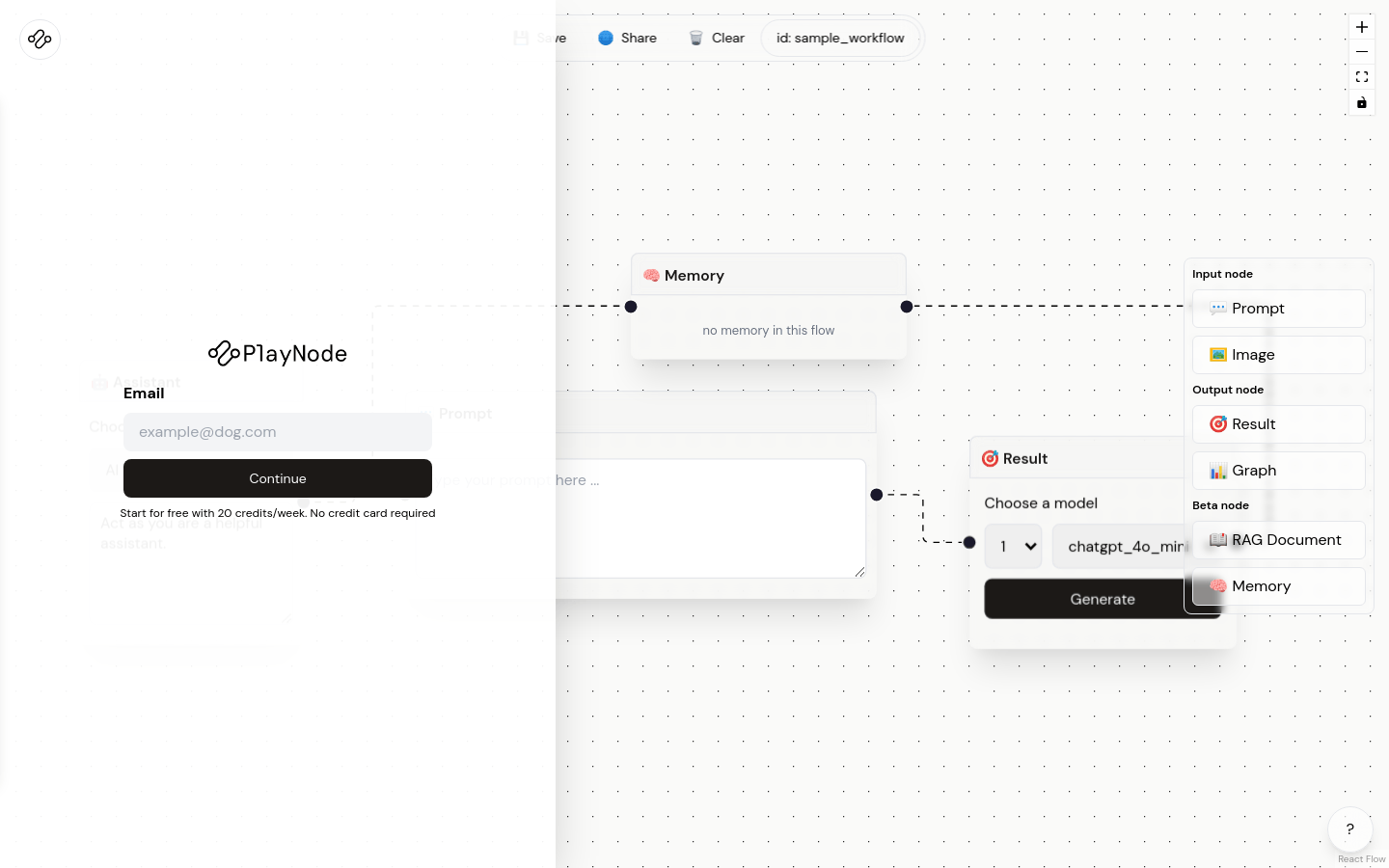
Screenshot archived from the listing page, for preview only.











