
PopPop AI Vocal Remover
Free AI vocal removerSplit vocals and accompaniment, free
Highlights
What you can do with it
- A producer pulls the instrumental from a track to build a remix.
- A karaoke fan extracts vocals for a family gathering.
- A podcast editor uses separated vocals as narration material.
How to use it
- 1 Open the PopPop AI Vocal Remover page.
- 2 Upload an audio or video file, or paste a link.
- 3 Wait while the AI separates the vocals and the accompaniment.
- 4 Preview both stems.
- 5 Download the vocal and accompaniment files.
- 6 Use them in your own production.
Who it is for
Pros
- Completely free with no registration or login.
- Works from a file or from a link on supported sites.
- Wide format support for both audio and video.
- Generous file limits of 20 minutes and 400MB.
Limitations
- Separating a copyrighted song can raise rights issues; only use tracks you own or have permission to work with, and the consequences rest with you.
- Separation quality varies with the mix and the genre.
- Processing depends on the upstream service staying available.
- Free access and the list of supported link sources can change.
What PopPop AI Vocal Remover is
PopPop AI Vocal Remover is an online tool that splits a song into vocals and accompaniment. You upload an audio or video file, or paste a link, and the AI works out the two parts for you. It is built for music production, karaoke and audio editing, and everything happens in the browser with nothing to install. The site says the service is completely free, needs no registration and no login, and it supports common formats and fairly large files. That makes it a quick option when you need a backing track or a clean vocal without opening a full digital audio workstation.
What you can do with it
- Upload audio or video and get separate vocal and accompaniment files.
- Paste a link from YouTube, TikTok and more than 1,000 supported sites.
- Work with MP3, WAV, FLAC, MP4, MKV and MOV files.
- Handle tracks up to 20 minutes long and 400MB in size.
- Preview both stems before you download them.
Who it is for
- Music producers who need an instrumental for a remix.
- Karaoke fans preparing backing tracks for a gathering.
- Podcast and audio editors who want clean stems.
What to watch out for
The tool splits a track, it does not license it. Only run it on songs you own or have permission to work with, because separating a copyrighted recording without permission can create rights problems, and the consequences rest with you. Quality is not uniform: dense mixes, heavy effects and some genres separate less cleanly than a simple pop mix, so plan on checking the result before you build on it. The service also depends on the site and the upstream model staying available, and the list of supported link sources along with the free access rules can change at any time.
FAQ
Is it free?
Yes. The site says it is completely free and needs no registration or login.
What can I upload?
Audio and video files, or a link from supported sites. MP3, WAV, FLAC, MP4, MKV and MOV are accepted.
How big can the file be?
Up to 20 minutes long and 400MB in size.
Can I use it on any song?
Only on tracks you own or have permission to edit. Separating a copyrighted song without permission can create rights problems, and the consequences are yours.
Why it is free
What the official page says: no registrationcompletely free
Free limits, trial length and features are decided by the official site and can change at any time.
Product preview
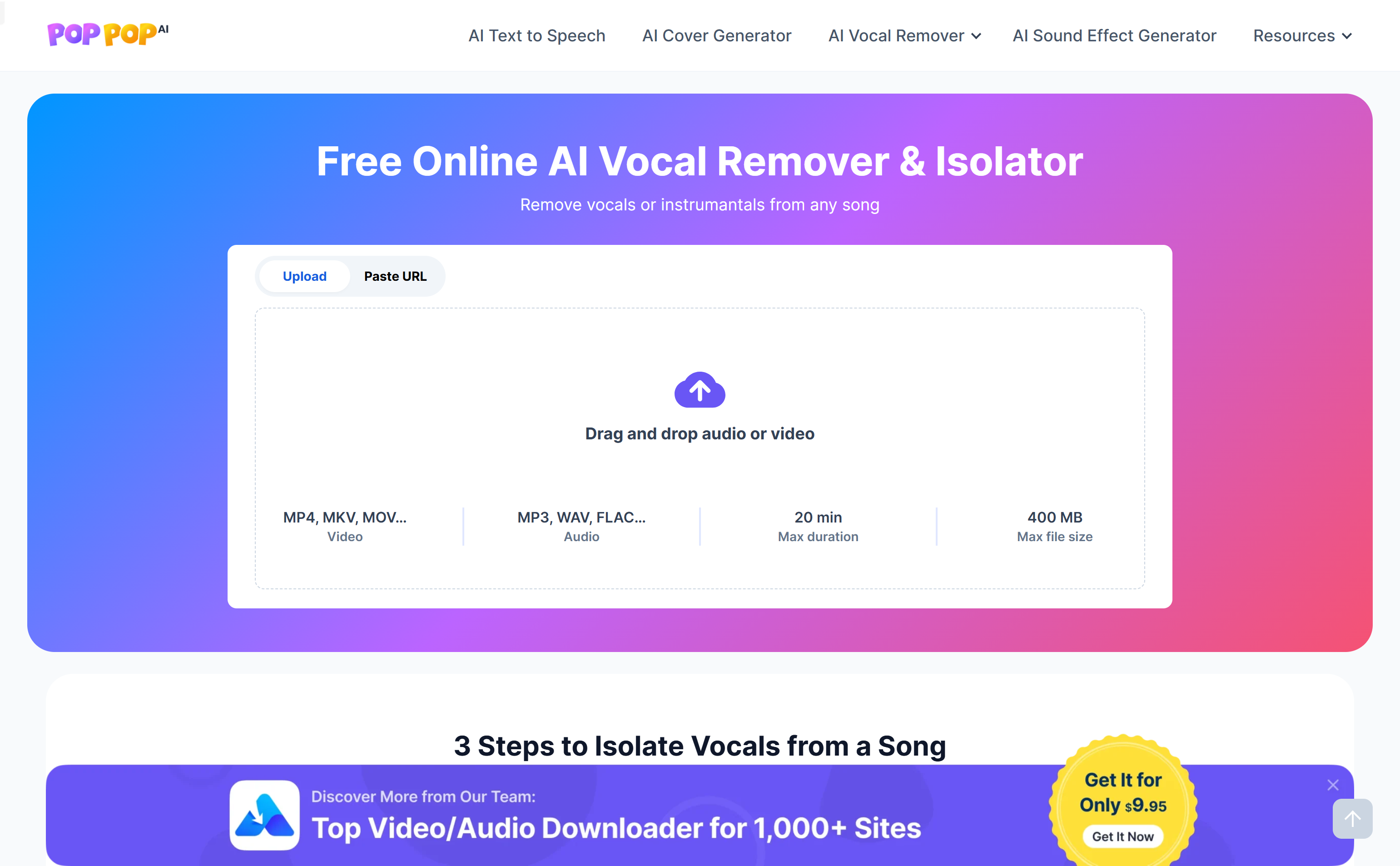
Screenshot archived from the listing page, for preview only.










