
PresentationGPT
AI presentation generator for PowerPoint and Google SlidesCreate a full slide deck in seconds
Highlights
What you can do with it
- Draft a business or pitch deck quickly
- Turn a topic into structured teaching slides
- Build a project update presentation
How to use it
- 1 Open presentationgpt.com and choose a theme
- 2 Enter your topic or outline
- 3 Let GPT-4 generate the slides
- 4 Download to PowerPoint or Google Slides and edit
Who it is for
Pros
- Very fast deck generation
- Works with PowerPoint and Google Slides
- Free to try before paying to download
Limitations
- Downloading is a paid step
- Slides may need editing for accuracy and brand fit
- Free use and pricing rules may change over time
What PresentationGPT is
PresentationGPT is an AI-powered presentation generator that creates slide decks in seconds. It uses GPT-4 language models to produce detailed and engaging content, then packages it into slides you can open in PowerPoint or Google Slides. You start by choosing a theme and entering a topic or outline, and the tool builds a first draft you can download and edit. The service offers free use with paid options when you want to download the finished file, which makes it easy to test before you commit. That way you can see the structure and style the tool produces before spending anything, which is helpful when you are unsure whether an AI draft will fit your topic.
What you can do with it
- Generate a presentation from a topic or short outline
- Pick a theme to set the look of your deck
- Work with PowerPoint and Google Slides files
- Edit the downloaded slides like any normal deck
Who it is for
- Professionals preparing pitch, report, or update decks
- Teachers and students who need class slides fast
- Anyone who wants a quick first draft to build on
What to watch out for
Downloading the finished deck is a paid step, so plan for that cost if you need the file. Generated slides are a starting point, not a finished product, so expect to edit text, fix facts, and adjust layout to fit your brand. Free use and pricing rules may change over time, so confirm current terms on the site. Because the content comes from an AI model, review every claim and figure before you present it to an audience. The layout is generated for you, so slides that need a specific brand template or dense data tables may still need hands-on work.
FAQ
Is PresentationGPT free?
You can use it for free, with paid options when you download.
Which tools does it support?
PowerPoint and Google Slides for download and editing.
What model does it use?
It uses GPT-4 to generate presentation content.
Why it is free
What the official page says: 免费使用免费
Free limits, trial length and features are decided by the official site and can change at any time.
Product preview
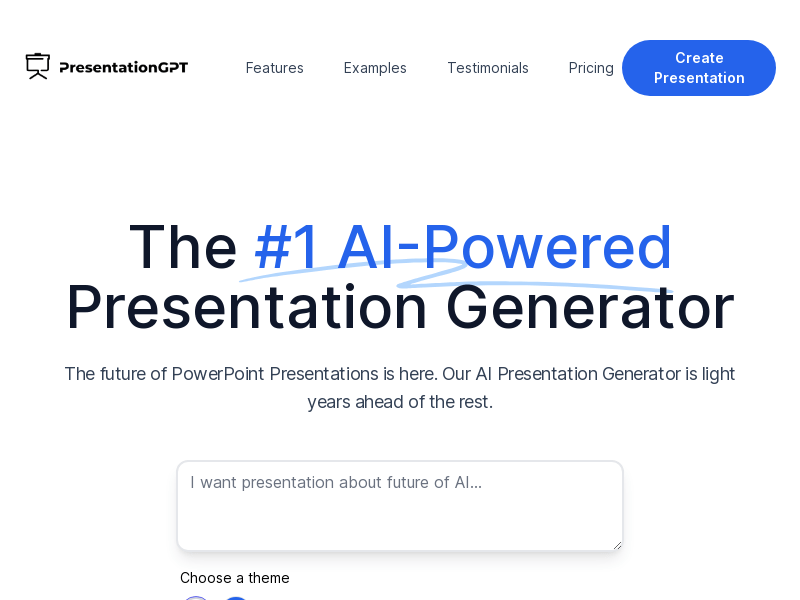
Screenshot archived from the listing page, for preview only.











