
QRCode1s
Artistic AI-generated QR codesQR codes that look like art
Highlights
What you can do with it
- Add a styled code to product packaging
- Use an artistic code in a promotion
- Create a personal brand code for a profile
How to use it
- 1 Open QRCode1s and choose your input
- 2 Upload an existing code or enter text
- 3 Generate the artistic version
- 4 Try the free version or upgrade for more features
Who it is for
Pros
- Free version to try
- Works from upload or text
- Visual output stands out
- Simple workflow
Limitations
- Stylized codes can fail to scan on some devices, so test before printing
- Premium features require payment
- Free terms can change
- Design options depend on the generator
What QRCode1s is
QRCode1s is an AI tool that turns ordinary QR codes into styled, artistic designs. You can upload an existing QR code or type in any text, and the tool generates a personalized code through its AI algorithms. The result keeps the function of a QR code while adding visual character, which suits personal brand promotion, product packaging, and advertising campaigns. A free version lets you try the workflow, and a premium version unlocks additional features.
What you can do with it
- Upload an existing QR code to restyle it.
- Generate a new code from plain text.
- Produce a design that stands out visually.
- Use the code in packaging and campaigns.
- Start free and upgrade for more features.
Who it is for
- Small brands and sellers packaging products.
- Marketers running print and digital campaigns.
- Designers who need a distinctive code.
What to watch out for
A heavily stylized code can fail to scan on some phones and in poor light, so test a printed sample before a full run. Premium features require payment, and design options depend on what the generator supports. The free version is a trial rather than a full toolkit, and terms can change. Always keep a plain, high-contrast version as a fallback. For team use, agree on naming and editing conventions in advance to avoid version conflicts or duplicated work. Name and archive exported files consistently so you can find and reuse them, and keep a backup copy of key data. Save a backup of the original file before large batch jobs, and keep an exported copy of key results in case the page or service becomes temporarily unavailable.
FAQ
Is there a free version?
Yes, you can try the free version, with a premium version for more features.
What input does it take?
An existing QR code upload or plain text to generate from.
Where is it used?
Personal brand promotion, product packaging, and advertising.
Why it is free
What the official page says: free version
Free limits, trial length and features are decided by the official site and can change at any time.
Product preview
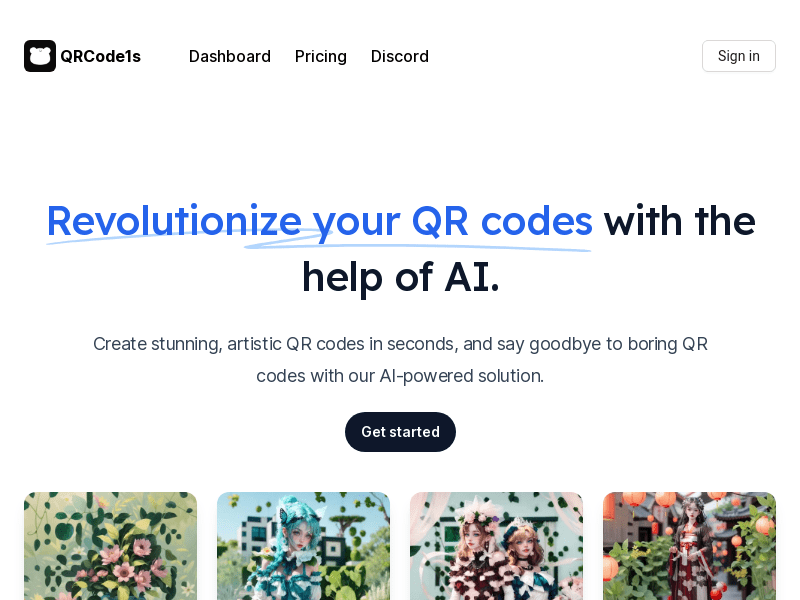
Screenshot archived from the listing page, for preview only.











