
Raydian
AI-assisted platform for building and deploying appsDesign, build, and ship apps with AI help
Highlights
What you can do with it
- Create a Calendly-style scheduling application with the visual editor and AI
- Build an online course platform with built-in infrastructure and templates
- Develop a personal finance tracker with database management and workflows
How to use it
- 1 Register and log in at raydian.dev
- 2 Select a template or start from scratch
- 3 Design the application with the visual editor or let AI assist
- 4 Build the database with the Raydian Agent
- 5 Create workflows for your application logic
- 6 Optimize the application for performance and security
- 7 Deploy the application to Raydian or connect a custom domain
Who it is for
Pros
- Infrastructure included out of the box
- Combines visual editing with AI assistance
- Free version available to evaluate the platform
Limitations
- Deploying and scaling applications requires the professional version at $39 per month
- As a newer platform, features and pricing can change
- Complex applications may still require custom code
- Migrating away later can take effort, so consider platform dependence
What Raydian is
Raydian is a product development platform that combines visual tools with AI. It provides built-in infrastructure such as database, authentication, branching, and deployment, so you can focus on building the app rather than wiring up services. You can design with a familiar visual editor or let AI handle the heavy lifting, and you can manage the database through the Raydian Agent, which creates tables and rows on the platform. Security features and integrated authentication are included, and pages load quickly thanks to Cloudflare infrastructure. There is a free version for trying the platform, and a professional version at $39 per month for deploying and scaling applications.
What you can do with it
- Build apps with a visual editor assisted by AI
- Use built-in database, authentication, and deployment
- Manage data through the Raydian Agent
- Ship projects from design to deployment in one place
Who it is for
- Novice developers with limited programming experience
- Experienced developers who want faster infrastructure
- Entrepreneurs validating ideas and launching products
What to watch out for
Deploying and scaling applications requires the professional version at $39 per month, so the free tier is mainly for evaluation. As a newer platform, its features and pricing can change, and complex applications may still require custom code. Because AI assists the build, you should review the output for security and correctness rather than trusting it blindly. Migrating away later can take effort, so consider how much you want to depend on a single platform. Run one full task end to end first, then expand once you are comfortable with the workflow and the result quality. Behavior may vary across browsers and devices, so test before production use and consult the help docs if errors appear.
FAQ
Is there a free version?
Yes. The free version is suitable for trying the platform, and the professional version costs $39 per month.
What is included out of the box?
Database, authentication, branching, and deployment are built in.
Who is it for?
Novice and experienced developers, plus entrepreneurs validating product ideas.
Why it is free
What the official page says: free version
Free limits, trial length and features are decided by the official site and can change at any time.
Product preview
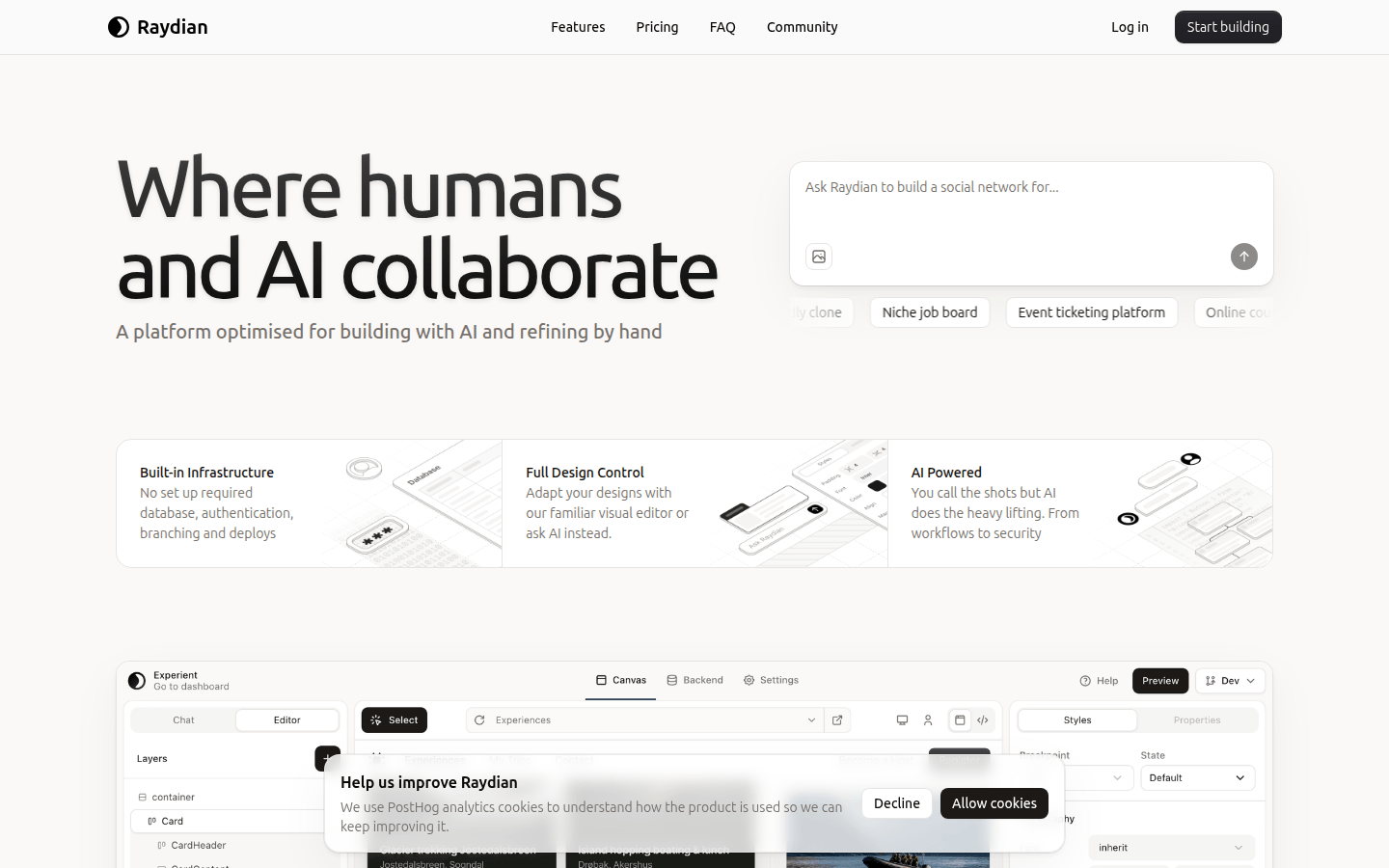
Screenshot archived from the listing page, for preview only.











