
Refraction
AI code generation toolGenerate and refactor code with AI
Highlights
What you can do with it
- Refactor messy code into a cleaner structure
- Generate documentation for existing code
- Create unit tests to check your functions
How to use it
- 1 Open Refraction and choose a language or framework
- 2 Paste the code you want to work on
- 3 Click Generate to run the AI task
- 4 Review the output and apply it to your project
- 5 Register to get free uses or subscribe for more
Who it is for
Pros
- Handles generation, refactoring, docs, and tests
- Supports 56 programming languages
- Free uses after registration before you pay
Limitations
- Free uses are limited, and subscription terms may change
- Generated code still needs review, since quality varies by input
- It assists with tasks rather than replacing a full development environment
What Refraction is
Refraction is a tool that uses AI to generate code and help with common development tasks. You pick a programming language or framework, paste your code, and click Generate. It can refactor code, write documentation, create unit tests, and more, and it supports 56 programming languages. By automating tedious work like testing, documentation, and refactoring, it lets you focus on the core of your project. The workflow is built to be quick, so you can move from pasting code to a usable result in a few steps. You get a set of free uses when you register, and paid subscriptions are available for heavier use. The site notes that thousands of developers use it.
What you can do with it
- Generate code from a prompt or an existing snippet.
- Refactor messy code into a cleaner structure.
- Write documentation for functions and modules.
- Create unit tests to check your code.
Who it is for
- Developers who want to refactor code faster.
- Teams that need documentation and tests quickly.
- Programmers looking to automate routine coding work.
What to watch out for
Free uses are limited, and subscription terms may change, so confirm the current plan before you build a habit around it. Generated code still needs review, since quality varies with the input and the language, and you should test anything before it goes into production. It is an assistant for specific tasks rather than a replacement for a full development environment, so you will still write and debug code yourself. Treat the output as a starting point you edit, not a finished solution you ship without checks, and make sure the generated style matches your codebase conventions.
FAQ
What can Refraction do?
It can generate code, refactor it, write documentation, and create unit tests.
How many languages does it support?
It supports 56 programming languages.
Is there a free option?
Yes, you get free uses when you register, and paid subscriptions are available.
Why it is free
What the official page says: 免费使用免费
Free limits, trial length and features are decided by the official site and can change at any time.
Product preview
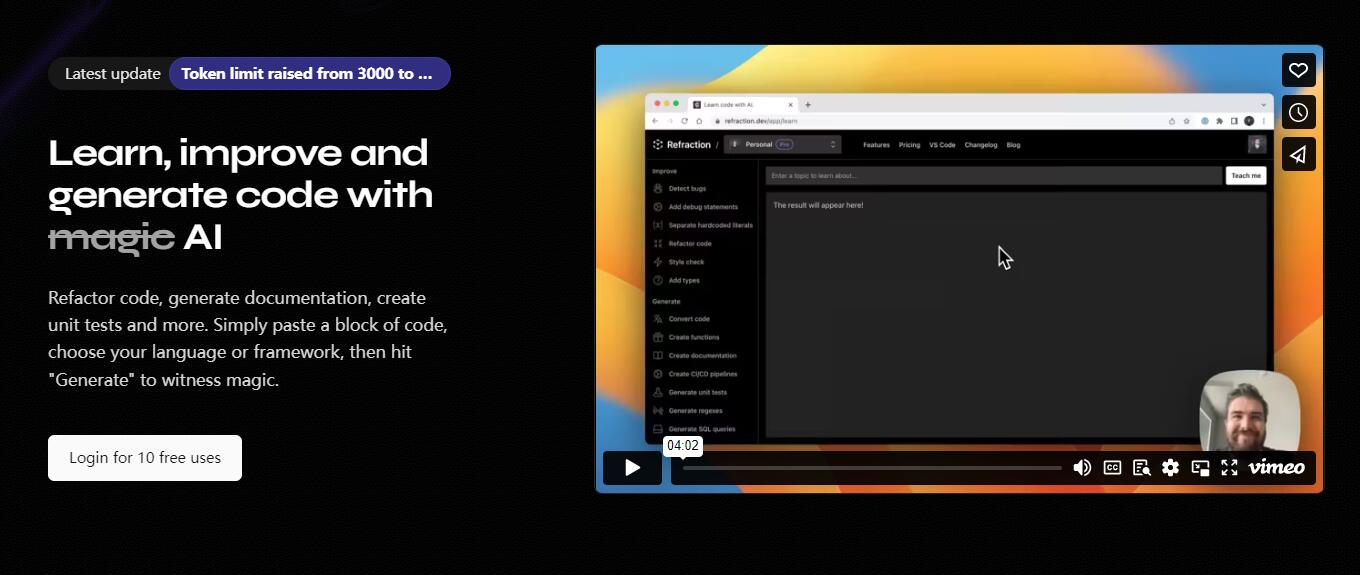
Screenshot archived from the listing page, for preview only.











