
RoomDesign
Free AI room design toolSee a new room before you buy
Highlights
What you can do with it
- Designers exploring several layouts for a client
- Homeowners testing colour schemes and furniture
- Renters planning a temporary room makeover
How to use it
- 1 Upload a clear photo of the room
- 2 Select a style or describe the changes you want
- 3 Generate, then download or share the result
Who it is for
Pros
- Free to use with no registration stated
- No design skills required
- Realistic previews before buying furniture
Limitations
- Renders are a guide, not a buildable plan
- Photo quality limits how well the room is read
- Free terms can change without notice
What RoomDesign is
RoomDesign is a free AI room design tool. You upload a clear photo of a room, choose a style from the presets or describe the changes you have in mind, and the tool returns a realistic rendered version. Room types cover living rooms and bedrooms, and the style list runs from modern and Scandinavian to industrial, Bohemian, and luxury. The point is to test a layout, a colour scheme, or a furniture arrangement before you spend money or start moving things. Results can be downloaded at high resolution and shared with family, a landlord, or a designer. The site states that no design skills are required and that results arrive without registration, and it is free to use.
What you can do with it
- Turn a room photo into a styled redesign
- Compare several layouts and colour schemes side by side
- Plan furniture placement and check space use
- Download and share a high resolution preview
Who it is for
- Homeowners planning a renovation on a budget
- Renters arranging a room they are not allowed to alter
- Interior designers who want quick concept previews
- Freelancers and remote workers setting up a space
What to watch out for
A render is a guide, not a construction drawing. Dimensions, lighting, and how furniture actually fits in the real room still need checking on site. The tool reads your photo, so a dark or cluttered image gives a weaker result. Free use is the current position and can change, so confirm before you rely on it for client work. Finally, generated designs show possibilities rather than costs, and the style you like may be the expensive one.
FAQ
Do I need design skills?
No, the site says it works without them.
Is registration required?
The site says results come without registration.
What can I upload?
JPG, JPEG, PNG, or WEBP up to 16MB.
Why it is free
What the official page says: free to use
Free limits, trial length and features are decided by the official site and can change at any time.
Product preview
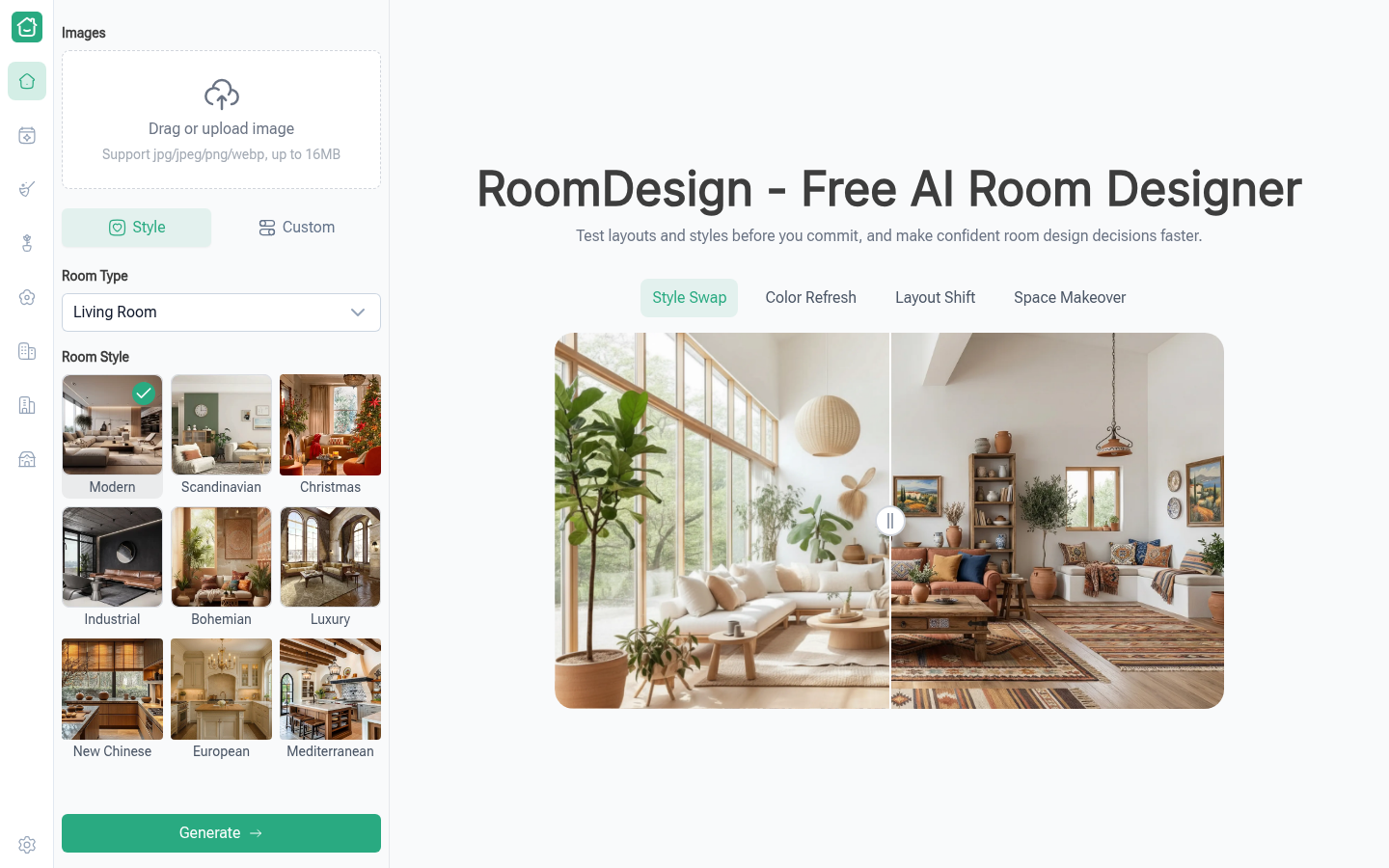
Screenshot archived from the listing page, for preview only.











