
Search123
Free AI aggregation search engineSearch many engines from one box, free
Highlights
What you can do with it
- Students find academic materials fast
- Professionals compare business information
- Researchers retrieve papers across sources
How to use it
- 1 Open Search123 in your browser
- 2 Type your keyword into the search box
- 3 Choose a search category such as AI or academic
- 4 Press search and review the results
- 5 Clear history with the Clear History button if needed
Who it is for
Pros
- Completely free
- Aggregates many engines in one place
- States it does not store personal data
- Category shortcuts for academic and media
Limitations
- Free rules may change over time
- Result quality depends on the underlying engines
- Some linked resources may have unclear rights
What Search123 is
Search123 is a convenient multi-engine aggregation search platform. It lets you query multiple search engines at the same time through a single search box. The engines and sources it covers include AI search, Baidu, Sogou, Google, academic resources such as Baidu Scholar and CNKI, social platforms, cloud storage resources, and media tools. The aim is a one-stop search experience that saves time and improves efficiency. The service is completely free, and it says it protects privacy by not collecting or storing personal information or search history.
What you can do with it
- Search many engines from one box at once
- Jump to AI, regular, and academic search
- Look across social platforms and cloud storage
- Find media resources with category shortcuts
- Clear your search history with one button
Who it is for
- Students looking for academic materials
- Professionals comparing business information
- Researchers retrieving papers and sources
- Anyone who wants many search options in one place
What to watch out for
Search123 is free, so its rules and the list of connected engines may change over time, so confirm the current setup before you rely on it. Because it aggregates other search services, the quality and accuracy of results depend on those underlying engines, and Search123 does not control them. Some linked cloud storage or media resources may have unclear usage rights, so be careful about what you download and how you use it. Since it is an online service, you also need a working internet connection. For best results, start with a small test file and review the output carefully before working on anything important. Free tiers can change over time, so it is worth checking the current limits on the official page before you rely on the tool daily.
FAQ
Is Search123 free?
Yes, it is completely free.
What does it search?
AI search, Baidu, Sogou, Google, academic, social, cloud storage, and media sources.
Does it store my data?
It states it does not collect or store personal information or search history.
Can I clear my history?
Yes, there is a Clear History button on the page.
Why it is free
What the official page says: completely free
Free limits, trial length and features are decided by the official site and can change at any time.
Product preview
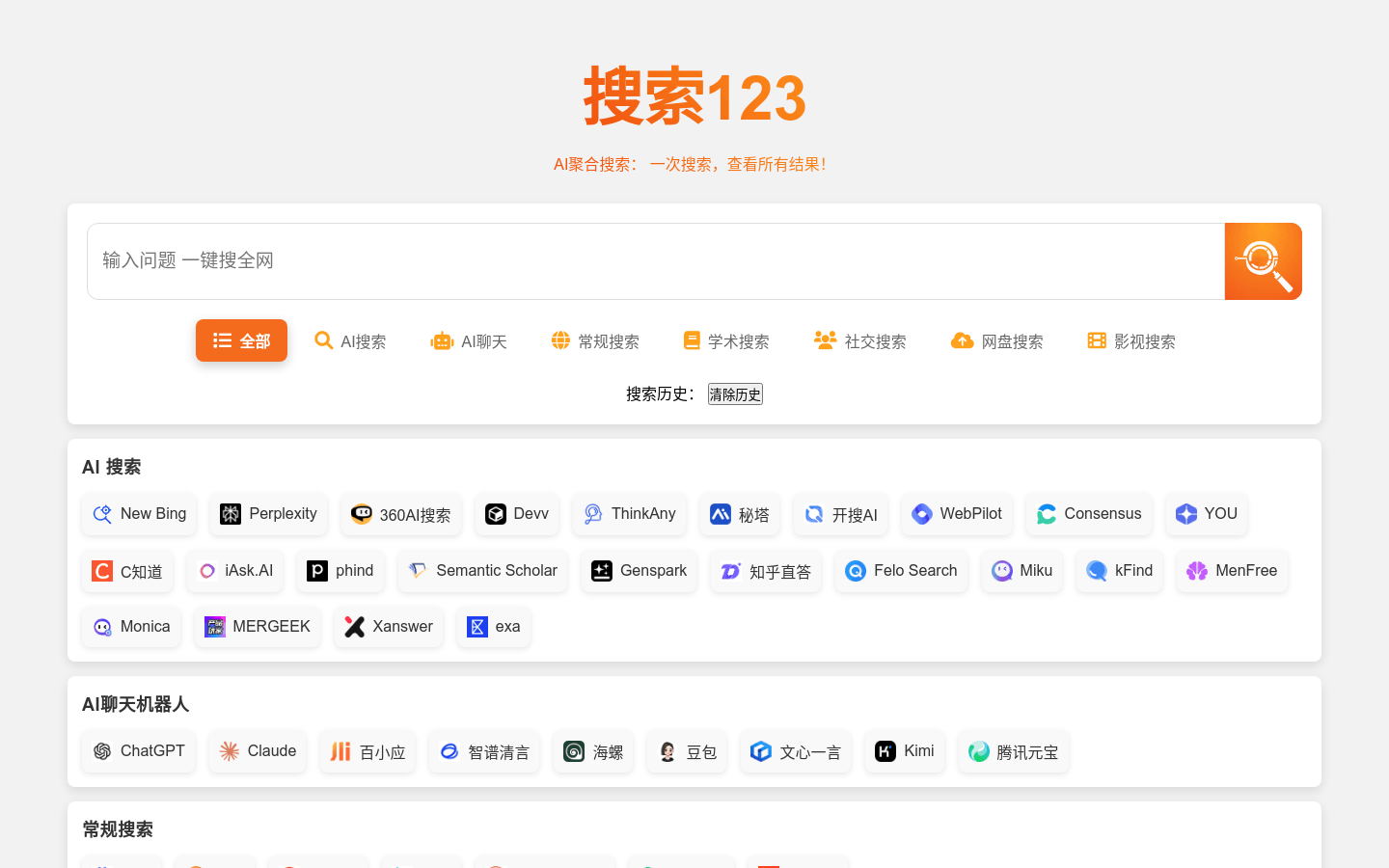
Screenshot archived from the listing page, for preview only.











