Song AI
Free AI song generatorText or lyrics to a full song in seconds
Highlights
What you can do with it
- A YouTube creator generates relaxed background music for a travel video
- A game studio produces scene music for different levels
- An independent musician breaks a creative block with a first draft
How to use it
- 1 Open the Song AI website
- 2 Start a free trial to get an initial credit limit, with no card required
- 3 Pick a function such as text-to-song or lyrics-to-song
- 4 Enter a description or paste your own lyrics
- 5 Wait 15 to 30 seconds, then preview in the browser
- 6 Download in WAV, MP3, or FLAC, or keep refining with more prompts
Who it is for
Pros
- Fast: a full song in well under a minute
- Free entry point with no card needed to start
- No music theory or arrangement knowledge required
- Extra tools such as vocal removal and MIDI conversion included
Limitations
- The free version is limited to personal, non-commercial use
- Commercial authorisation requires the paid version
- Output quality varies by style and by prompt detail
- Getting a specific sound usually takes several prompt attempts
What Song AI is
Song AI is a free online AI song and music generator. It is built on neural networks trained against millions of songs, and its purpose is to lower the barrier to making music so that someone with no theory background can still end up with a finished track. You describe a mood, style, or theme, or you paste lyrics you already wrote, and the system returns a complete song with melody, chords, lyrics, and vocals. The typical wait is 15 to 30 seconds. There is a free version for personal, non-commercial use and a paid version with full commercial authorisation, which is the distinction that matters most for anyone publishing work for money.
What you can do with it
- Turn a short text description into a full song with vocals and instruments
- Turn your own lyrics into a produced track with matched melody
- Create AI covers by adjusting vocal style and timbre
- Expand an existing fragment into a longer, richer piece
- Strip vocals for an instrumental, or convert audio to MIDI for editing
- Produce a music video or a visualisation from the generated track
Who it is for
Content creators on YouTube and TikTok who need background music that fits a specific mood use it to avoid generic library tracks. Game studios generate scene music for different levels without commissioning a composer for every cue. Independent musicians use it as a drafting tool when a new song stalls, taking the generated first draft and rewriting from there. Enterprises producing advertising and promotional video sit on the paid side because they need commercial clearance rather than personal-use rights.
What to watch out for
Licence is the first thing to get right. The free version is for personal, non-commercial use, so publishing a generated track on a monetised channel without the paid plan is a licence problem rather than a technical one. Quality varies by style: simple, clear prompts tend to produce cleaner results, while dense or contradictory prompts produce muddy ones, so expect to iterate. The tool lowers the floor for making a song, but arrangement taste, mixing decisions, and lyrical editing are still yours. Plan on several attempts before a track is releasable.
FAQ
Is Song AI free?
There is a free version you can try without a card, but it is for personal, non-commercial use only.
Can I use the songs commercially?
Commercial use requires the paid version, which carries full commercial authorisation.
How long does generation take?
Most songs are ready in 15 to 30 seconds, though complex tracks can take longer.
What formats can I download?
WAV, MP3, and FLAC are supported for download.
Why it is free
What the official page says: free version
Free limits, trial length and features are decided by the official site and can change at any time.
Product preview
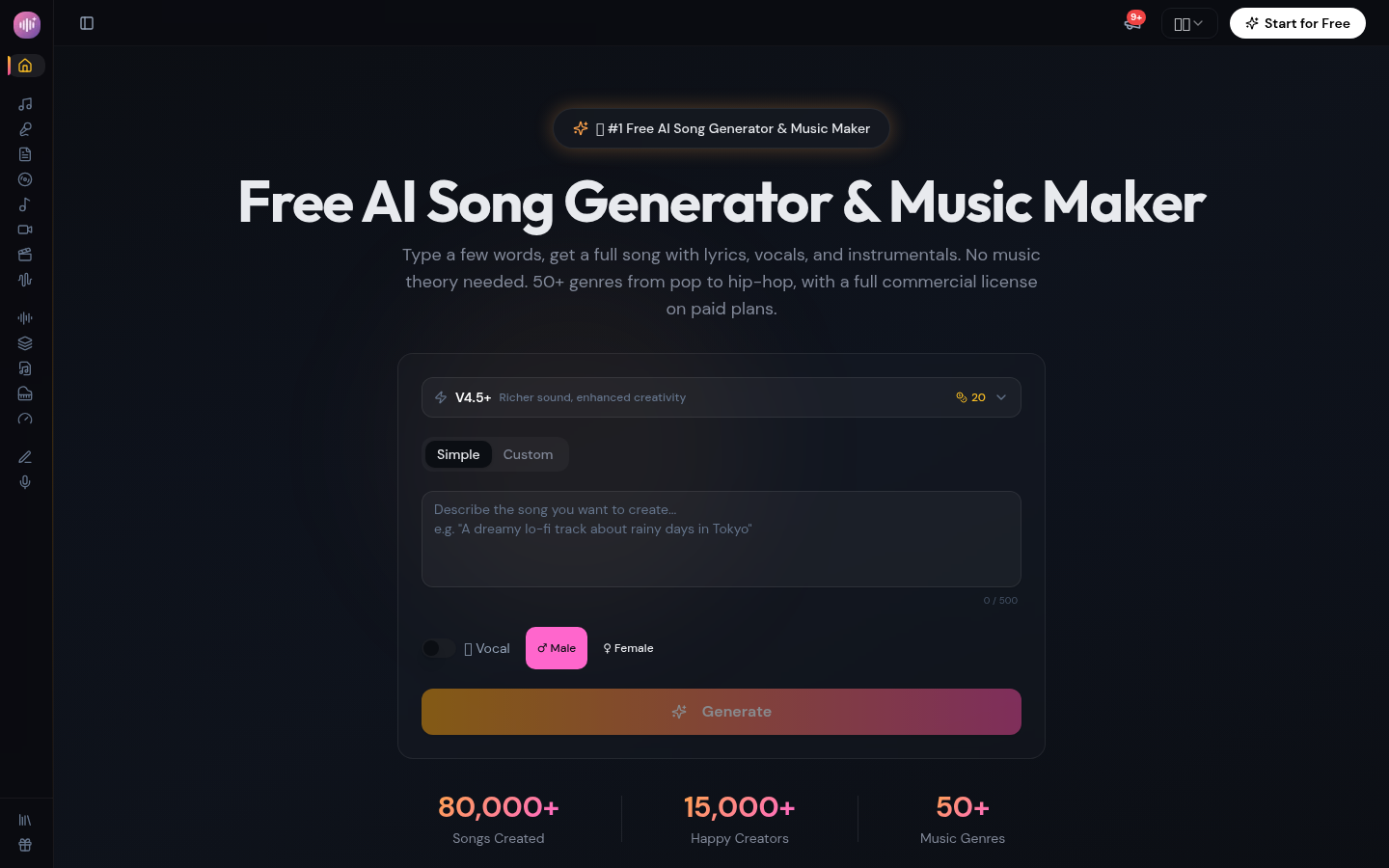
Screenshot archived from the listing page, for preview only.