
Sora Alternative
Multi-model AI video generator, free to useTen video models, one page
Highlights
What you can do with it
- Create a virtual property tour video for real estate
- Produce a short food advertisement for a restaurant
- Edit a travel montage for a blog or social channel
How to use it
- 1 Visit soraalternative.com in your browser
- 2 Optionally upload a reference image to guide the video
- 3 Choose a model such as Seedance, Veo, Wan, or Grok Video
- 4 Select an aspect ratio like 16:9 or 9:16
- 5 Enter a description or use the on-page suggestions, then generate
- 6 Download or share the finished video
Who it is for
Pros
- Free to use with no single-platform lock-in
- Reference image support improves control
- Prompt ideas help beginners start quickly
Limitations
- Free access could change without notice
- Output quality and style vary between models
- Choosing the right model for a task takes some experimentation
What Sora Alternative is
Sora Alternative is a web-based AI video generation tool that acts as an alternative to Sora. It brings 10 leading AI video models, including Seedance, Veo, Wan, and Grok Video, into a single page so creators are not tied to one platform or one model's style. You can upload reference images to guide generation, switch between aspect ratios like 16:9 and 9:16, and lean on built-in suggestions such as real estate tours, food advertisements, and travel montages when you are out of ideas. The tool is described as free to use and is positioned for fast, practical video creation rather than long-form production.
What you can do with it
- Generate videos from text descriptions across 10 models
- Upload reference images to steer the visual result
- Pick aspect ratios that fit different platforms
- Use built-in ideas for real estate, food, and travel videos
- Download or share the generated clips
Who it is for
- Video creators who want model variety in one place
- Marketing professionals making commercial video assets
- Bloggers and self-media creators producing travel and food content
What to watch out for
Free access for tools like this can change or gain limits over time, so treat current availability as provisional. Because multiple models sit behind one interface, quality, speed, and style differ between them, and finding the right model for a given prompt takes experimentation. Generated videos should be reviewed before publication, and heavy commercial use may raise licensing questions that the listing does not address. When quality matters, export a small draft first to confirm the result before producing the final file. Generated suggestions are for reference only, so verify anything that affects professional judgment or important data.
FAQ
Is Sora Alternative free?
The listing describes the tool as free to use.
Which models are included?
It integrates 10 models, including Seedance, Veo, Wan, and Grok Video.
Can I upload reference images?
Yes. You can upload reference images and delete them later if needed.
What aspect ratios are supported?
Common options such as 16:9 and 9:16 are available for different platforms.
Why it is free
What the official page says: free to use
Free limits, trial length and features are decided by the official site and can change at any time.
Product preview
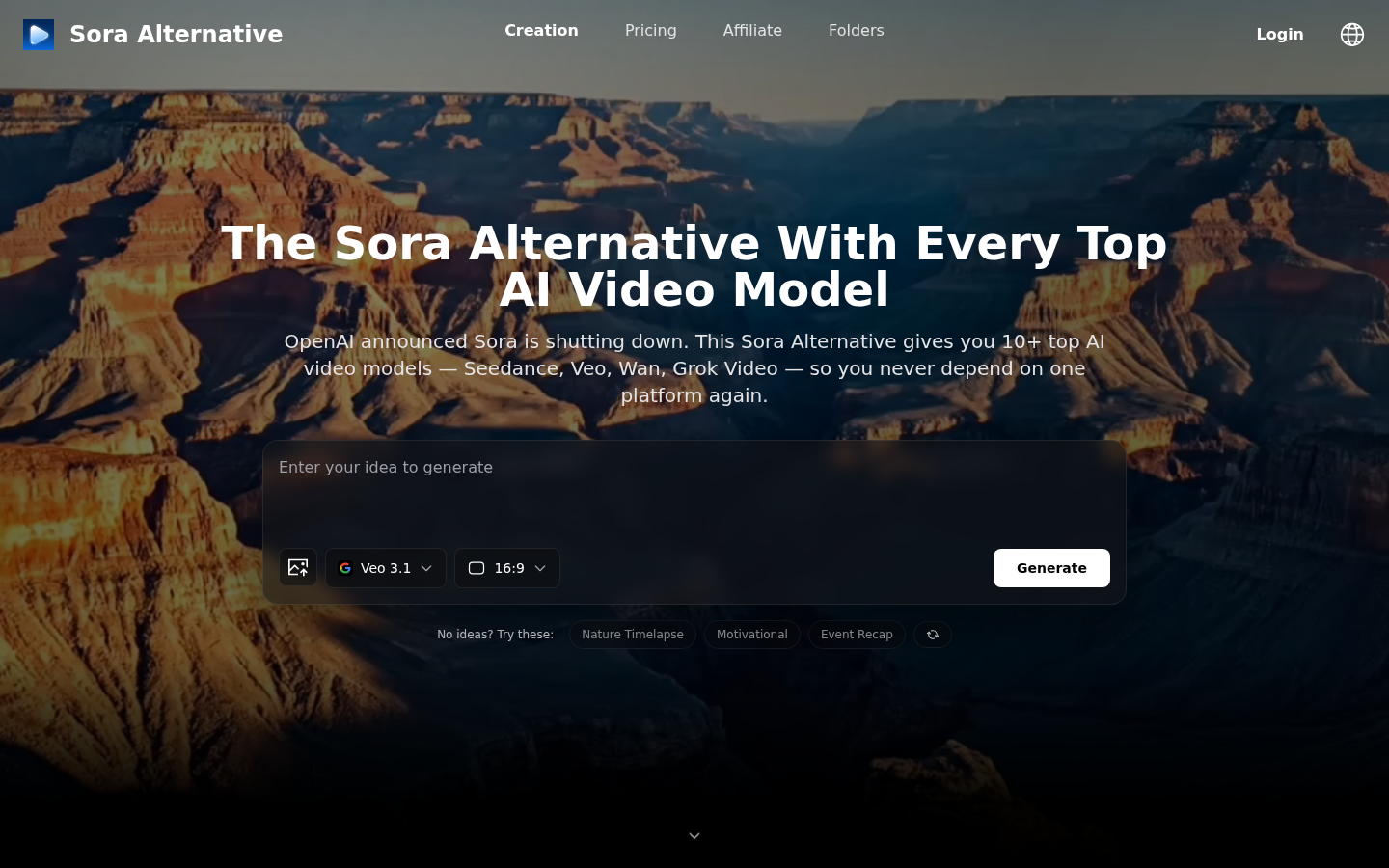
Screenshot archived from the listing page, for preview only.