Spark Robin
AI video generatorTurn text and images into videos, free
Highlights
What you can do with it
- Marketers making a short product promo in a movie style at 16:9.
- Educators turning a science point into a 9:16 animation clip for students.
- Game developers producing a realistic-style trailer at 16:9 and 8 seconds.
How to use it
- 1 Describe your vision in a text prompt or upload a reference image.
- 2 Customize settings: pick a video style, choose an aspect ratio, and set a duration.
- 3 Let the AI turn your prompt and settings into smooth video frames.
- 4 Export the finished clip in high quality or share it to social media.
Who it is for
Pros
- Try the full workflow without registering an account.
- No video editing skills are needed.
- Several visual styles and flexible aspect ratios.
- Instant preview of settings and metadata before generating.
Limitations
- Generating a finished AI video requires connecting to a video generation provider, which may carry its own costs.
- Clips are limited to 2 to 8 seconds, so they suit short social content, not long edits.
- Output depends on your prompts, so you may need several tries.
- Free trial terms can change.
What Spark Robin is
Spark Robin is an AI video generator that turns text prompts and images into short videos. You describe what you want in text or upload a reference image, and the AI builds smooth video frames with motion, lighting, and detail. It offers several visual styles, including movie, animation, realistic, artistic, and minimalist, so you can match the look to your project, and no video editing skills are needed. You can try the full workflow without registering, and the demonstration experience is free. Before you generate, you can preview the settings and metadata instantly to check the general effect. Note that producing a finished AI video requires connecting to a video generation provider, which is separate from the free demo.
What you can do with it
- Turn text prompts into video clips.
- Turn reference images into related videos.
- Pick from styles such as movie, animation, realistic, artistic, and minimalist.
- Choose aspect ratios like 16:9, 9:16, 1:1, and 4:3, and set durations from 2 to 8 seconds.
Who it is for
- Content creators and social media users who want quick video assets.
- Marketers who need short promotional clips without a production budget.
- Educators who want to turn lessons into visual stories.
- Game developers who need trailers, cutscenes, or promo content.
What to watch out for
The trial and demo are free without registration, but producing a finished AI video means connecting to a video generation provider, which may carry its own costs. Clip length is limited to 2 to 8 seconds, so it suits short social content rather than long edits. Because output depends on prompts and settings, expect to try a few times to get the look you want, and preview before committing. Free trial terms and the provider connection can change, so check current conditions before you rely on it.
FAQ
Can I use Spark Robin without registering?
Yes. You can try the full workflow and explore the features without registering an account.
What do I need to generate a real video?
The demo and trial are free, but producing a finished AI video means connecting to a video generation provider.
How long can the videos be?
Clip length can be set between 2 and 8 seconds, which is aimed at short social content.
What styles and sizes are available?
You can pick styles like movie, animation, realistic, artistic, and minimalist, and aspect ratios such as 16:9, 9:16, 1:1, and 4:3.
Who is it for?
It is aimed at content creators, marketers, educators, game developers, and e-commerce sellers who need short videos.
Why it is free
What the official page says: 免费无需注册
Free limits, trial length and features are decided by the official site and can change at any time.
Product preview
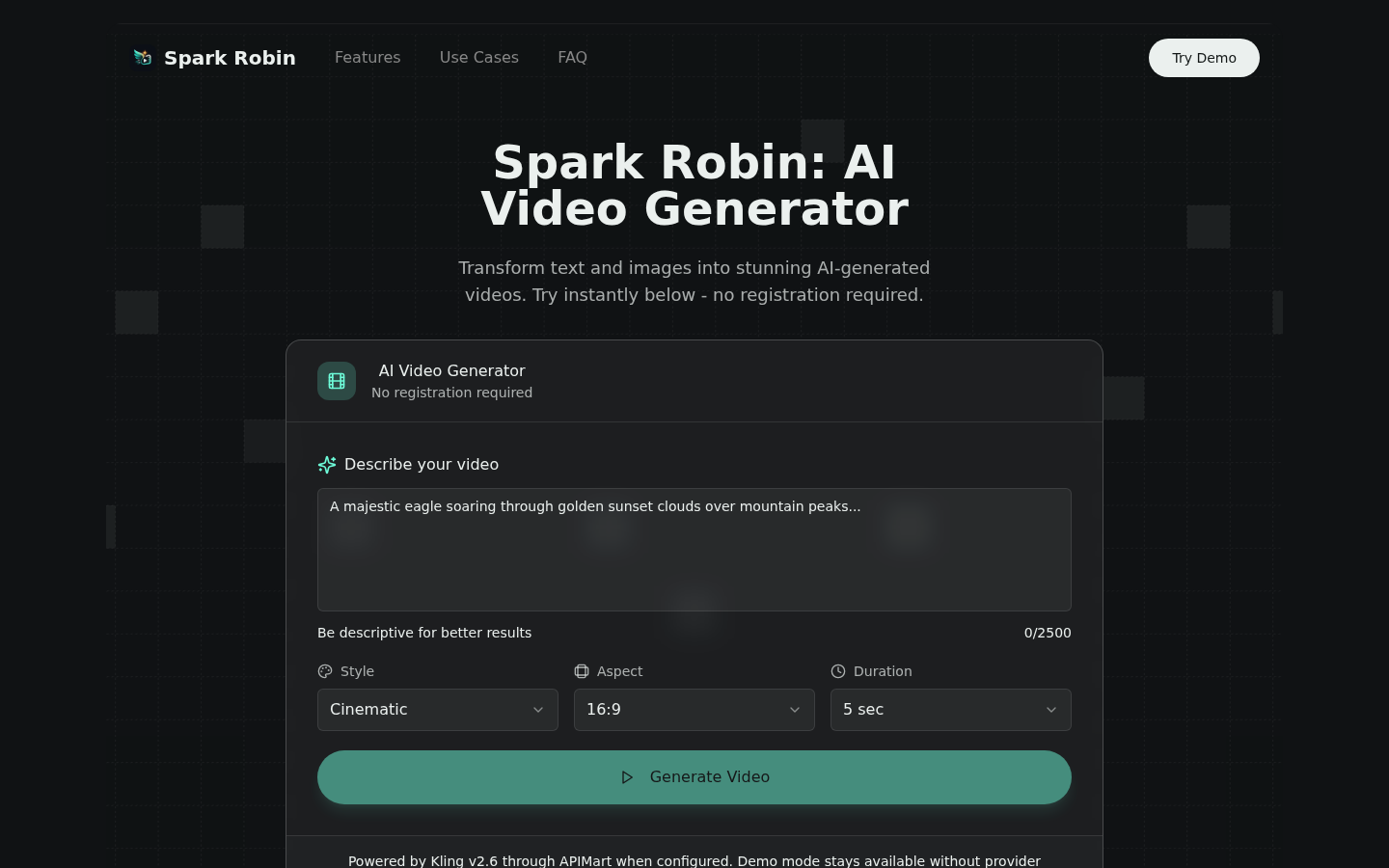
Screenshot archived from the listing page, for preview only.