
Stockvistas
Free AI nature landscape photo libraryClean landscape images, free to use
Highlights
What you can do with it
- Use a landscape as a desktop wallpaper
- Add a nature background to a presentation
- Place scenery in an app or website design
How to use it
- 1 Open Stockvistas in your browser
- 2 Browse the nature landscape collection
- 3 Pick an image that fits your project
- 4 Download and use it
Who it is for
Pros
- Free to use
- No attribution required
- Commercial use allowed
- Consistent scenery-only focus
Limitations
- Library is narrow, only nature and landscapes
- AI-generated images may not suit every brand
- Free terms can change
- No people or product shots available
What Stockvistas is
Stockvistas is a library of high-quality AI-generated landscape and nature photographs. Every image is curated to exclude people and buildings, so the collection stays focused on pure scenery rather than travel shots with crowds and signage. The images work as wallpapers, backgrounds, or assets in projects such as websites, mobile apps, and presentations. All images are free to use, no attribution is required, and both personal and commercial projects are allowed.
What you can do with it
- Browse a curated set of nature and landscape images.
- Use a photo as a desktop or phone wallpaper.
- Add a clean background to a presentation.
- Place scenery in an app or website design.
- Use images commercially without a credit line.
Who it is for
- Designers who need clean, distraction-free backgrounds.
- Developers adding imagery to apps and sites.
- Anyone who wants free nature photos without attribution.
What to watch out for
The library is narrow by design, covering only nature and landscapes, so it will not supply people, product shots, or urban scenes. The images are AI-generated, which may not suit every brand or editorial context. Free terms can change, and it is worth keeping your own copy of anything used in a live project rather than relying on a link. Run one full task end to end first, then expand once you are comfortable with the workflow and the result quality. Behavior may vary across browsers and devices, so test before production use and consult the help docs if errors appear. Save a backup of the original file before large batch jobs, and keep an exported copy of key results in case the page or service becomes temporarily unavailable.
FAQ
Is Stockvistas free?
Yes, all images are free to use.
Do I need to credit the source?
No attribution is required.
Can I use the images commercially?
Yes, both personal and commercial projects are allowed.
Why it is free
What the official page says: free to use
Free limits, trial length and features are decided by the official site and can change at any time.
Product preview
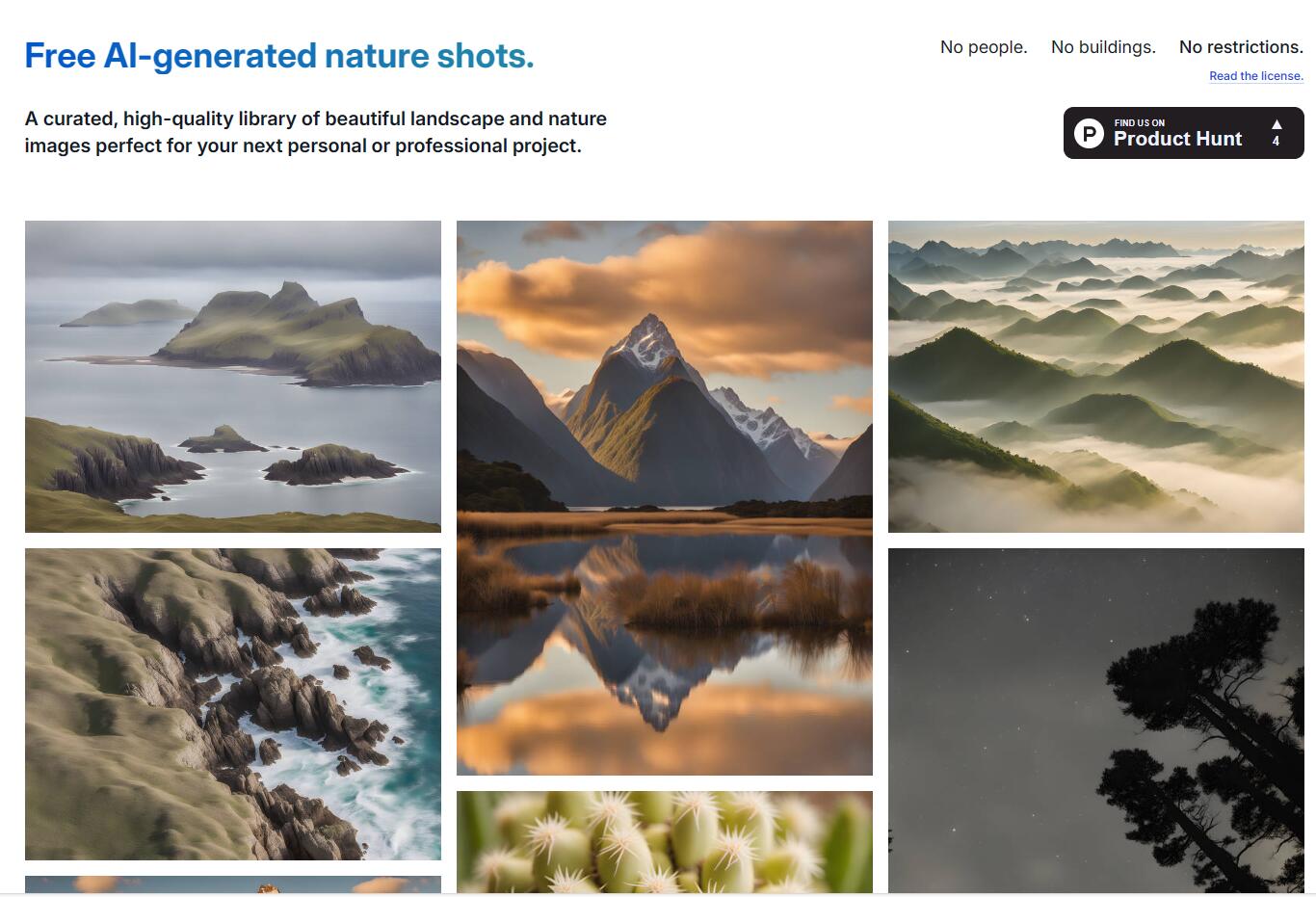
Screenshot archived from the listing page, for preview only.











