
Template.net
Turn prompts into editable brand assetsAI editor for editable designs, docs, and brand assets
Highlights
What you can do with it
- Create pitch decks, proposals, and invoices that are ready to edit
- Keep marketing materials on-brand without a standing design team
- Build course materials, checklists, and lesson plans for classes
How to use it
- 1 Visit the Template.net website and open the AI-driven editor.
- 2 Type a prompt describing the design, document, or presentation you need.
- 3 Wait for the AI to generate the asset, then edit text, layout, visuals, and data.
- 4 Apply your brand logo, font, and color, and adjust the format with one click.
- 5 Export the finished asset to Google Drive, Notion, Slack, or social platforms.
Who it is for
Pros
- Free to use without registration for core asset generation
- Outputs stay editable, so nothing is locked to the platform
- Automatic brand styling keeps every asset consistent
Limitations
- Free-use limits and upgrade terms are not fully detailed on the page and may change
- AI output still needs a human check before it goes into professional workflows
- Complex brand assets may need extra editing to match a strict brand guide
What Template.net is
Template.net is an AI production engine that turns natural language prompts into editable brand assets. Instead of starting from a blank canvas, you describe what you need in plain language and the engine drafts it for you. In the built-in AI editor, a short prompt can become a design, document, presentation, or chart with editable components, so the result drops straight into professional workflows instead of staying locked inside the platform. Your logo, font, and color can be applied automatically to every template, keeping output on-brand. One-click adjustments adapt any asset to a new platform or format, and your best work can be saved as reusable team templates. Assets can be exported to Google Drive, Notion, Slack, and social platforms, and projects let team members co-edit and manage approvals in real time. Free use is supported, with an upgrade path for better quality, speed, and full control.
What you can do with it
- Generate editable designs, documents, presentations, and charts from prompts
- Apply brand logo, font, and color automatically for consistent output
- Adjust formats with one click and save strong designs as reusable team templates
- Export assets to Google Drive, Notion, Slack, and social platforms
- Co-edit with team members and manage approvals in real time
Who it is for
- Entrepreneurs who need pitch decks, proposals, and invoices fast
- Marketers who want on-brand designs and promotional materials
- Educators building course materials, checklists, and lesson plans
What to watch out for
AI-generated assets are a starting point, not a finished product, so plan to review text, layout, and data before anything goes public. The page supports free use and mentions upgrades for better quality, speed, and full control, but the exact free limits and pricing terms are not spelled out and can change. Results also vary with prompt quality: vague instructions tend to produce vague drafts, so the clearer your prompt, the less editing you face. Complex brand systems may still need manual cleanup to match a strict style guide.
FAQ
Is Template.net free?
The site supports free use; upgrades are offered for better quality, speed, and full control.
Do I need to register?
The page describes turning prompts into assets without registration.
What can I export?
Assets can be exported to Google Drive, Notion, Slack, and social platforms.
Can my team work on the same asset?
Yes. Projects allow inviting team members to co-edit and manage approvals in real time.
Why it is free
What the official page says: 免费使用免费无需注册
Free limits, trial length and features are decided by the official site and can change at any time.
Product preview
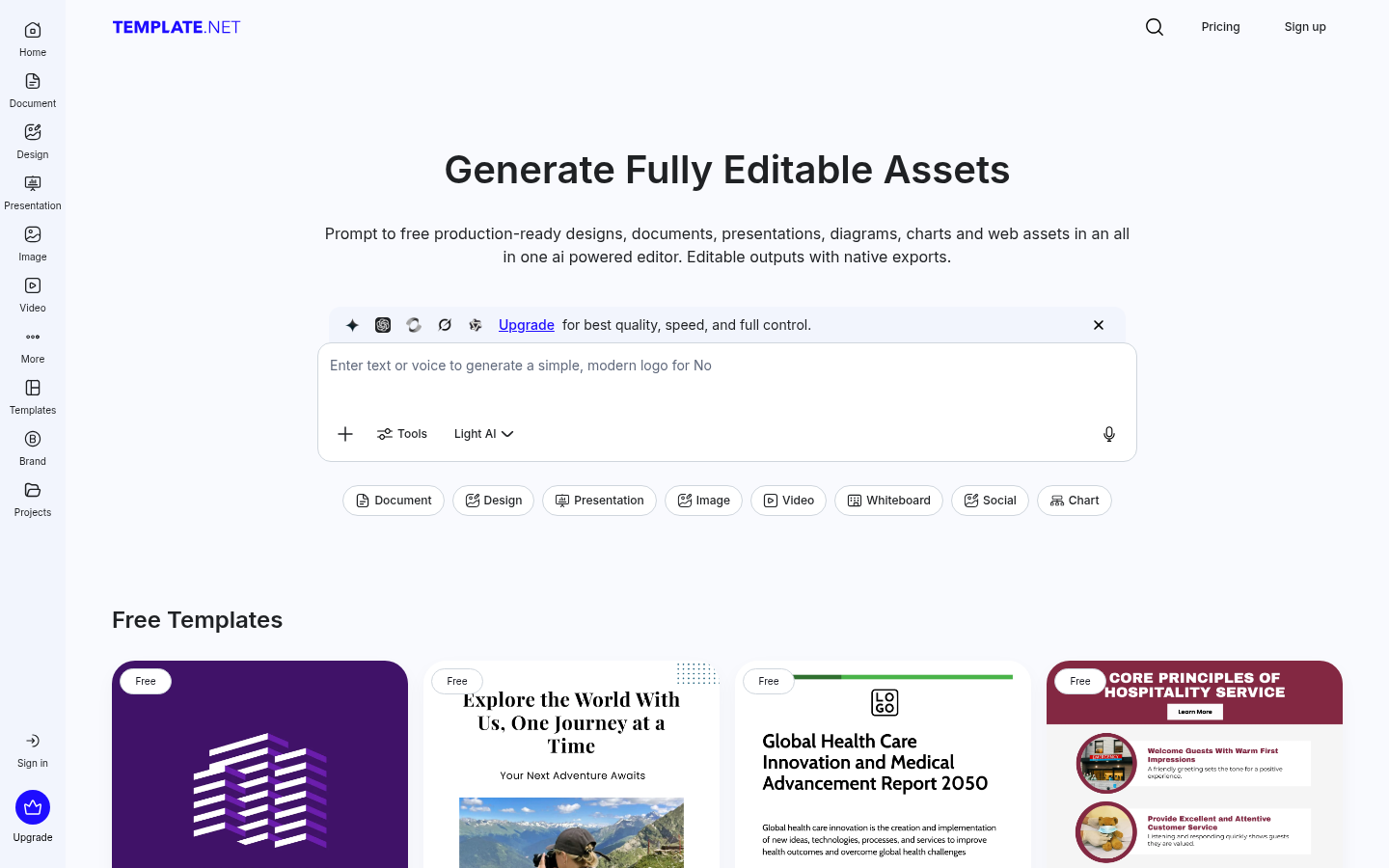
Screenshot archived from the listing page, for preview only.











