
To Teach AI
AI lesson plan and exercise builderPersonalized lesson plans and exercises
Highlights
What you can do with it
- Building a worksheet for a class that needs extra practice
- Preparing a lesson plan around a topic students already enjoy
- Producing printable material for a classroom without reliable internet
How to use it
- 1 Sign in to To Teach AI
- 2 Choose the subject and level you are teaching
- 3 Describe what students need or what they are interested in
- 4 Generate the lesson plan or exercise and review it
- 5 Export as printable or digital material
Who it is for
Pros
- A free plan sits alongside the paid options
- Material can be personalized to student interests
- Output works on paper and on screen
- Subject and language coverage is broad
Limitations
- AI generated material still needs a teacher's review before use
- The free plan has limits that the listing does not detail
- Coverage across every subject and language will vary
- Personalization quality depends on how much context you give
What To Teach AI is
To Teach AI is an AI powered education product that helps teachers create personalized lesson plans and exercises. Instead of starting from a blank page, you describe the class, the subject, and what students need, and the system produces material you can adapt. The listing emphasizes personalization: the tool customizes materials based on students' interests and needs, which is the part that separates it from a static worksheet library.
The output comes in both printable and digital form, so the same plan can be handed out on paper or shared through a learning platform. It is described as applicable to various subjects and as supporting multiple languages, which makes it usable in bilingual classrooms and in schools working across languages. Teachers can either build material from scratch or start from AI generated content and edit from there. The product offers both free and paid plans, so it is possible to evaluate the workflow before committing to a subscription.
What you can do with it
- Generate a lesson plan for a specific subject and level
- Generate exercises matched to what a class is struggling with
- Personalize material around topics students already like
- Produce printable handouts or digital files from the same content
- Create material in more than one language where support exists
Who it is for
- Teachers who prepare their own classroom material
- Tutors working one to one with a student
- Schools that need material in more than one language
- Homeschooling families covering several subjects
- Trainers who need practice exercises for a short course
What to watch out for
AI generated material is a first draft, not a finished lesson. Facts, difficulty, and alignment with your curriculum still need a teacher's review, and anything used with students should be checked first. The listing mentions free and paid plans but does not detail the limits of the free tier, so generation caps or feature gates may appear. Subject and language coverage is described as broad rather than complete, so niche topics may produce thinner material. Finally, personalization only works if you give the tool real context about your students, which takes a few minutes per plan.
FAQ
What does To Teach AI produce?
Personalized lesson plans and exercises, available as printable and digital materials.
Is there a free plan?
Yes. The listing says the product offers both free and paid plans.
Which subjects and languages?
The material mentions various subjects and multilingual support, without listing an exact set.
How does it personalize material?
It customizes materials based on students' interests and needs, so you describe the class and the goal.
Why it is free
What the official page says: 免费
Free limits, trial length and features are decided by the official site and can change at any time.
Product preview
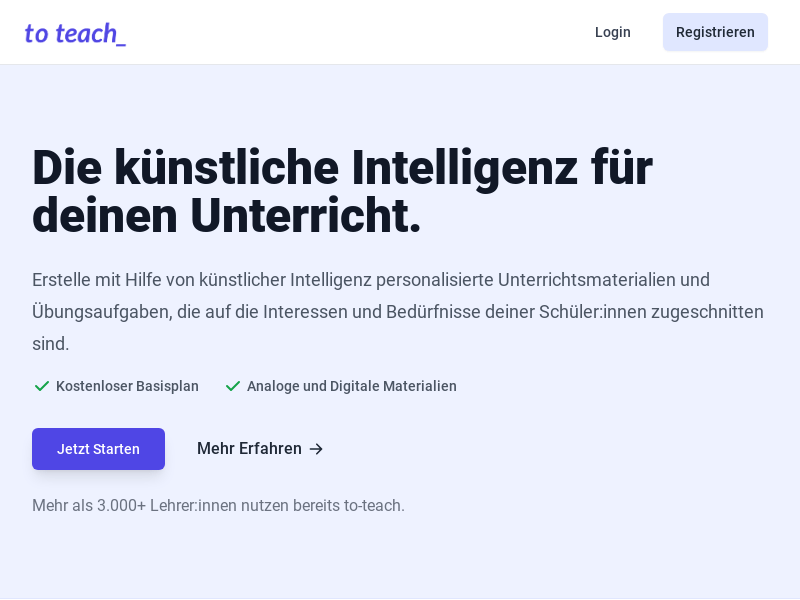
Screenshot archived from the listing page, for preview only.











