
Highlights
What you can do with it
- Produce meeting minutes from a recording
- Turn a lecture into organised notes
- Transcribe a podcast episode for publication
How to use it
- 1 Open the site without creating an account
- 2 Upload audio or video, or paste a YouTube link
- 3 Select the language and start transcription
- 4 Review speaker labels and timestamps
- 5 Export the text for notes, minutes or publishing
Who it is for
Pros
- Free and no registration required
- Speaker labels and timestamps included
- Handles files and YouTube links
Limitations
- Accuracy drops with poor audio or heavy accents
- Free limits and file size caps are not documented
- Free access rules can change without notice
- Long files may take longer to process
What Transcribe Audio is
TranscribeAudio is a free online transcription tool. It takes audio files, video files or YouTube links and returns text, with the stated goals of speed and accuracy. Alongside the raw transcript it offers speaker differentiation, so a meeting or interview comes back labelled by person, and timestamped output, which makes it far easier to find a specific moment later. Multiple languages are supported, and the listing mentions additional AI tools on the site. It is described as free to use and it does not require registration, so you can paste a link and start without an account. The stated audience is creators, students, researchers and teams who need spoken content turned into something searchable.
What you can do with it
- Transcribe an audio or video file into text
- Pull a transcript straight from a YouTube link
- Get speaker labels and timestamps in the output
- Use the result as minutes, notes or a published transcript
Who it is for
- Students converting lectures and seminars into notes
- Teams that record meetings and interviews
- Podcasters and creators who publish transcripts
What to watch out for
Free tools with no registration usually carry limits, and this listing does not document file size caps, daily quotas or processing queues, so assume some restriction exists. Accuracy depends almost entirely on the source: clean audio with one speaker transcribes well, while background noise, crosstalk, heavy accents and fast speech all degrade the result. Speaker differentiation is helpful but not perfect, and labels can swap on similar voices. Always review before publishing, especially for anything with names, numbers or quotes. Free access rules can change, so keep a local copy of important transcripts rather than relying on stored history.
FAQ
Is it free?
The listing describes it as free to use with no registration required.
What can I transcribe?
Audio, video and YouTube content.
Does it mark speakers and timestamps?
Yes, speaker differentiation and timestamped output are listed.
Which languages?
Multiple languages are supported, though the exact list is not given.
Why it is free
What the official page says: 免费使用免费无需注册
Free limits, trial length and features are decided by the official site and can change at any time.
Product preview
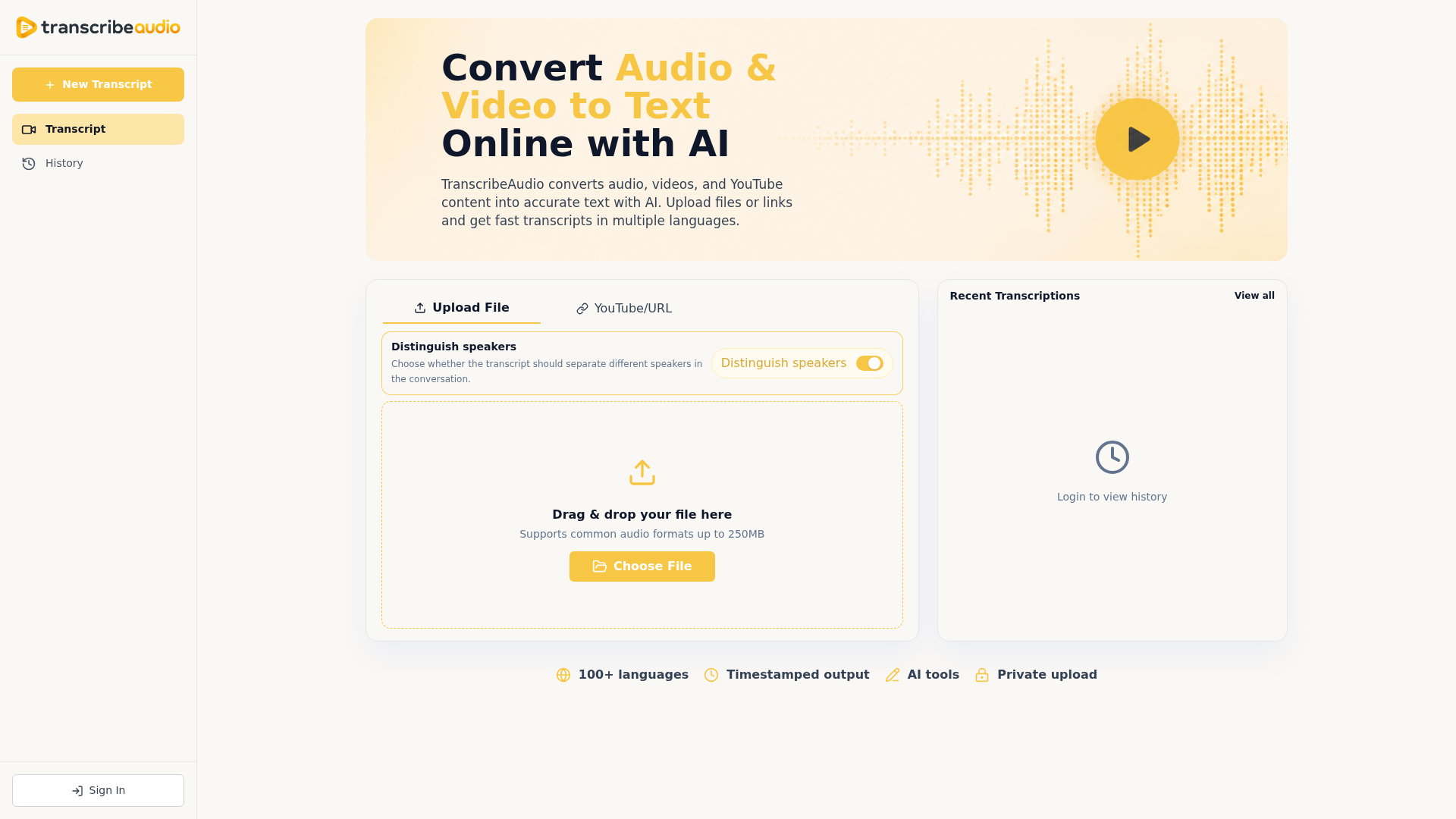
Screenshot archived from the listing page, for preview only.