
TryMyCut
Preview hairstyles freeTry 20 hairstyles free, no sign-up
Highlights
What you can do with it
- Try several hairstyles on your own selfie before choosing one
- Hairdressers show clients different hairstyle effects during design
- Fashion bloggers preview looks for photo shoots
How to use it
- 1 Open the TryMyCut website.
- 2 Click the upload button and select a selfie.
- 3 Browse the 20 hairstyles and click one to try.
- 4 Wait a few seconds to see the result on your photo.
- 5 Note the style you like and take it to your barber.
Who it is for
Pros
- Free to try with no registration or credit card
- Fast preview within a few seconds
- Photos are deleted after 24 hours for privacy
Limitations
- Free trial terms may change as the product develops
- Only works on a clear selfie, so photo quality affects results
- Preview is a guide, not a guarantee of the real haircut
What TryMyCut is
TryMyCut is a free AI hair styling try-on tool. Upload a selfie and the tool overlays different hairstyles on your photo so you can see the effect before you get a haircut. No registration is required, and the free trial does not ask for a credit card. You can try 20 different hairstyles, including textured cuts, bob cuts, layered styles, and curly looks. The preview appears within a few seconds, so you can compare options quickly. TryMyCut also focuses on privacy: uploaded photos are automatically deleted after 24 hours, and uploads use end-to-end encryption to keep your data safe. The goal is to give people a low-risk way to test a new hairstyle and avoid the annoyance of a cut they do not like.
What you can do with it
- Upload a selfie and see 20 hairstyles overlaid on your face
- Compare textured cuts, bob cuts, layered styles, and curly looks
- Get a preview within a few seconds of clicking a style
- Note the look you like and share it with your barber before the appointment
Who it is for
- People who want to change their hairstyle but cannot decide which one
- Hairdressers who want to show clients a preview during a design session
- Fashion bloggers who need to test many looks for photo shoots
What to watch out for
The free trial may change as the product grows, so check the site for current terms. Results depend on a clear selfie; a dark or blurry photo can make the overlay look off. The preview is only a guide and does not guarantee the real haircut will look the same. Uploaded photos are deleted after 24 hours, but you should still avoid sharing sensitive images. Treat it as a fun preview tool, not a promise from your barber. Only a clear, front-facing photo gives a strong result.
FAQ
Do I need to register?
No, you can try TryMyCut without registration.
How many hairstyles can I try?
You can try 20 different hairstyles for free.
What happens to my photo?
It is automatically deleted after 24 hours.
Why it is free
What the official page says: for freeno registrationfree trial
Free limits, trial length and features are decided by the official site and can change at any time.
Product preview
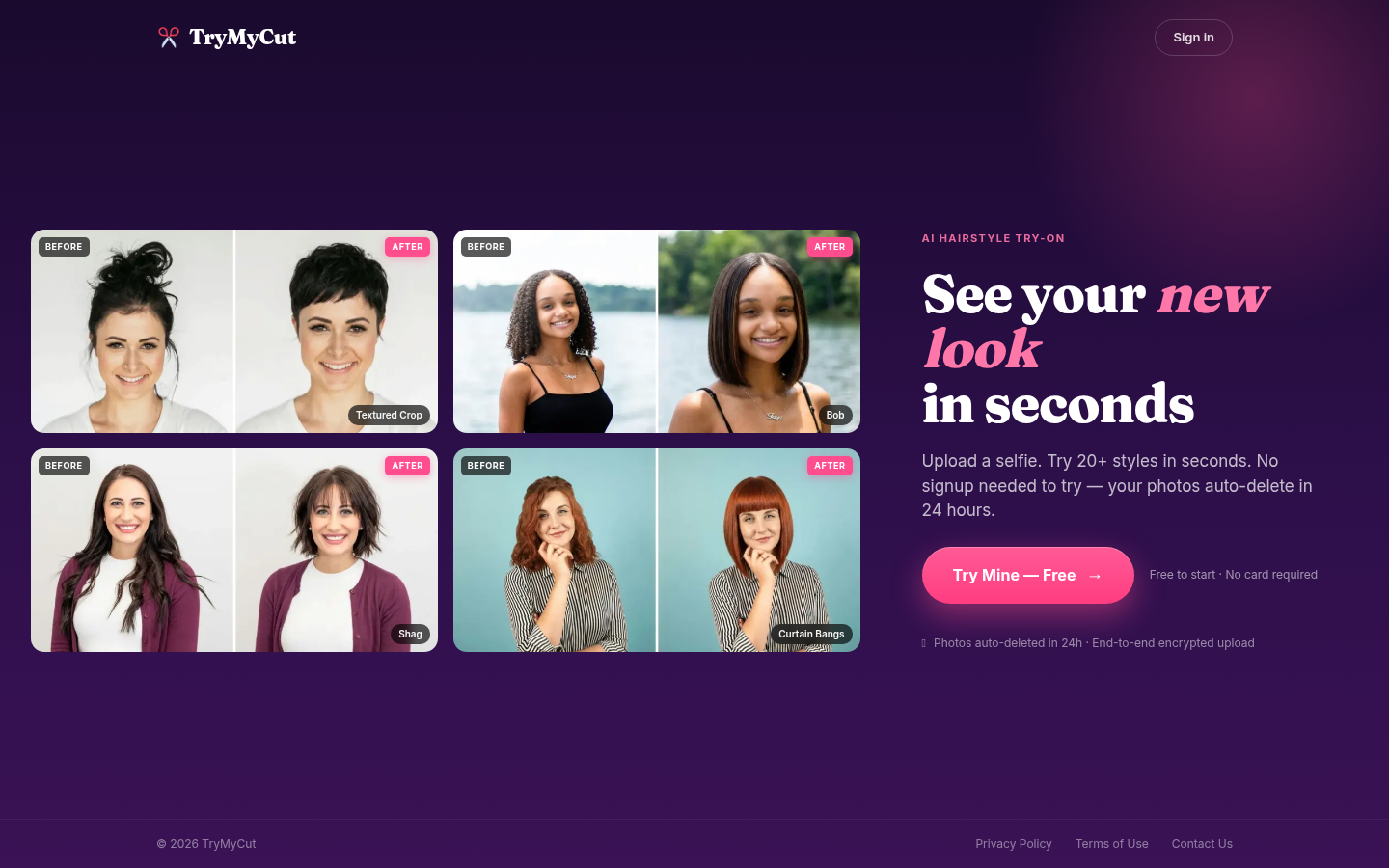
Screenshot archived from the listing page, for preview only.











