
Highlights
What you can do with it
- Queue a week of posts across several networks
- Draft threads with AI suggestions in your voice
- Let a team review and schedule content together
How to use it
- 1 Connect your X, LinkedIn, Bluesky or Threads account
- 2 Draft a post or let the assistant suggest copy
- 3 Review the style suggestions and edit
- 4 Add it to the queue with a publish time
- 5 Check performance and adjust your schedule
Who it is for
Pros
- Covers four major networks in one queue
- AI suggestions adapt to your writing style
- Free plan available to test the workflow
Limitations
- The free plan only covers part of the feature set
- AI suggestions still need editing to sound natural
- Paid tiers are needed for team and volume use
- Platform API changes can affect scheduling
What Typefully is
Typefully is a social media scheduler with an AI writing assistant built in. It supports X, LinkedIn, Bluesky and Threads, so you can draft, queue and publish to several networks from one place instead of logging into each app. The AI side is not a generic text generator: the listing says it learns your writing style and gives personalised suggestions, which is meant to keep drafts sounding like you rather than like a template. The product is aimed at creators and teams that need to post consistently, on the theory that regular publishing drives growth. There is a free plan that covers some features, with paid tiers for fuller access.
What you can do with it
- Draft and schedule posts for X, LinkedIn, Bluesky and Threads
- Get AI suggestions that follow your own writing style
- Build a queue so publishing happens without daily effort
- Collaborate with a team on shared content
Who it is for
- Creators posting daily on X or LinkedIn
- Social media managers running several accounts
- Small teams that want one shared content calendar
What to watch out for
The free plan is limited. The listing does not spell out which features are gated, so check before you move an existing workflow over. AI style learning helps, but suggestions still need editing, and the assistant will not know your context, offers or current news. Scheduling depends on platform APIs, and changes to X, LinkedIn, Bluesky or Threads can break integrations or limit what gets posted automatically. Analytics and team features are the usual paid upsell, so plan a budget if more than one person will use it. Free plan rules can also change, and accounts may need reconnecting after API updates.
FAQ
Which platforms does it support?
X, LinkedIn, Bluesky and Threads.
Is there a free plan?
Yes, the listing mentions a free plan that covers some features.
What does the AI assistant do?
It learns your writing style and offers personalised writing suggestions.
Is it for teams?
It is described as collaborative and aimed at modern teams and creators.
Why it is free
What the official page says: 免费试用免费计划免费
Free limits, trial length and features are decided by the official site and can change at any time.
Product preview
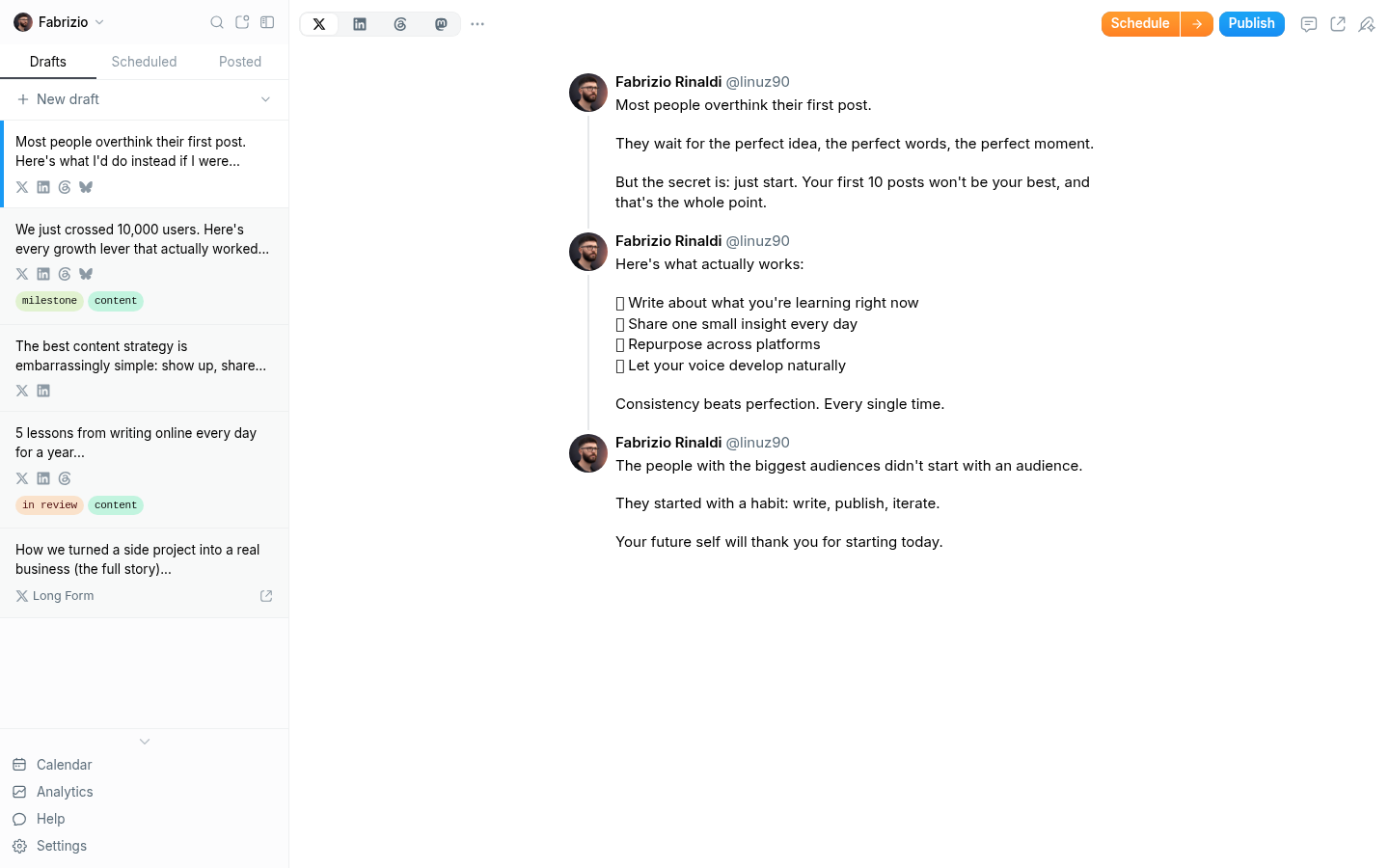
Screenshot archived from the listing page, for preview only.