
typly
AI keyboard that drafts replies in one clickOne-click replies with smart sentence suggestions
Highlights
What you can do with it
- Reply to messages with one tap instead of typing
- Continue a conversation when you are out of words
- Change the tone of a reply with playful phrasing
- Answer faster on a phone where typing is slow
How to use it
- 1 Get typly from the official website
- 2 Install it and enable it as your keyboard on the device
- 3 Open a chat where you want to reply
- 4 Tap a suggested sentence or ask for another option
- 5 Edit the text if needed, then send
Who it is for
Pros
- Saves typing on every reply
- Suggestions follow the context of the chat
- Sentence packs add variety and fun
- Free trial available from the official site
Limitations
- An AI keyboard needs system keyboard permissions and may behave differently across apps
- The advertised offer is a free three-month trial, and later pricing is not stated, so terms can change
- Suggestions are drafts and still need review before sending
- Results depend on the language and app you are using
What typly is
typly is an AI keyboard for your phone. Once you install it and enable it as your system keyboard, it reads the conversation you are in and suggests sentences you can send with one click. You can answer a question, continue a thread, or change the tone without typing from scratch. It also learns your preferences over time and offers sentence packs drawn from movies and books, so replies can sound playful or cinematic. The official site currently advertises a free three-month trial, so you can test the full flow before paying anything. Nothing about the chat changes; the keyboard simply makes the reply step faster.
What you can do with it
- Reply to messages with a single tap on a suggested sentence
- Get suggestions that fit the context of the current chat
- Adjust suggestions to match your own tone and habits
- Pull phrasing from movie and book inspired sentence packs
Who it is for
- People who answer a lot of messages every day
- Social media users who reply in apps and direct messages
- Anyone who finds phone typing slow or awkward
- Users who want a more playful way to phrase replies
What to watch out for
An AI keyboard needs keyboard permissions on your device, and it may not work the same way in every app. The advertised offer is a free three-month trial, and the site does not state the price after that, so terms can change. Suggested sentences are drafts, not final messages, so read before you send, especially in professional chats. Response quality also depends on the language and app you are using.
FAQ
What is typly?
It is an AI keyboard that suggests sentences so you can reply with one click.
Is there a free trial?
The official site advertises a free three-month trial.
Where do the sentence suggestions come from?
They are generated from the conversation context, your preferences, and sentence packs inspired by movies and books.
Can I edit a suggestion before sending?
Yes. You choose a suggestion and can adjust it like normal text before sending.
Why it is free
What the official page says: 免费试用免费
Free limits, trial length and features are decided by the official site and can change at any time.
Product preview
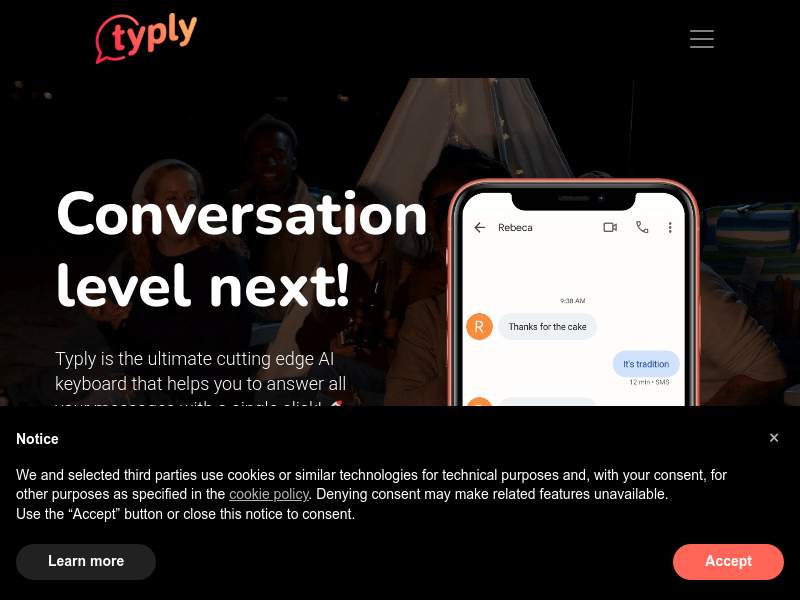
Screenshot archived from the listing page, for preview only.











