
UIED-Tools
Lightweight online toolbox for designersDesign, office, and dev tools in one page
Highlights
What you can do with it
- Generate design specifications and icons quickly
- Merge or split PDF files for office work
- Handle code debugging and data processing tasks
How to use it
- 1 Open uiedtool.com in your browser
- 2 Pick a category such as design or office tools
- 3 Choose the specific tool you need
- 4 Follow the on-screen steps and save the result
Who it is for
Pros
- No registration needed
- Broad category coverage in one place
- Free and browser based
Limitations
- Tools are general purpose, not deep replacements for dedicated software
- Quality and depth vary from tool to tool
- Free availability can change
What UIED-Tools is
UIED-Tools is an online toolbox developed by the UIED technical team. It gathers practical utilities across design, office work, and development into a single clean page. The catalog includes AI writing, image processing, PDF manipulation, copywriting generation, design specifications, and operations helpers. Nothing needs installing, and the site states tools work without registration, so you can open one and use it immediately.
What you can do with it
- Run AI writing and copywriting generation tasks
- Process images and handle PDF operations
- Generate design specifications and icons
- Use development and operations helpers for quick jobs
- Discover tools through random recommendations
Who it is for
- Designers who need a spec or icon in seconds
- Office workers merging and splitting documents
- Developers processing data without a heavy app
- Anyone who wants a toolbox instead of ten bookmarks
What to watch out for
Breadth is the point, so individual tools are general purpose rather than deep replacements for dedicated software, and quality varies across the catalog. A no-registration, free model is convenient but also means availability can change without notice, so do not build a critical process on a single tool here. Since everything runs in the browser, keep a stable connection, and for anything involving uploaded files, check how the tool handles your data before sending sensitive documents. Run one full task end to end first, then expand once you are comfortable with the workflow and the result quality. Behavior may vary across browsers and devices, so test before production use and consult the help docs if errors appear. Save a backup of the original file before large batch jobs, and keep an exported copy of key results in case the page or service becomes temporarily unavailable.
FAQ
Do I need to register?
No, the tools can be used directly without registration.
What kinds of tools are included?
AI writing, design, image processing, PDF handling, copywriting generation, design specs, and operations tools.
Can I discover new tools easily?
The platform offers random tool recommendations to help you find useful functions.
Why it is free
What the official page says: free to use
Free limits, trial length and features are decided by the official site and can change at any time.
Product preview
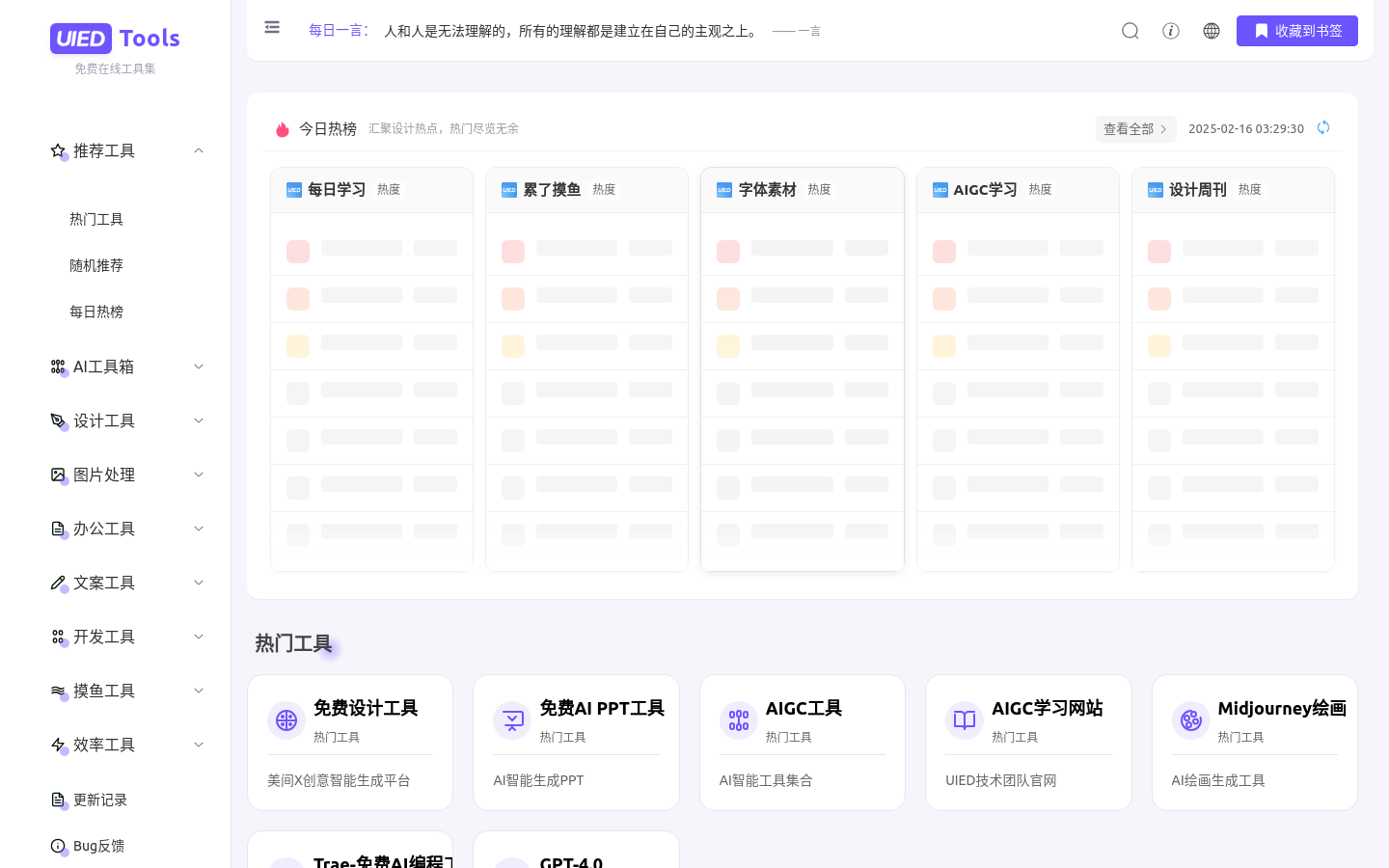
Screenshot archived from the listing page, for preview only.











