UPCV
Free AI resume builder with templatesBuild a polished resume in minutes
Highlights
What you can do with it
- A recent graduate builds a first resume without design experience
- A career changer reorganizes experience into a clean template
- A student applies to more roles with a resume that reads clearly
How to use it
- 1 Visit the UPCV site and start a free resume
- 2 Pick a template, and switch later with one click
- 3 Enter personal details, experience, and skills
- 4 Use AI generation, polishing, and error checks as you write
- 5 Export the finished resume as a PDF
Who it is for
Pros
- Described as completely free to use
- AI drafting helps when you are stuck on wording
- PDF export keeps the formatting intact
Limitations
- Free status and template availability can change
- AI-generated text still needs your review for accuracy
- Works online, so you need a browser and a connection
- Heavy reliance on AI wording can make resumes sound similar to each other
What UPCV is
UPCV is an online AI resume generator. You start by entering the job and industry you are aiming at, and the tool drafts job descriptions you can then edit. While you write, it checks spelling and grammar in real time and offers one-click polishing for skill descriptions, so weaker wording can be tightened without rewriting everything. The layout is built to be scanned quickly, and you can switch between templates with one click, including bilingual templates for applications outside your home market. When the resume is finished, it exports to PDF in one step. The site describes itself as completely free.
What you can do with it
- Generate job description drafts from your target role and industry
- Polish skill wording with one click and catch typos as you type
- Switch templates instantly, including bilingual options
- Export a clean PDF ready to send to employers
Who it is for
- Students and recent graduates writing a first resume
- Professionals changing jobs or switching careers
- HR staff who need standard templates for screening
What to watch out for
The service is described as free, but free status and the template library can change, so save copies of your work as PDFs rather than trusting the site to hold them. AI drafting is a starting point, not a finished product: every generated line still needs your review, because invented or inflated details will not survive an interview. If many candidates lean on the same AI wording, resumes can start to sound alike, so edit the output into your own voice. You also need a browser and a stable connection to use it.
FAQ
Is UPCV free?
The site describes itself as a completely free AI resume generator.
What does the AI do?
It drafts job descriptions from your target role, polishes skill wording, and flags spelling and grammar issues.
Can I export my resume?
Yes, one-click export to PDF is listed among the features.
Why it is free
What the official page says: completely freefree of charge
Free limits, trial length and features are decided by the official site and can change at any time.
Product preview
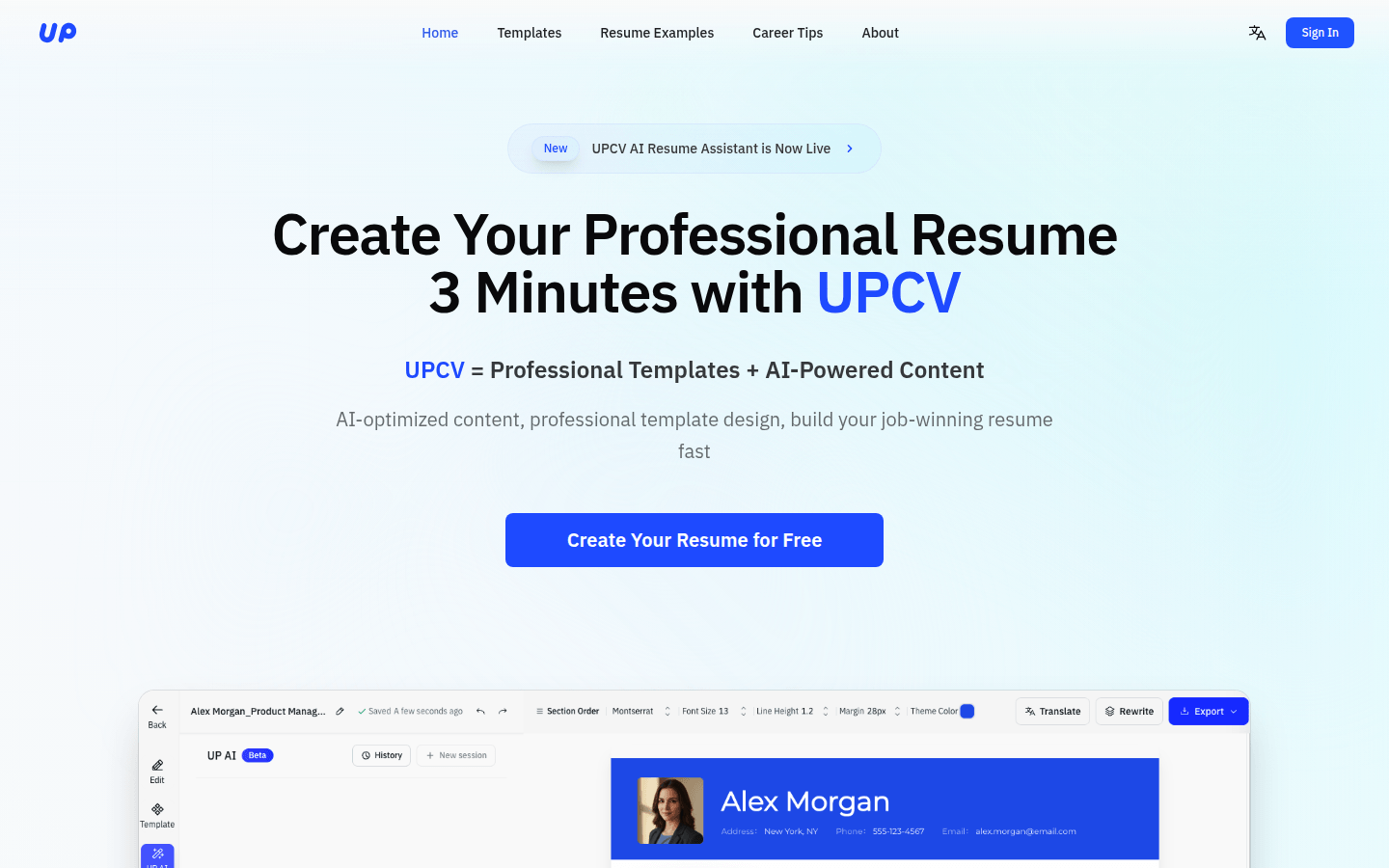
Screenshot archived from the listing page, for preview only.