VibeMeAI
AI music video and creative studioOne click from image to singing video
Highlights
What you can do with it
- Turn a song into a music video for social media
- Create product promo clips and posters quickly
- Make a singing video from a personal photo
How to use it
- 1 Install the app or open the website
- 2 Register and log in
- 3 Pick a function such as AI music video
- 4 Upload your image and choose music and model
- 5 Generate, preview, and download
- 6 Upgrade to Pro if you need more
Who it is for
Pros
- Free version available
- No editing experience needed
- Several AI functions in one app
- Pro output is HD and watermark-free
Limitations
- Best features require Pro payment
- Video length is capped on free use
- Results depend on the uploaded image
- Pricing and features can change
What VibeMeAI is
VibeMeAI is a creative app that turns images into music videos. You upload a photo and the AI produces a video with a character performing to music, no editing experience required. It also offers storyboard music video generation, AI song creation, AI video generation from ideas, and AI image generation. Several advanced models are available inside the app, and the paid Pro version unlocks all professional functions, including longer, high-definition, watermark-free videos. A free version lets you start without paying.
What you can do with it
- Turn a photo into a singing music video in one click.
- Present a song as a visual storyboard MV.
- Create original songs with AI.
- Generate video and images from written ideas.
- Export longer, HD, watermark-free clips on Pro.
Who it is for
- Music creators who want visuals for their tracks.
- Marketing teams that need quick promo clips.
- Everyday users making fun, shareable content.
What to watch out for
The strongest capabilities, including longer and watermark-free output, sit behind the Pro payment, so free use is capped. Results depend on the photo you upload, and a low-quality image limits the video. The app bundles several AI functions, which means several things to learn rather than one. Pricing and features can change. Run one full task end to end first, then expand once you are comfortable with the workflow and the result quality. Behavior may vary across browsers and devices, so test before production use and consult the help docs if errors appear. Save a backup of the original file before large batch jobs, and keep an exported copy of key results in case the page or service becomes temporarily unavailable.
FAQ
Is there a free version?
Yes, VibeMeAI offers a free version, with Pro unlocking more.
What does it create?
Music videos, storyboard MVs, AI songs, videos, and images.
Do I need editing skills?
No, the app is designed for users without editing experience.
Why it is free
What the official page says: free version
Free limits, trial length and features are decided by the official site and can change at any time.
Product preview
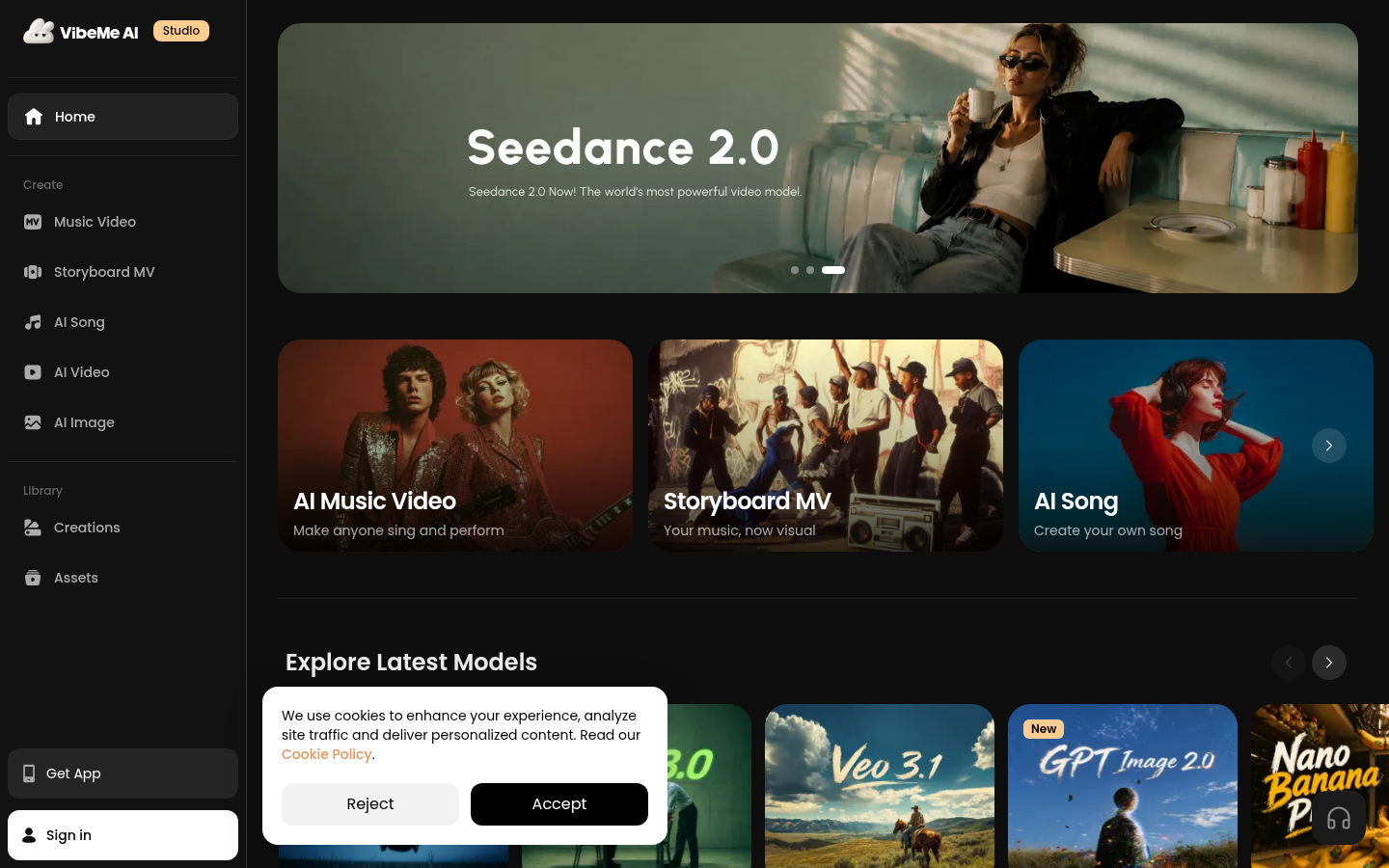
Screenshot archived from the listing page, for preview only.