Video To Transcript
Video to text transcriberTurn video speech into searchable text
Highlights
What you can do with it
- Transcribe a recorded meeting into searchable minutes.
- Turn a lecture or interview video into quotable text.
- Create a text version of a video for translation.
How to use it
- 1 Open the Video To Transcript website.
- 2 Upload the video file you want to transcribe.
- 3 Pick the spoken language if prompted.
- 4 Wait for the AI to produce the transcript.
- 5 Edit in the built-in editor and export your file.
Who it is for
Pros
- No registration needed to start transcribing.
- Broad language and format coverage.
- Built-in editor saves a separate cleanup step.
- Free to use for basic transcription.
Limitations
- Free access and limits can change over time.
- Accuracy depends on audio quality and accents.
- Very long or noisy recordings may need review.
What Video To Transcript is
Video To Transcript is a web-based AI transcription tool that turns the speech inside a video into written text. It is built to be fast and accurate so you can search, quote, translate, and reuse what was said without typing it out by hand. It supports many video formats, covers around 100 languages, gives you several export formats, and includes a built-in editor for cleanup. The tool is free to use and lets you start without registration, so you can drop in a meeting, lecture, or interview and read the words back.
What you can do with it
- Convert the speech in a video into text you can search.
- Work across many video formats and roughly 100 languages.
- Export the transcript in several formats for different tools.
- Clean up and correct the text in the built-in editor.
Who it is for
- Students who need written notes from recorded lectures.
- Writers and researchers who quote from video sources.
- Teams that want searchable records of meetings and calls.
- Podcasters who want written show notes and episode text.
What to watch out for
Free access and any limits can change over time, so do not build a critical workflow on it without a backup. Accuracy depends heavily on audio quality, background noise, and accents, so noisy recordings will need more editing. Very long videos can take longer to process and may test your patience. It is a helpful first draft rather than a final polished document, so always review the transcript before you publish or rely on it. For best results, start with a small test file and review the output carefully before working on anything important.
FAQ
Do I need to sign up?
No. You can start transcribing without creating an account.
How many languages are supported?
The tool supports around 100 languages for transcription.
What can I do with the transcript?
You can edit it in the built-in editor and export it in several formats for search, quotes, or translation.
Why it is free
What the official page says: 免费使用免费无需注册
Free limits, trial length and features are decided by the official site and can change at any time.
Product preview
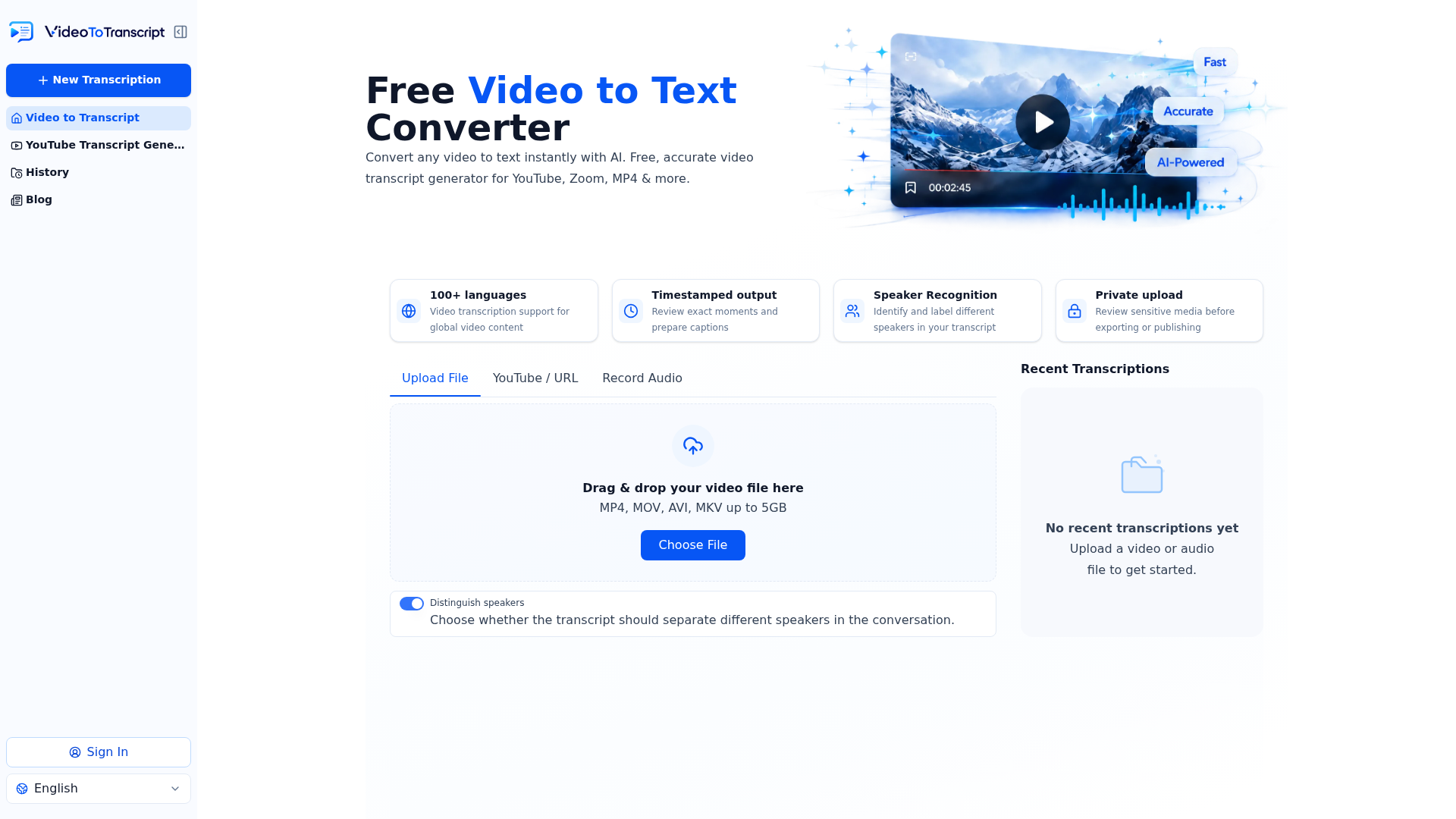
Screenshot archived from the listing page, for preview only.