VideoInPrompt
Video to prompt converterAny video into structured prompts
Highlights
What you can do with it
- Turn a sci-fi video into prompts for a new Runway generation
- Convert a product promo video into prompts for poster art
- Extract animated clips as prompts for character design sketches
How to use it
- 1 Visit videoinprompt.com
- 2 Paste a public video link or upload a local MP4, MOV, or WEBM file
- 3 Wait for the system to process the video and extract key frames
- 4 Review and optimize the generated prompts
- 5 Select the target AI engine and copy the prompt for use
Who it is for
Pros
- Free account handles files up to 50MB
- Structured, detailed output instead of rough notes
- Works with many AI generation engines
Limitations
- Free tier caps file size at 50MB; larger files need paid plans
- REST API access is limited to the Enterprise tier
- Generated prompts usually still need editing
What VideoInPrompt is
VideoInPrompt is a video-to-prompt generator built for creators who work with AI tools. It analyzes video frame by frame and converts the content into highly structured text prompts and JSON metadata, ready to feed into generators such as Runway, Sora, and Midjourney. Intelligent key frame extraction captures motion in the video, semantic analysis identifies the subject, movement, and lighting, and advanced visual models synthesize all of that into prompts that carry detail instead of vague descriptions. The output can be adapted to many AI engines, including Veo, Kling, Runway, Hailuo, Luma, and PixVerse. Free accounts handle video files up to 50MB, Pro and Enterprise plans handle larger files, and the Enterprise tier provides full REST API access.
What you can do with it
- Convert local or linked video into structured prompts and JSON
- Extract key frames and motion information automatically
- Analyze scene semantics such as subject, motion, and lighting
- Adapt prompts to different AI generation engines
- Handle public YouTube, TikTok, and Twitter links as input
- Integrate the workflow into your own app through the Enterprise API
Who it is for
- Video creators who want to reuse footage as AI prompts
- AI developers integrating video-to-prompt through an API
- Marketers and designers generating assets from existing video
It saves the manual work of watching a clip and writing a prompt from scratch.
What to watch out for
Free accounts cap file size at 50MB, so longer or higher-quality video requires a paid plan, and full REST API access is limited to Enterprise. The prompts it produces are a strong starting point rather than a finished product, so expect to edit them for your target engine. Output quality depends on the source video: clear footage with readable motion yields better prompts than shaky or dark clips. Because it processes video you upload or link, only use material you have the right to use, and free tier limits and paid pricing can change over time.
FAQ
Is there a free option?
Free accounts can handle video files up to 50MB, while Pro and Enterprise plans handle larger files.
What input does it accept?
Local MP4, MOV, and WEBM files, plus public YouTube, TikTok, and Twitter video links.
Which AI engines does it support?
Prompts can be adapted to engines such as Universal, Seedance, Veo, Kling, Runway, Hailuo, Luma, and PixVerse.
Why it is free
What the official page says: free account
Free limits, trial length and features are decided by the official site and can change at any time.
Product preview
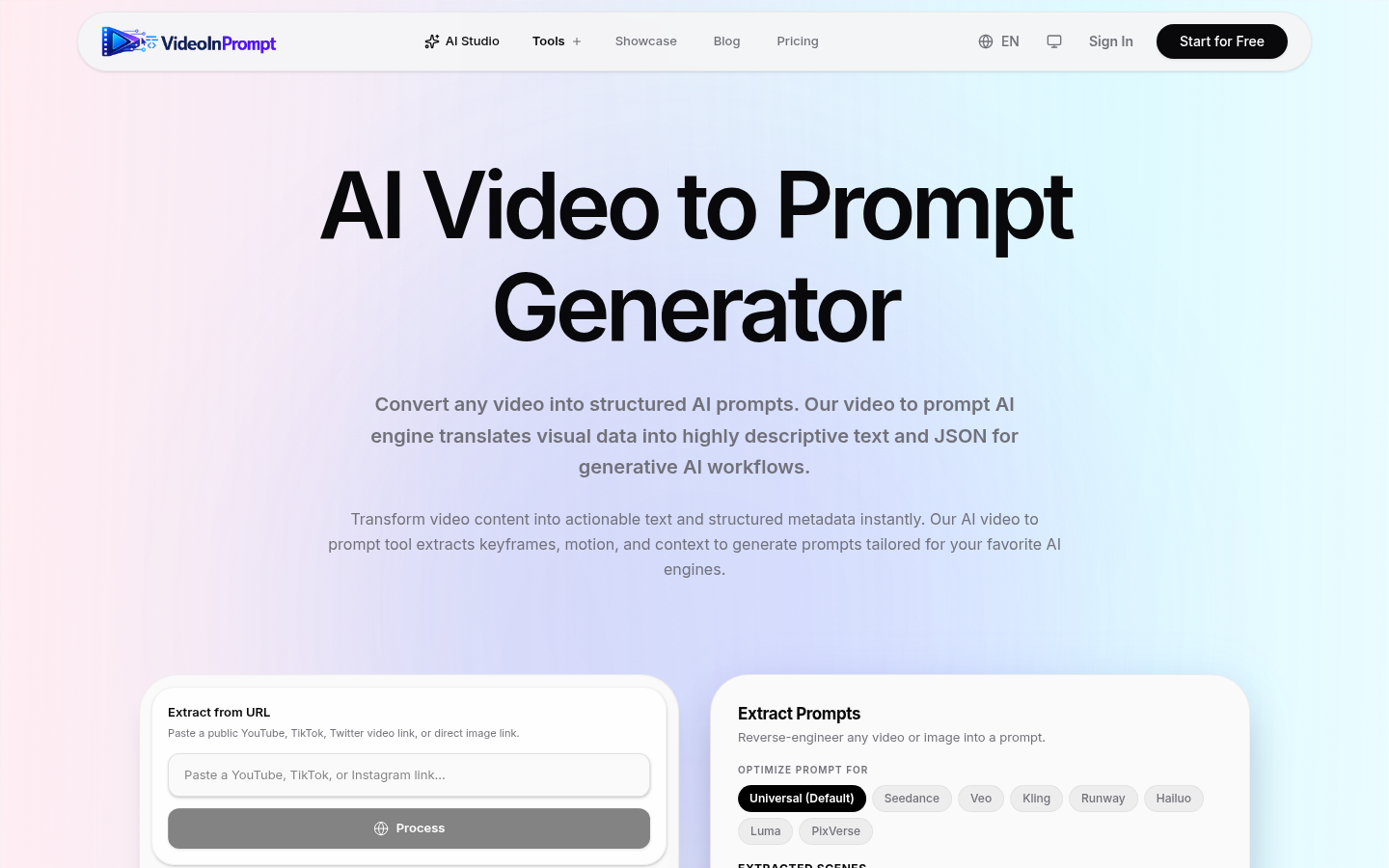
Screenshot archived from the listing page, for preview only.