
Vidnoz
Talking avatar video makerRealistic speaking avatars in minutes
Highlights
What you can do with it
- Make a spokesperson style clip for a marketing page
- Produce a short support or onboarding video without a camera
- Test an avatar concept before committing to a shoot
How to use it
- 1 Open the Talking Head page on Vidnoz
- 2 Choose an avatar and the script or voice you want
- 3 Let the AI generate the lip synced video
- 4 Preview and adjust the wording if the mouth movement looks off
- 5 Download the clip or upgrade for advanced features
Who it is for
Pros
- No camera or studio needed to make an avatar speak
- Free tier available to test the output
- Results come together in minutes
Limitations
- Advanced features need a paid plan, and free limits can change
- Output quality depends on the script, voice, and avatar you pick
- Only use faces and voices you have rights to; impersonation or misleading use can break platform rules and the consequences are yours
What Vidnoz Talking Head is
Vidnoz Talking Head is an online tool for creating realistic speaking avatar videos in minutes. You choose an avatar and provide the script or voice, and the AI generates the video with lip syncing, which removes the need for a camera, a studio, or an on screen presenter. The site lists free usage alongside paid plans that unlock more advanced features. It is pitched at applications such as sales, marketing, communication, and support, where a presenter style clip is needed quickly and a full shoot would be overkill. Because results come together fast, it also works as a way to test an avatar concept before anyone commits to filming.
What you can do with it
- Generate a speaking avatar that delivers your script with matching lip movement.
- Produce short marketing or explainer clips without booking a presenter.
- Draft support and onboarding videos for internal review.
- Try the free tier to judge quality before paying for advanced features.
Who it is for
- Marketers who need presenter style video quickly.
- Support and communication teams building explainer libraries.
- Creators and founders testing whether an avatar fits their brand.
What to watch out for
Free usage is the entry level, and the more advanced features sit behind paid plans whose limits can change. Output quality depends on the script, the voice, and the avatar you select, so awkward wording shows up as awkward mouth movement. There is also a responsibility question: only put faces and voices into the tool that you have the rights to use. Impersonating a real person or making a clip designed to mislead can break platform rules and local law, and the consequences land on you, not on the service.
FAQ
Is Talking Head free?
Free usage is offered, and paid plans unlock more advanced features.
What does it generate?
Realistic avatar videos with AI generated lip syncing and voice.
What is it used for?
Sales, marketing, communication, and support videos.
Why it is free
What the official page says: 免费使用免费
Free limits, trial length and features are decided by the official site and can change at any time.
Product preview
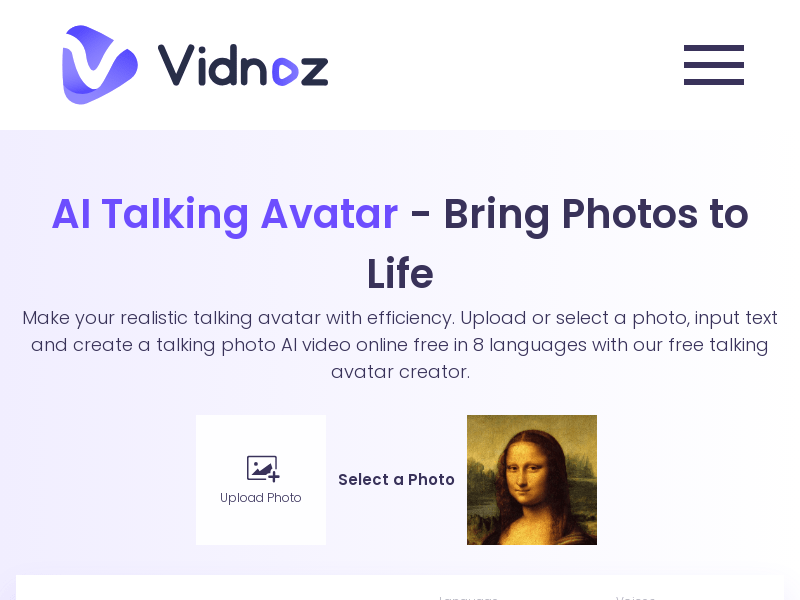
Screenshot archived from the listing page, for preview only.











