WeMark
Free AI WeChat article editorWrite and format WeChat articles
Highlights
What you can do with it
- Generating a technology trends article quickly
- Adding AI-generated images to an article
- Converting a Word document into a WeChat-ready format
How to use it
- 1 Enter ideas or import a document, or generate with AI
- 2 Pick a style and image settings, and write image prompts
- 3 Edit the article and preview it in real time
- 4 Export to the format you need or copy it for WeChat
Who it is for
Pros
- Completely free with no usage restrictions stated
- Covers writing, formatting, images, and export in one place
- Word import and multi-format export save steps
- Real-time preview reduces formatting mistakes
Limitations
- It is focused on the WeChat ecosystem, not general publishing
- AI-generated text and images need review before publishing
- Site availability was uncertain at review time
- Free terms can change without notice
What WeMark is
WeMark is a completely free AI-driven editor built for WeChat Official Accounts. It combines writing and formatting in one place: you can type ideas, import a Word document, or let the AI generate an article from a prompt. One-click Markdown formatting handles layout, and the smart image feature creates relevant pictures from your content or instructions. Real-time preview shows how the piece will look, and finished work can be exported to PDF, PNG, HTML, or Markdown, or copied in a WeChat-ready format. The product states there are no usage restrictions, and articles and tables of contents can be created without limits.
What you can do with it
- Generate article drafts from prompts or imported documents
- Format text with one-click Markdown styling
- Create matching images for your content
- Export to PDF, PNG, HTML, or Markdown, or copy for WeChat
Who it is for
- WeChat Official Account operators who publish often
- Content creators who need fast, clean layouts
- Writers who draft elsewhere and want simple export
What to watch out for
The tool is built around the WeChat ecosystem, so it is not a general publishing platform, and other channels still need their own formatting. AI-generated text and images are drafts and need your review before they go public. The site was not reachable when this entry was reviewed, so confirm access before relying on it. As a free service, its terms and availability can change without notice, so keep local copies of important work. For best results, start with a small test file and review the output carefully before working on anything important. Free tiers can change over time, so it is worth checking the current limits on the official page before you rely on the tool daily.
FAQ
Is WeMark free?
Yes, the product is described as completely free with no usage restrictions.
What can it export?
It supports PDF, PNG, HTML, and Markdown, plus copying in WeChat Official Account format.
Can it generate images?
Yes, it can generate relevant images from article content or your instructions.
Why it is free
What the official page says: completely free
Free limits, trial length and features are decided by the official site and can change at any time.
Product preview
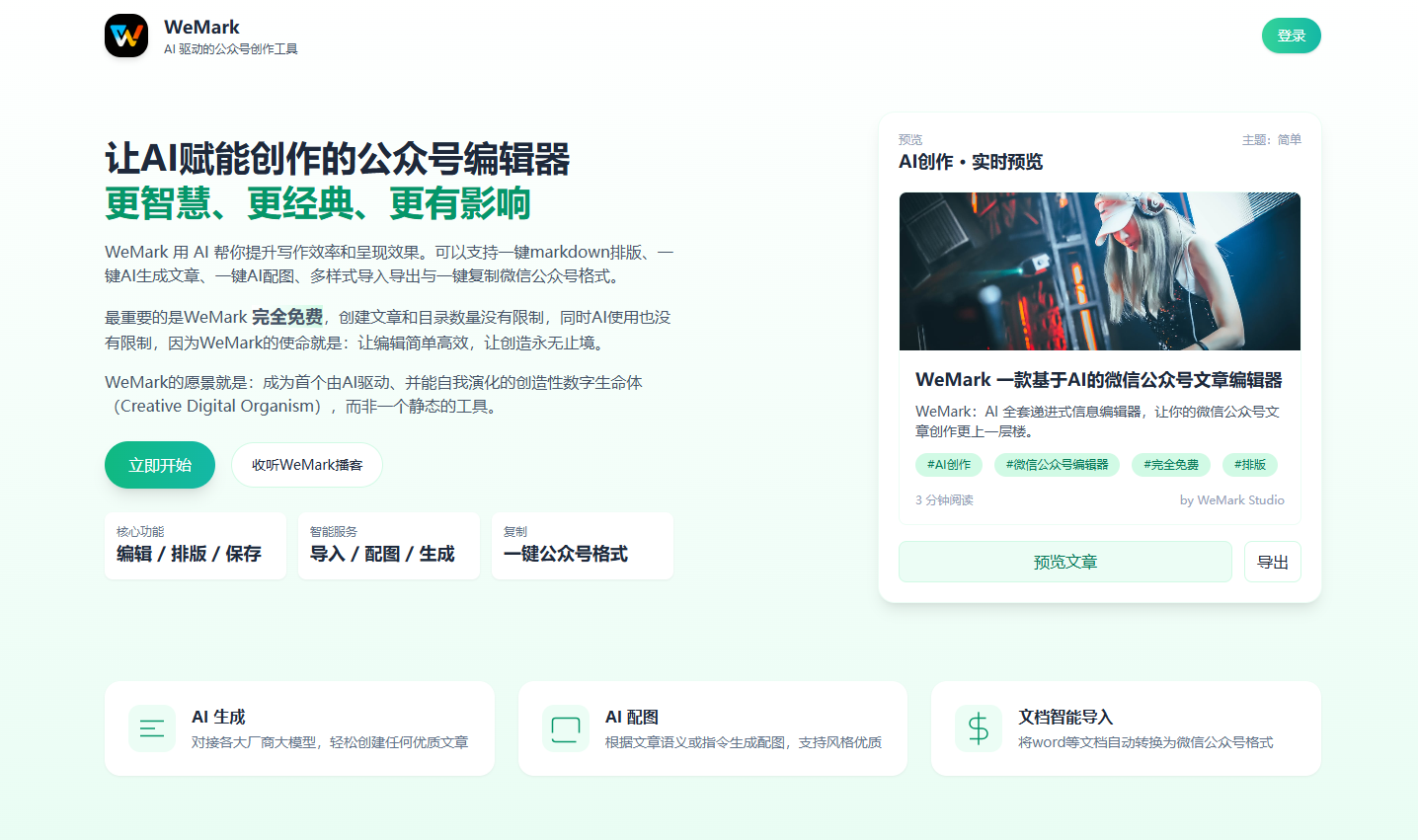
Screenshot archived from the listing page, for preview only.











